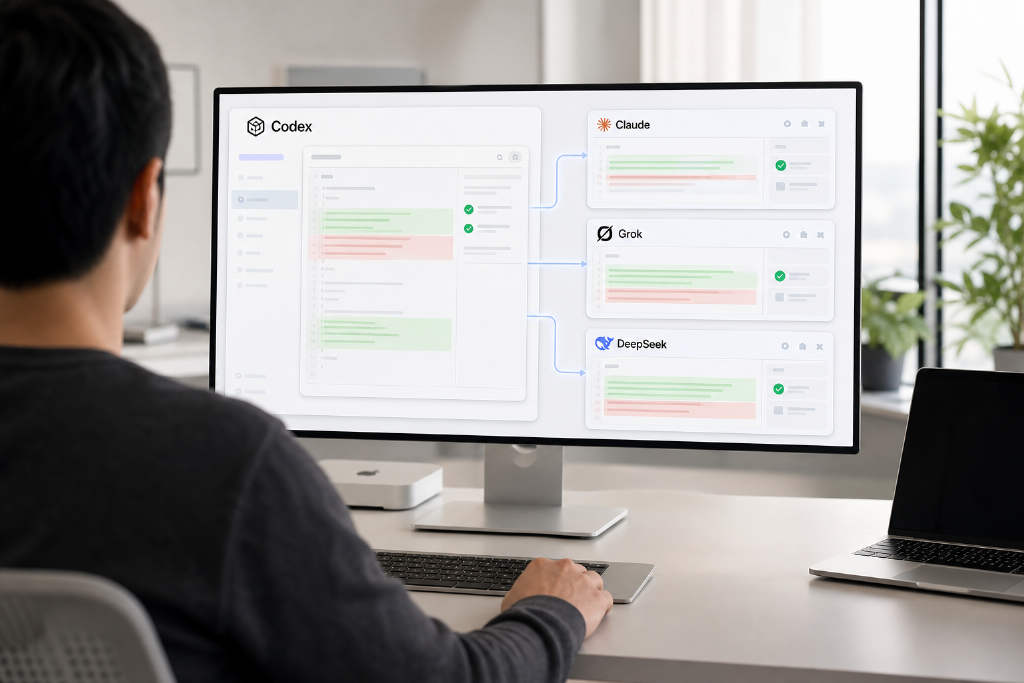
CodexHost, an open-source project covered by BlockBeats, has turned Codex Desktop into a multi-agent workspace that can manage several coding assistants from a single window. The current integration list includes Codex, Claude Code, Pi, Oh My Pi, Grok Build and DeepSeek Harness. Rather than replacing each system’s own runtime, Codex Desktop serves as the shared interface while every agent continues to run on its native harness. Claude Code still uses Agent SDK / CLI, and Pi still relies on its own RPC path.
The project is designed to preserve native capabilities after integration into Codex, including tool calls, code diffs, approvals and prompt-based queries. It also allows agents to delegate work to one another. One example described in the brief is that Codex can handle coding while separately launching Claude Code for code review, with both operating in parallel before Codex reads back the result. CodexHost does not modify the official Codex product or replace Codex CLI. It only takes effect when users launch through CodexHost.
Open-source project CodexHost has turned Codex Desktop into a multi-agent workspace, allowing users to create and manage sessions for different agents inside a single window.
At present, CodexHost supports Codex, Claude Code, Pi, Oh My Pi, Grok Build and DeepSeek Harness. In this setup, Codex Desktop acts as the unified interface, while each agent continues to run on its own harness. Claude Code still uses Agent SDK / CLI, for example, while Pi continues to use its own RPC path.
Native capabilities remain intact
CodexHost connects those agents into Codex, which means native functions such as tool calls, code diffs, approvals and queries are retained.
The project also lets different agents hand work off to one another. In the example provided, Codex can write code while separately launching Claude Code for code review. The two can work in parallel, after which Codex reads the result.
Only active when launched through CodexHost
That gives users a way to coordinate multiple coding agents from one Codex window. Installing CodexHost does not modify the official Codex product and does not replace Codex CLI. Opening Codex Desktop directly, or running Codex CLI on its own, does not go through CodexHost. The integration only becomes active when launched from CodexHost.
This article was originally published by Bit.Fan. For more cryptocurrency news and market insights, visit www.bit.fan. Disclaimer:
The market information, project data, and third-party content displayed on this platform are for industry information sharing only and do not constitute any form of investment advice or return commitment.
Cryptocurrency trading carries high risks. Users should fully assess their risk tolerance and make independent decisions. All profits, losses, and legal responsibilities are borne by the users themselves.