
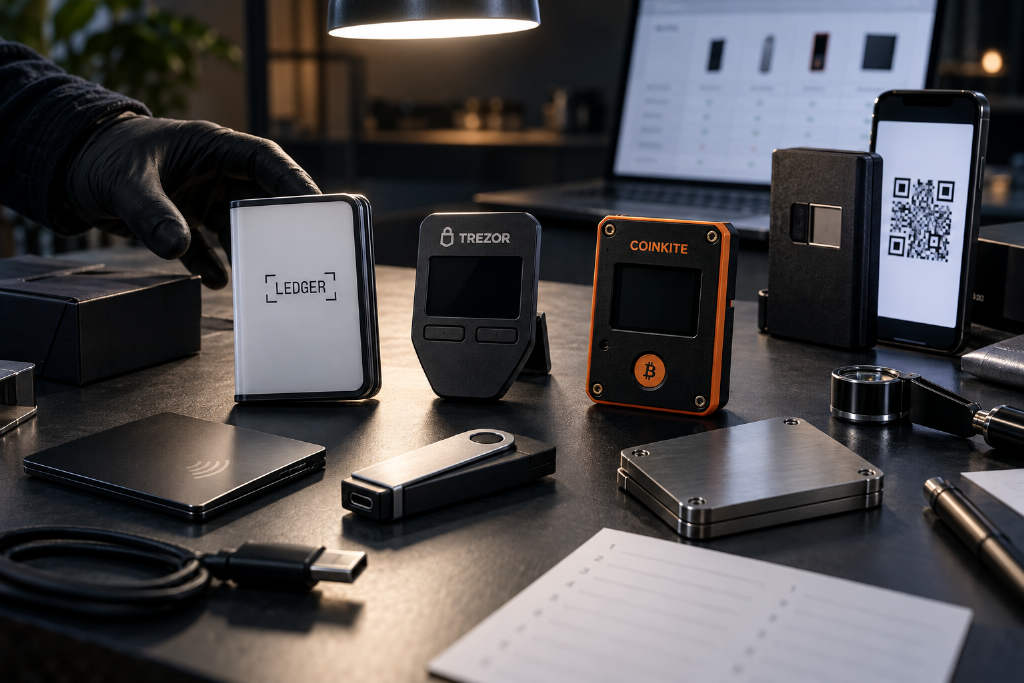
Cointelegraph has released a 2026 guide to crypto hardware wallets, comparing devices across security, connectivity, usability and recovery options. The roundup spans touchscreen wallets, QR-code signers, NFC wallet cards and Bitcoin-only models, with the stated goal of helping users match a device to the way they actually store and use crypto.
The article explains that a hardware wallet is built to protect the private keys used to approve cryptocurrency transactions. The assets themselves remain onchain; the wallet stores the keys that control access to them. In practice, the biggest differences between products come down to asset support, how the wallet connects to a phone or computer, and how transaction details are reviewed and approved.
How Cointelegraph assessed the wallets
Cointelegraph said it tested Trezor Safe 7, Ledger Stax, Flex, Nano Gen5, Nano X, Nano S Plus and Coinkite’s Opendime. The tests used smartphones and computers running Linux and macOS, with both official software and third-party apps. Opendime was used as a cold-storage product, while the other tested devices were used for both simple transfers and decentralized application interactions.
All other models mentioned in the article were included on the basis of publicly available information only. Review units were supplied free of charge by Ledger, Trezor and Coinkite at Cointelegraph’s request so the products could be reviewed. The publication said none of the companies paid compensation or received any promise of favorable coverage.
What hardware wallets protect, and where the limits are
A hardware wallet separates transaction signing from the phone or computer it connects to. That reduces the chance that malware on those devices can steal private keys and gives cybercriminals fewer paths to a user’s digital assets. Most hardware wallets also include a screen, which lets users verify transaction details on the device itself rather than relying only on what appears on a connected app or computer.
That protection has limits. The wallet has to show enough information for the user to understand what is being approved. Funds can still be lost if a user signs a scam transaction, exposes a recovery backup or relies on vulnerable wallet software. Cointelegraph also notes that the recovery backup needs its own protection, because anyone who obtains it may be able to restore the wallet and access the funds.
Multi-asset wallets: support, software and connection methods
For users holding more than one cryptocurrency, the guide says the first step is to check whether a wallet supports the coins and networks they use. It also advises checking which features work inside the manufacturer’s own app and which require another app.
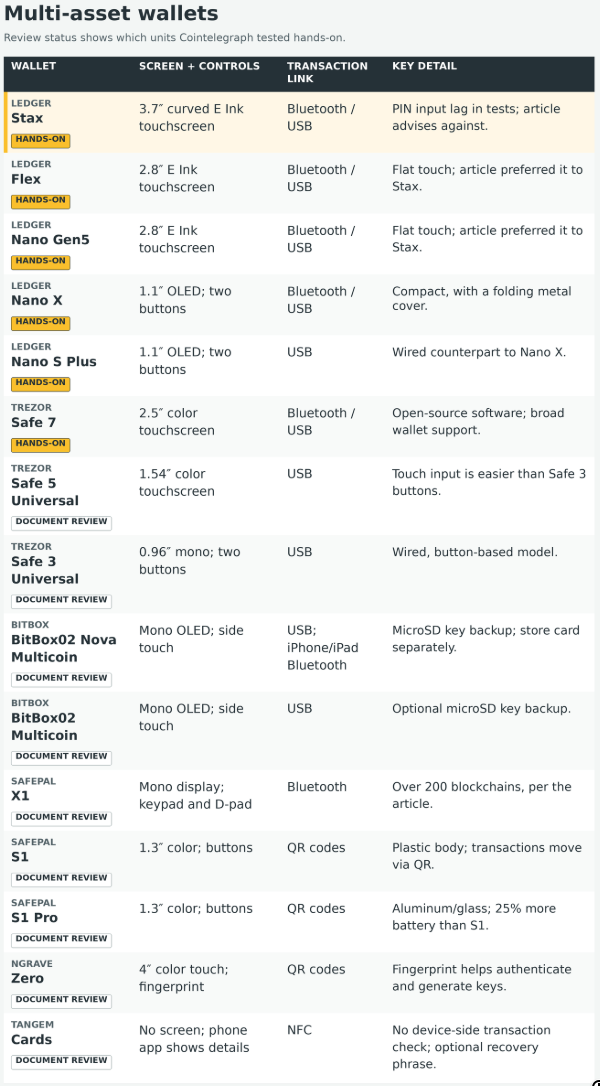
The comparison table for multi-asset wallets is based on manufacturer documentation.
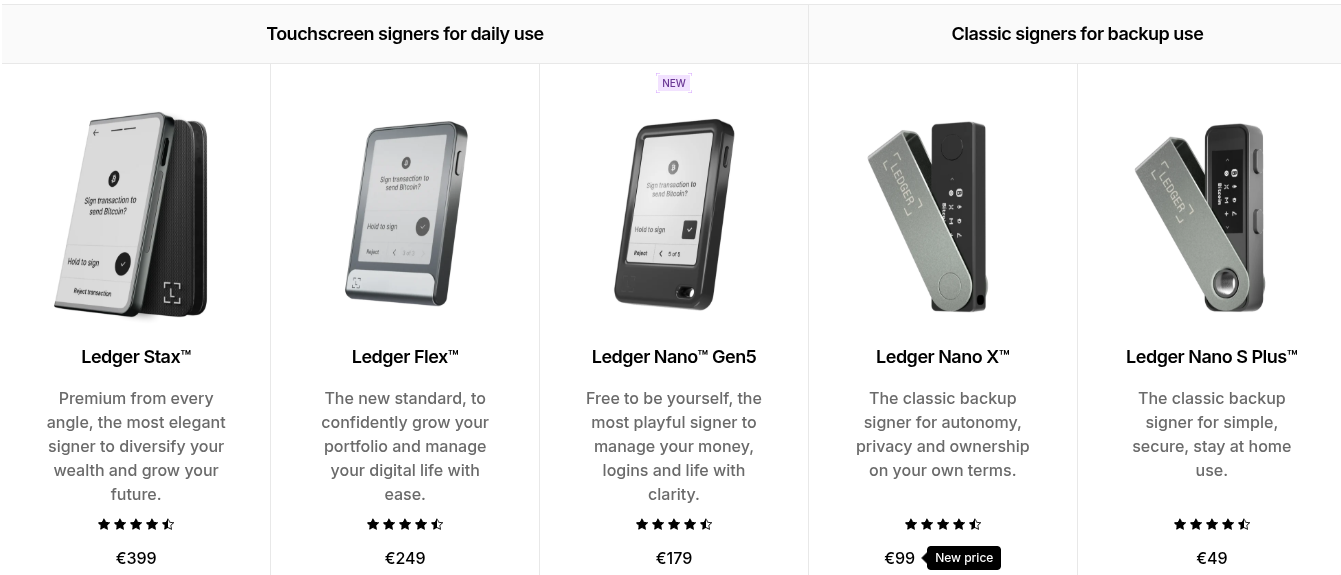
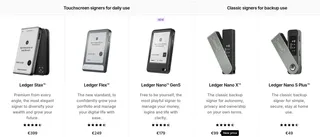
Ledger’s Stax, Flex, Nano Gen5 and Nano X all connect over Bluetooth or USB. Stax uses a 3.7-inch E Ink touchscreen that wraps around the front and one side of the device. Flex and Nano Gen5 use flat 2.8-inch rectangular E Ink touchscreens. Nano X has a smaller 1.1-inch OLED display and two physical buttons, with a folding metal cover that gives it the look of a USB flash drive.
During testing, Cointelegraph said the Stax, the most expensive device in Ledger’s lineup, appeared to suffer from lag. According to the article, the manufacturer confirmed that this was a consequence of the wraparound screen design. The lag showed up as delayed input, which led to repeated PIN entry mistakes and forced slower number entry than on other devices. On that basis, the article advises against the Stax and says the cheaper touchscreen models delivered a much better user experience.
Trezor Safe 7 is described as a color touchscreen hardware wallet with fully open-source software. Ledger, by contrast, uses certified secure-element chips that legally prevent part of its software stack from being open-sourced. In practical use, Cointelegraph says the two brands are broadly similar in capability, with wide third-party software support, support for thousands of digital assets, and dedicated management software for both desktop and mobile devices.
The BitBox02 Nova Multicoin is presented as a Bluetooth-capable general-purpose wallet with capacitive controls over an OLED display and support across major platforms. It also allows private keys to be backed up to a microSD card, the first device in the article to offer that option. Cointelegraph adds that the card should be stored securely and separately from the wallet itself.
SafePal X1 stands out for a different reason: it combines a full keypad, a simple monochrome interface and low-cost Bluetooth connectivity. The article says the wallet supports more than 200 blockchains. It is usually priced at around $70, but is currently listed at $29.99 through Changelly’s wallet marketplace, roughly 57% below its usual price.
The guide then moves to wired general-purpose wallets: Ledger Nano S Plus, Trezor Safe 5 Universal, Trezor Safe 3 Universal and BitBox02 Multicoin. These devices connect to supported computers and other devices through USB. Nano S Plus is described as almost identical to Nano X, except that it only supports wired communication.
Trezor Safe 5 Universal and Safe 3 Universal are both wired wallets. The Safe 5 Universal has a color touchscreen, while the Safe 3 Universal uses a monochrome display with two buttons. Their capabilities are said to be similar, but Cointelegraph found input and output much less cumbersome on the Safe 5 Universal.
BitBox02 Multicoin is the Swiss company’s wired monochrome touchscreen option. Like the BitBox02 Nova Multicoin, it also supports backing up keys to a microSD card.
QR-code wallets: no live data link during signing, but checks still matter
SafePal S1, S1 Pro and Ngrave Zero exchange transaction data through QR codes shown on their screens and scanned by cameras. That lets users sign transactions without a USB or Bluetooth data connection. Even so, the devices still rely on USB for charging and firmware updates. The article stresses that QR codes alone do not make a transaction safe; users still need to verify what they are approving.
SafePal S1 and S1 Pro are described as essentially the same device. Both are QR-based hardware wallets with the same color screen. The practical differences are limited: the Pro version uses aluminum and glass instead of plastic, and it has 25% more battery capacity.
Ngrave Zero is described as a smartphone-like air-gapped hardware wallet with a color touchscreen and an interface that resembles mobile apps. It also includes a fingerprint sensor used both for authentication and as a source of randomness during key generation, alongside its random number generator and ambient light data.
NFC wallet cards: lighter form factor, no dedicated display
Tangem wallet cards use near-field communication and do not include a dedicated screen. Cointelegraph says that means the wallet cannot warn the user if the connected device has been compromised and is presenting transaction details that differ from what is actually being signed. Users interact with the wallet by tapping the card against a phone.
Tangem supports setup with or without a recovery phrase. If a wallet is created without a recovery phrase, the key is generated inside the card. If a wallet is created with a recovery phrase, the phone app generates the phrase and transfers the resulting keys to the card.
Bitcoin-only wallets and the Coldcard firmware issue
For users who only use Bitcoin, the guide says Trezor and BitBox offer Bitcoin-only versions of several wallets already covered in the article. Those versions remove support for other cryptocurrencies. Even then, buyers still need to think through how they will verify transactions, protect backups and keep device software updated.
Coinkite’s Coldcard Mk5 uses a numerical keypad. Coldcard Q adds a larger screen, a full keyboard and a camera for scanning QR codes. The devices work with compatible wallet software such as Sparrow to prepare transactions.
The article says Coinkite warned in July 2026 that affected Coldcard firmware could generate wallet keys that were easier for attackers to guess. The issue affected multiple models and software versions. In an Aug. 24 update, Galaxy Research’s Alex Thorn attributed the theft of about 1,789 BTC from 8,865 addresses to that flaw. The Bitcoin was worth about $114.7 million at the time of the thefts.
Coinkite instructed affected users to install corrected firmware, create a new wallet and move their Bitcoin. Updating firmware alone does not repair keys that were already created with the flaw. Users are directed to the company’s security advisory for affected versions, exceptions and migration instructions.
Coinkite’s Opendime, along with the button-based Coldcard and Coldcard Q, supports only Bitcoin. The article describes Opendime as bringing the idea of Bitcoin credit chips into practice: Bitcoin can remain stored on the device until its seal is broken, at which point the private key is revealed and the funds can be spent, much like opening a digital piggy bank.
How the guide says users should choose
Cointelegraph’s suggested starting point is simple: begin with the coins you hold and the phone or computer you plan to use. Then decide how you want to verify transactions and how you would recover access if the device were lost. After narrowing the list, users can compare products side by side in Changelly’s hardware wallet marketplace, where some discounts are listed that are not offered in public promotions elsewhere.
The article gives a few examples of fit. A screenless NFC wallet may work as a low-cost multisignature key when paired with other keys that offer stronger verification. A Bitcoin-only device can reduce attack surface by removing support for coins some users will never use, though that same design will be a poor fit for others.
Cointelegraph also says a higher price may buy a better screen, premium materials or added convenience, but does not automatically mean stronger protection. Protecting backups, checking transaction details carefully and staying current on security updates remain central to safe use. Hardware wallets, the article says, are tools for reducing risk, not guarantees against loss.
In its disclaimer, Cointelegraph says it does not endorse any content or product on the page. It adds that readers should do their own research before taking any action related to the companies mentioned and should bear full responsibility for their decisions. The article should not be considered investment advice.