
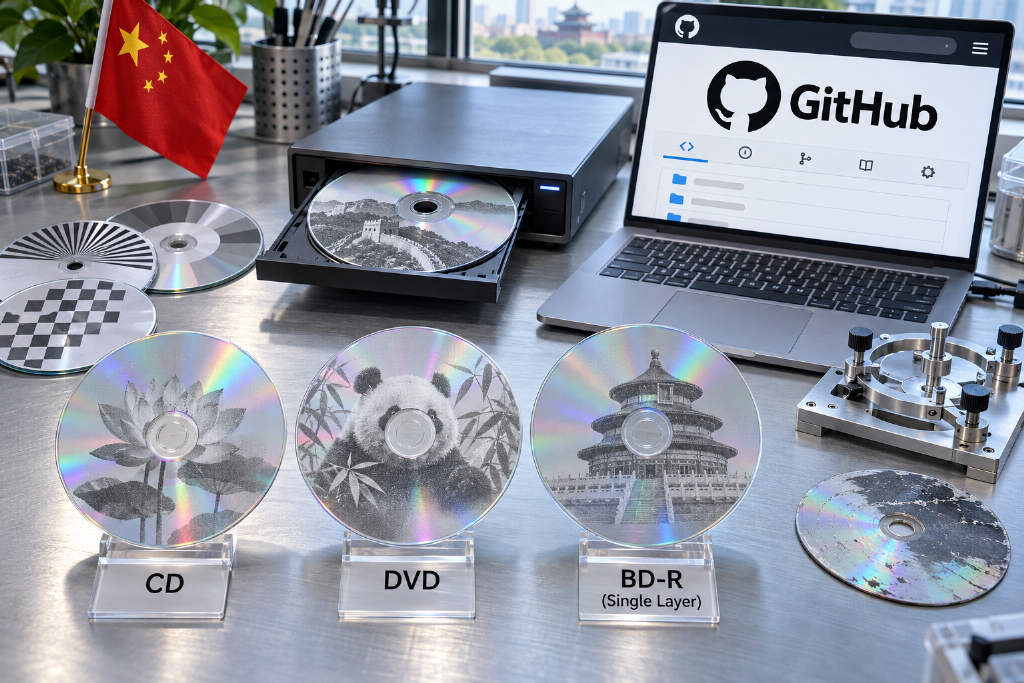
Disc Image Studio, an open-source tool published on GitHub by a Chinese developer, allows users to burn visible images onto the data side of blank CDs, DVDs, and Blu-ray discs with a standard consumer burner. The project says it supports CD, DVD, and Blu-ray media, but the disc must be blank. Discs that already contain data cannot be used directly, although rewritable media such as DVD-RW can be erased and used again.
The project picked up more than 5,500 GitHub stars in less than 48 hours after going live.
How the image is formed on the disc
An optical disc contains a long spiral track. Along that track, pits and flat areas reflect laser light differently, which is how data is normally stored. Developer JiaFeiMiao-K-Cat wrote in a blog post that this difference in reflectivity can be treated as black and white dots, similar to how a laser printer places toner at specific positions.
The process starts by converting an image into a black-and-white bitmap. The software then calculates where each bit should sit on the disc, down to the ring and angle, and writes the corresponding data in sequence. Once burned, the pits line up to form an image. The result is most visible when the data side is viewed under a desk lamp.
Three-step workflow, with black-and-white output on CD and DVD
According to the project documentation, the workflow has three steps: choose the disc type, import and arrange the image, then preview and export an image file or burn it live.
The documentation also notes that CD and DVD output is limited to two-tone black and white rather than grayscale photography. Users can reserve the inner or outer area for actual files, but that reduces the size of the image.
Windows desktop support, experimental command-line builds on Linux and macOS
The desktop version requires Windows 10 version 2004 or later, or Windows 11, and can be downloaded directly. Linux and macOS currently only have experimental command-line versions. Those builds generate image files only, which then need to be written with separate burning software.
For Blu-ray, the project supports only single-layer 25 GB BD-R discs.
In a tutorial published on SSPAI, contributor Catho168 said any drive capable of burning discs can be used. Calibration depends on the disc itself rather than the burner model. The project also states that it does not connect to the internet and does not collect telemetry.
Live burning is still experimental
The official documentation warns that live burning remains an experimental feature and should only be attempted with discs users can afford to discard. If the burn is interrupted, power is lost, or the data cannot be generated in time, the disc may be ruined. The final result also depends on the disc, burner, firmware, and writing method.
Calibration is the hardest step, and each disc model needs it
Disc dimensions follow international standards, but actual inner and outer radii and sector counts still vary slightly across manufacturers and models. Calibration means measuring the real dimensions of a specific disc so the software can place each point accurately.
Catho168 gave a DVD example to show how sensitive the process is. If the inner radius is off by 0.002 mm, the image is already visibly distorted. If the error reaches 0.05 mm, the output turns into a spiral pattern and the original image is no longer recognizable. Based on spiral geometry, he estimated that the accumulated deviation at the outer edge would be about 1.1 turns in the first case and about 28 turns in the second.
From his experience, a first-time calibration can take several days and consume 10 to 30 discs. After getting familiar with the process, it may take around 5 to 10 discs.
Some tested media are listed, but batch changes can still matter
To cut down on trial and error, users can choose discs for which the project already has measured values. On Nov. 2, Catho168 listed Verbatim DVD-R AZO 43533, CD-R AZO 43438, and BD-R 64099, as well as Ritek medical cyan CD and 10x BD-R.
He said buyers should check the product number on the packaging, because values may differ even within the same brand if the model or production batch changes.
The software offers assisted calibration, but user reports show repeated failures
For users calibrating on their own, the software includes an assisted method. It first burns a target disc with concentric circles and crosshairs. The user then photographs the disc under a desk lamp with a phone, marks the inner and outer edges, and lets the program correct perspective and infer the required values.
User reports in the GitHub issue section suggest the process can still be difficult. One user said 20 discs had been burned without getting the settings right and added that they had not used that many discs in a year and a half. Another user said six off-brand Blu-ray discs were ruined. A separate report said four DVDs produced only concentric circles and one thick stripe.
In a reply, another user said it took about 20 hours and 40 attempts to build a working profile, though that user was at least working with rewritable DVD-RW media.