
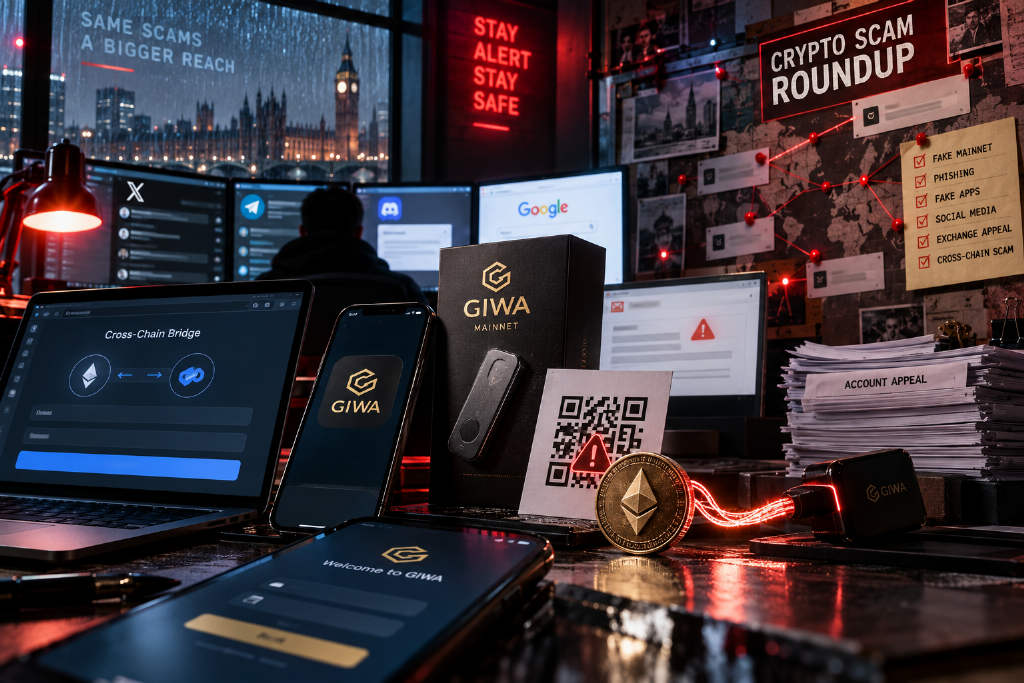
In a PANews article, Biteye opened with a blunt line: “I’ve bought fake tokens, fake NFTs, and aped into fake projects, but this is the first time I’ve run into a fake chain.” The piece uses the fake GIWA mainnet that surfaced the night before as the starting point for a broader review of the crypto scams that, in the author’s view, are both common and easy to fall for in 2026.
Scams spread through X
Fake project websites amplified by KOL engagement
The article says that before Circle’s Arc mainnet had officially opened its bridge, scammers had already set up a fake cross-chain bridge called onbridge and promoted it on X with the message that the Arc mainnet was live and that users could bridge USDC directly into it.
To make the post look credible, the operators bought comment and repost services for KOL accounts on third-party platforms. Some accounts focused on farming and airdrops would reply to or repost the scam post. For followers, seeing familiar accounts interact with the post lowered their guard and made the link appear to be an official entry point that had already been checked by others. Users who clicked the supposed bridge, connected their wallet, and approved assets were actually entering a phishing site.
The advice in the article is simple: go back to the project’s official account to confirm every entry point, and verify every link before using it.
Fake recruiting and fake investment firms used to deliver malware
Biteye describes this category as a social engineering setup with the same basic structure. The attacker first approaches the target with an identity that looks plausible, then tries to get the target to run a malicious file on a computer.
The scammers may pose as venture capital firms, investment institutions, or project teams and talk about fundraising or partnerships. Meetings are scheduled through tools such as Calendly and Google Meet, then the other side suddenly claims there is a problem with the meeting software and asks the target to download a new Zoom, Teams, or Meet plug-in.
Another version targets developers by posing as crypto companies, AI companies, or recruiters. The victim is asked to complete a coding test by downloading a project from GitHub or Bitbucket and running the code locally.
The article says the early part of the process often looks normal. The real attack sits in the final step: the meeting plug-in, update package, coding test, or project code contains malware. Once executed, it may steal browser cookies, Telegram sessions, API keys, wallet private keys, and seed phrases. Some attackers spend a long time building trust. Others move fast and send a fake meeting link or GitHub repository in the first exchange.
The suggested defense is not to download or run meeting software or files sent by strangers. For business communication, use familiar official tools such as Zoom or Google Meet. If the other side insists on changing platforms or installing a plug-in, end the conversation.
Hijacked KOL accounts used to launch tokens or call trades
This pattern targets influential KOLs, founders, and executives. According to the article, scammers commonly send phishing links under pretexts such as DMCA complaints, account issues, or security verification in order to seize an X account. Once they get access, they quickly use the account’s reputation to post about a meme coin or promote a project, making followers think the message carries a real endorsement.
In some cases, the attacker even keeps the act going by hosting an X Space or replying to comments. The article names 0xSun, Wesley from Hash Professor, and Nano Labs founder Kong Jianping as examples of accounts that were taken over. The playbook was similar in each case: seize the account, issue a token or push a trade, use the existing audience to create volume, then watch the token collapse to zero.
The author’s warning is to verify through another channel if a familiar KOL suddenly starts promoting a token.
Telegram scams
Impersonating a Telegram contact to borrow funds or phish
One common tactic is to create a fresh Telegram account that copies a real contact’s avatar, display name, and username style so closely that it looks almost identical. The attacker starts a private chat, exchanges a few normal lines, then says there is an urgent problem and asks to borrow USDT, requests that funds be sent to a different address, or asks for help processing a transfer.
The article notes that some scammers study the relationship in advance, imitate the person’s chat tone, and even know mutual friends, which makes the conversation feel much more authentic.
The recommended response is to confirm by phone or through another familiar channel.
Fake Telegram verification used to steal accounts
Another scheme involves fake verification prompts. Scammers pose as Telegram officials, group admins, or Safeguard bots and claim the account is abnormal, the login has expired, or group access requires verification. The target is then asked to enter a code, scan a QR code, or provide a two-factor authentication password.
Once the code is handed over, the attacker can log in on a separate device, remove other sessions, and change two-factor settings. The article says these actors usually do more than just steal the account. They go through the victim’s contacts and client groups and then use that identity to ask others for USDT or send payment addresses.
The warning is clear: never send anyone a login code, login QR code, or 2FA password.
Phishing entry points
Fake official sites in Google search results
Many users search Google directly when looking for the official website of Hyperliquid, MetaMask, or another crypto project. The article says scammers create pages that closely mimic the real site, then use search ads or SEO to push those pages high in the results.
Because the user found the site through their own search and sees it near the top of the page, suspicion is often lower than it would be with a random link sent by someone else. Biteye cites a case from August in which a user searching for Hyperliquid clicked a fake site at the top of the results, signed a malicious approval, and lost about 550,000 USDC.
The suggested defense is to enter official sites through the project’s verified X homepage whenever possible. If there is doubt about the account itself, the article says users can first confirm the official account with XHunt and then check the domain.
Fake Discord verification that leads to a drainer
Scammers also disguise wallet-draining flows as standard Discord verification. After joining a server, users are asked to click Verify and are then redirected to a third-party site to connect a wallet. The page looks like a routine identity check, but behind it sits a wallet drainer.
If the user connects and signs, the attacker can exploit old approvals already left on protocols such as Morpho and Uniswap and transfer assets out.
The article advises users to inspect both the domain and the signing request whenever a Discord verification step asks for wallet connection or a signature.
Fake airdrop emails
According to the piece, scammers send large batches of polished emails that appear to come from projects and claim the recipient is eligible for an airdrop, has tokens waiting to be claimed, or must claim soon before the deadline. The logo, layout, and even the sender name can be made to look highly convincing.
Clicking “Claim” or “Check Eligibility” sends the user to a copycat project site and prompts a wallet connection. The page then pushes the user to sign or approve transactions while the backend is connected to a wallet drainer. Some pages are more direct and ask for a seed phrase or private key.
The article’s advice is not to use claim links in emails directly and instead verify the information through the project’s official X account.
Wallet and on-chain scams
Address poisoning
Biteye describes address poisoning as a trick built around familiarity. The scammer creates a wallet address that looks very similar to one the user often sends funds to, usually with matching characters at the beginning and end. The attacker then sends a tiny amount, or even 0 tokens, so the fake address appears in the user’s transaction history.
If the user later copies an address from past transactions and only checks the first and last few characters, the fake address can be mistaken for the real one. The result is that funds go straight to the scammer’s wallet even though the user believes they copied a familiar destination.
The article recommends QR-code transfers where possible, a small test transfer before a large one, and fuller address checks instead of copying from transaction history.
Fake mainnets and fake bridges where the Chain ID is real
The GIWA case is the center of the article. It says GIWA had already disclosed Chain ID 9134, but the mainnet itself had not officially launched and there was no official RPC or official bridge. Scammers used that information gap to build a fake “GIWA Mainnet,” using the real Chain ID 9134 together with a fake RPC and a fake bridge.
Once users added the network to their wallets, the Chain ID matched exactly, which made the setup look legitimate. The fake network then spread in the community. The article says even a DEX integrated with it, which made it look more credible. Some users, trying to get in early, bridged ETH into what they thought was the GIWA mainnet.
The figures given in the article are specific: 1,335 addresses sent about 767.65 ETH into the fake mainnet, and about 766.25 ETH was drained. The reported loss was close to $2 million.
The author’s conclusion is that users should rely only on RPC endpoints, bridges, and contract addresses listed in official announcements. A matching Chain ID does not prove a network is authentic.
Device and account compromise
Malicious apps that turn bad in later updates
The article also points to FomoPeek. On the surface, it appeared to be a normal on-chain monitoring tool. It did not require a wallet connection or a seed phrase. The operators first listed a benign version in the App Store, then used KOLs and airdrop groups to distribute invite codes and attract real users with a “download and try it for 5 U” offer.
After the install base grew, the app reportedly added malicious code in a later update and used an iOS vulnerability to read sensitive data stored on the phone, including wallets, private keys, and notes.
The article advises users not to install unfamiliar apps just for a small reward, to keep important wallets away from their everyday phone, to stop storing large sums on devices that have installed suspicious apps, and to keep both iOS and applications updated because Apple devices are not automatically safe.
Exchange account resets using forged identity materials
Another risk comes from exchange account abuse. The article says attackers collect personal information such as a user’s name, ID details, phone number, and trading records, then combine those with forged videos, AI face-swaps, or other social engineering methods to impersonate the user in support requests. Common pretexts include losing access to an email account or being unable to use Google Authenticator.
If the exchange approves the reset, the attacker may switch the email address and 2FA to their own controls and quietly create API keys, withdrawal addresses, or other persistent permissions. Even if the real user later regains access and changes the password and authenticator, the funds can still be at risk if those hidden permissions are left in place.
The article says multiple such cases have already appeared this year as AI face-swapping, voice cloning, and forged materials become more common. The advice is to review exchange API keys, withdrawal whitelists, login devices, and security settings regularly, and not to stop at changing a password if something looks wrong.
Four closing takeaways
Biteye closes by arguing that the most effective scams are not always the most technically advanced ones. Their strength often lies in social engineering. Familiar settings such as friends, KOLs, official websites, meetings, recruitment, and verification flows are used to lower defenses before the target is pushed into transferring funds, signing a transaction, entering a code, downloading a file, or running code.
- First, assume anyone could be a scammer. Even with friends, partners, or KOLs, anything involving money or a transfer should be verified through another channel.
- Second, separate devices from assets. Main wallets and large holdings should stay on dedicated devices and not be mixed with daily chatting, meetings, software downloads, or code execution.
- Third, do not open unfamiliar links directly. That applies whether the link comes from a friend, a KOL, or a Google search result.
- Fourth, keep systems and common software up to date. The article specifically mentions iOS, macOS, browsers, and wallets.