
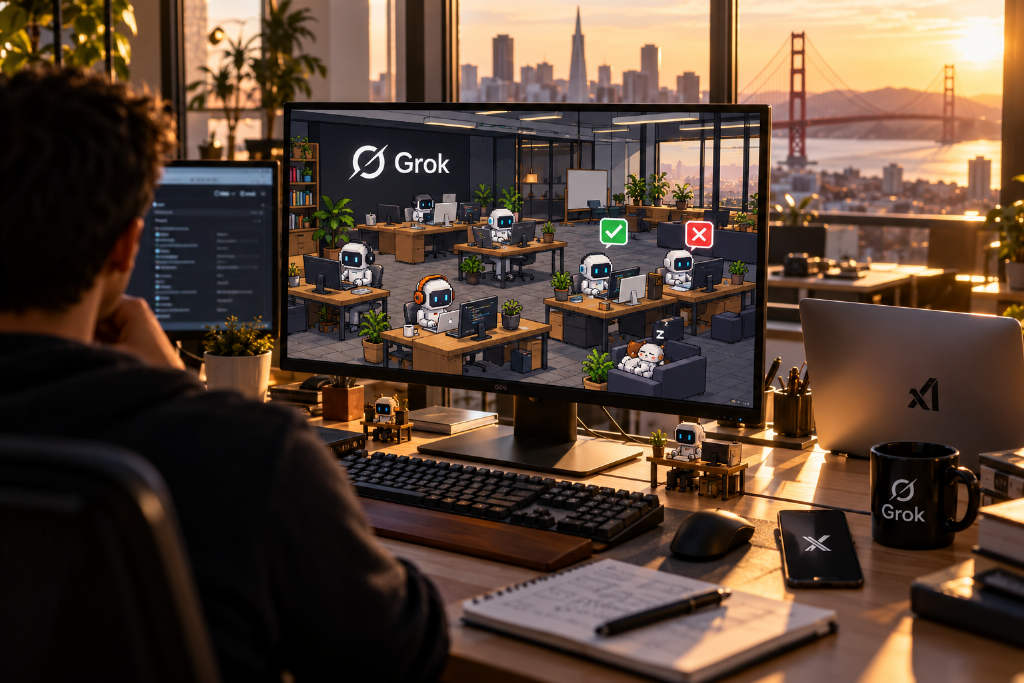
Developer 0xRafy said on X on Oct. 27 U.S. time that he had built a pixel office for xAI’s Grok Bot. After connecting a Grok Bot account, each bot appears with its own desk, monitor, and laptop. Users can approve or decline a bot’s task with one click and see who is coding, working, or sleeping.
Turning AI agents into pixel office workers is already a familiar idea in developer communities. Since February, several open-source GitHub projects have appeared that place coding agents such as Claude Code and Codex inside virtual office environments.
Pixel Agents leads in adoption
The most widely used project in the group is Pixel Agents. It was open-sourced on GitHub under the MIT license in February 2026 and now has more than 9,900 stars. Badges on the project page show about 135,000 extension marketplace installs and roughly 27,000 npm downloads. Fast Company reported on the project in February.

Pixel Agents turns Claude Code sessions running in a terminal into pixel characters. Those characters walk to their desks, sit down, type while editing files, read while searching, and show a dialog bubble when they are stuck waiting for a user response. Sub-agents and Claude team members also appear as separate characters.
The project comes in both a VS Code extension and a standalone version. It includes an office editor where users can lay floors, place furniture, and keep pets. Version 1.5.0, released in mid-October, lets the standalone version open a terminal directly in the browser and launch Claude Code. It can also be added to a phone home screen.
For now, Pixel Agents supports only Claude Code. Its project page says support for Codex, Gemini, Cursor, and other tools is still being planned.

Claude-Office and Agent Virtual Office take different approaches
Another project, Claude-Office, has about 300 stars and uses an isometric office view. Each Claude Code conversation is represented by a Claude sitting at a desk. When permission is needed, the character raises a hand and a sound alert plays, allowing the user to click “Allow” directly inside the office.
Claude-Office also turns deployment failures into a full-office red alert. A whiteboard shows the agent’s real task list, while cost, tokens per minute, and context usage are presented as salary, electricity, and memory gauges. It also includes a mode that references the TV series The Office.

Agent Virtual Office has about 60 stars. It runs in the browser and can connect to Claude Code, Codex, Gemini CLI, or CI workflows. The interface shows who is working, who is blocked, and who is idle, and it also supports Traditional Chinese.
Most tools run locally, but account permissions still matter
The documentation for these open-source projects explains where their data comes from. Pixel Agents receives events through Claude Code hooks or reads Claude Code conversation records stored on a computer. Its standalone version serves locally on 127.0.0.1 by default, and users must manually specify settings if they want to expose it to a local network.
Claude-Office also uses hooks to send events to a local server and then display them in the office interface. Pixel Agents warns that users take on the security risk themselves if they enable settings that skip permission confirmation.

0xRafy’s Grok Bot office, by contrast, requires users to connect a Grok Bot account, but the X post did not explain what permissions are required. The article says Grok Bot is xAI’s persistent agent and can log into a user’s tools and carry out tasks on the user’s behalf. Before granting that kind of account access to a third-party service, users should first check the requested permission scope and how access can be revoked.
In the X post, 0xRafy wrote: 「there is no f*cking way.. I just created office for my GrokBots: • connect your GrokBot account and your GrokBots will appear in the office • every bot gets its own desk, monitor and laptop • approve or decline GrokBot`s task in one click • watch who’s coding, working or…」