
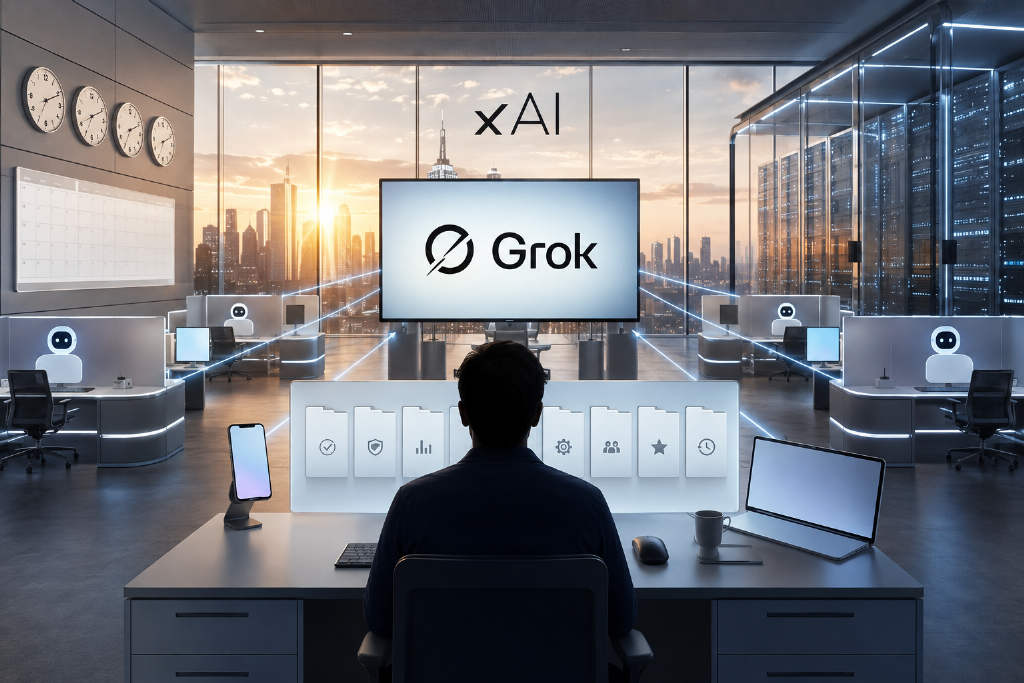
A widely shared X thread said most GrokBot users only tap a small fraction of the product’s capabilities because they have not turned on "loop" and "graph." After comparing that claim with official SpaceXAI documentation, BlockTempo reported that neither option exists as a standalone toggle inside the GrokBot interface.
According to the article, the thread’s language describes ways of working rather than named product switches. The piece walks through plan eligibility, first-bot setup, multi-bot delegation, routine scheduling and approval boundaries, using SpaceXAI’s overview, get-started, FAQ and approvals documentation as the reference point.
No separate "loop" or "graph" button in the interface
The X thread quoted SpaceXAI engineer Lauren Tan as saying: "99% of people are using 1% of GrokBot. They run one agent and don’t use loop and graph. I run a team of 20+ GrokBot agents, fully autonomous. I have a Chief of Staff agent, a PM agent, and 20+ workers."
The report also cited xAI and Grok co-founder Jimmy Ba, who said 90% of engineers inside xAI use AI agent loops, ship 5 times faster, and have 10 to 20 GrokBot agents each handling routine work.
But after reviewing the official Grok Bot materials, BlockTempo said the overview, get-started, FAQ and approvals pages contain no feature or settings item called loop or graph. In the product’s actual workflow, loop maps to Routines combined with Skills: once a bot learns a process, that process can be saved and re-run on a schedule or after an event. Graph maps to delegation among multiple bots, where each bot’s description field defines what it is responsible for and helps other bots decide whether a task should be routed to it.
That framing changes the setup process. The task is not to hunt for a hidden switch. It is to split work into roles, store repeatable processes as skills, and then attach scheduling.
Eligible plans come first
BlockTempo said GrokBot has no free version. The official list of eligible plans includes SuperGrok Plus, SuperGrok Heavy, Cursor Pro+, Cursor Ultra, and Cursor Teams Standard and Premium.
SuperGrok Plus can be tried for a limited period. Subscriptions include weekly usage quotas, and eligible accounts can also turn on pay-as-you-go usage billed by model and token cost.
There is also an account-level prerequisite that can block access. Because GrokBot requires cloud data storage, it does not support Legacy Privacy Mode. Accounts still using that mode need to switch to a supported setting before GrokBot becomes available.
Supported platforms
On desktop, the app supports macOS on Apple Silicon and Intel, Windows on x64 and Arm64, and Linux through .deb, .rpm and AppImage packages. On mobile, support covers iPhones running iOS 18 or later and Android 9 or later. iPad was not supported at the initial launch stage.
The article also pushed back on some second-hand tutorials that say there is no Linux desktop version. It said the official documentation does provide Linux installers in all three formats.
Three fields matter when building the first bot
The first bot only requires three fields: a short name, one primary task and a description of how that task should work.
The third field matters most. In a multi-bot setup, other bots read that description to decide whether work belongs there. If the description is vague, routing becomes unreliable.
One practical approach in the article is to write decision logic directly into the description, such as: "First check whether another specialist bot owns this task. If yes, hand it off. If not, handle it yourself."
When assigning work, the official guidance highlighted in the report is to define five things clearly:
- Outcome: what needs to be completed
- Sources: related apps, websites and files
- Constraints: what must not be done and what requires asking first
- Deliverable: what should be returned
- Checkpoint: when the bot should stop
The article said missing any one of those items leaves room for the bot to fill in its own assumptions. It singled out the checkpoint field as the one most likely to cause trouble because a bot may keep going until usage is exhausted.
Connectors and enterprise tools
Connectors are installed through Settings → Plugins, with authentication completed in the agent computer interface. The built-in enterprise connectors listed in the article are Gmail, Google Calendar, Google Drive, OneDrive, Outlook, Microsoft Teams, SharePoint and Salesforce. If no connector exists for a site, the bot uses a browser directly.
How one bot becomes a team
For the Chief of Staff structure described in the X thread, the article’s method is to turn the first bot into a coordinator. The user speaks only to that bot, which then delegates work to specialist bots created underneath it.
BlockTempo described a three-layer setup as easier to manage. The top layer is 3 to 4 windows the user talks to directly. The middle layer is made up of function leads covering areas such as inbox, research, content, coding and operations. The bottom layer consists of execution bots designed for single tasks.
Composer syntax is used to connect actions. A slash command references a saved skill, while @ mentions a bot, group, routine or connector.
Bots under the same account can message one another directly, share context in a thread and transfer task ownership. Handoffs work without logging in again or re-uploading files because all bots on the same account share one cloud computer, including login sessions, files and browser state.
The report said two structures are specifically discouraged in official material and related guides: one giant bot that tries to do everything, and a flat collection of bots that do not connect to each other. The recommendation is to start small and add new bots only when repeated gaps become clear.
Routines are what the thread called loops
BlockTempo compared Routines to cron-style scheduling. They can run on time-based schedules and, where supported, through event triggers such as a new Slack message or a new Git commit.
Bots can also learn by demonstration. A user can walk through a browser workflow once, after which that path is stored as a routine and can later be re-run on a schedule or on demand.
The order suggested in the article is task first, skill second, schedule last. In other words, make sure a one-time task runs reliably, then save it as a reusable skill, and only after that attach a schedule. Reversing the order can magnify mistakes through automation.
Three common failure points
1. Usage can drain quickly
The first risk is quota burn. Conversations with a Chief of Staff bot should stay short. The article warns against asking it on day one to organize an entire history of emails, and says schedules should initially be limited to working hours. Heavy web crawling should be handled by dedicated research tools instead of forcing a bot to scrape through a raw browser.
2. Silent failures are hard to spot
The second issue is silent failure. The article gave the example that when X credits are exhausted, a bot may report "no new content" instead of returning an error. A website redesign can produce the same problem, with a crawler quietly sending back blank scans every hour. Looking only at the output makes it hard to tell whether there was truly nothing new or whether nothing was captured.
The fix suggested is to require the bot to report what it scanned, not just what it found. Scan counts make it easier to separate an actual empty result from a failed scan.
3. Shared cloud computer means no bot-level isolation
The third risk comes from the shared account environment. Because all bots under one account use the same cloud computer, the official documentation explicitly says different bots should not be treated as a security boundary.
Approval boundaries should be set early
The article said seven categories of actions require approval by default:
- Sending messages or invitations
- Publishing content
- Purchases and fund transfers
- Deleting or overwriting data
- Changing permissions
- Production changes
- Accepting legal terms
When an approval prompt appears, Allow once lets the bot proceed with that action, while Deny blocks it. The article recommends checking the destination, scope and numeric values before approving. If the impact is unclear, the bot should be asked to explain again in plain language.
Rules can be set under Settings → General → Auto-review. The report described two rule types: approval-required rules, which always intercept matching actions, and always-allow rules, which let actions pass when nothing else blocks them. Scope should be written narrowly rather than broadly.
Passwords, passkeys, two-factor codes, CAPTCHAs and payment confirmations should be handed back to the user. Passwords should not be pasted into chat.
The least-privilege approach outlined in the article is to connect only the tools that are necessary, use service accounts with scoped access, start with read-only tasks, keep approvals on for send and publish actions, and regularly review installed connectors and active routines. It also advises logging out of services no longer needed, removing unused connectors, moving sensitive files out after use, and keeping confidential or client data out of shared bot environments.
Reference materials listed in the article
BlockTempo summarized the official resources this way:
- Grok Bot Overview: architecture and the shared cloud computer model
- Get started: eligibility, platform installers and the first bot’s three fields
- Approvals, security and privacy: the seven approval categories and Auto-review rules
- FAQ: usage quotas, mobile support and privacy mode restrictions
FAQ
Is there a free version of GrokBot?
No. The eligible plans are SuperGrok Plus, SuperGrok Heavy, Cursor Pro+, Cursor Ultra, and Cursor Teams Standard and Premium.
Where do users turn on loop and graph?
There is no such switch in the interface. Loop corresponds to Routines plus Skills, while graph refers to delegation relationships formed through bot descriptions.
How many bots can one account create?
The official documentation does not specify a limit. It only says bots can reason, use connectors, process files and collaborate in parallel.
How do bots hand work to one another?
Bots on the same account share one cloud computer, including files, browser sessions and command-line credentials, so handoffs do not require repeated setup.
Why might an account be unable to access GrokBot?
The first thing to check is whether the account is still on Legacy Privacy Mode. GrokBot requires cloud data storage and that mode is not supported.
Is iPad supported?
Not at the initial launch stage. Mobile support currently covers iPhones on iOS 18 or later and Android 9 or later.
What happens when the weekly quota runs out?
Subscriptions include weekly usage. Eligible accounts can turn on pay-as-you-go usage and continue running bots with separate billing based on model and token costs.