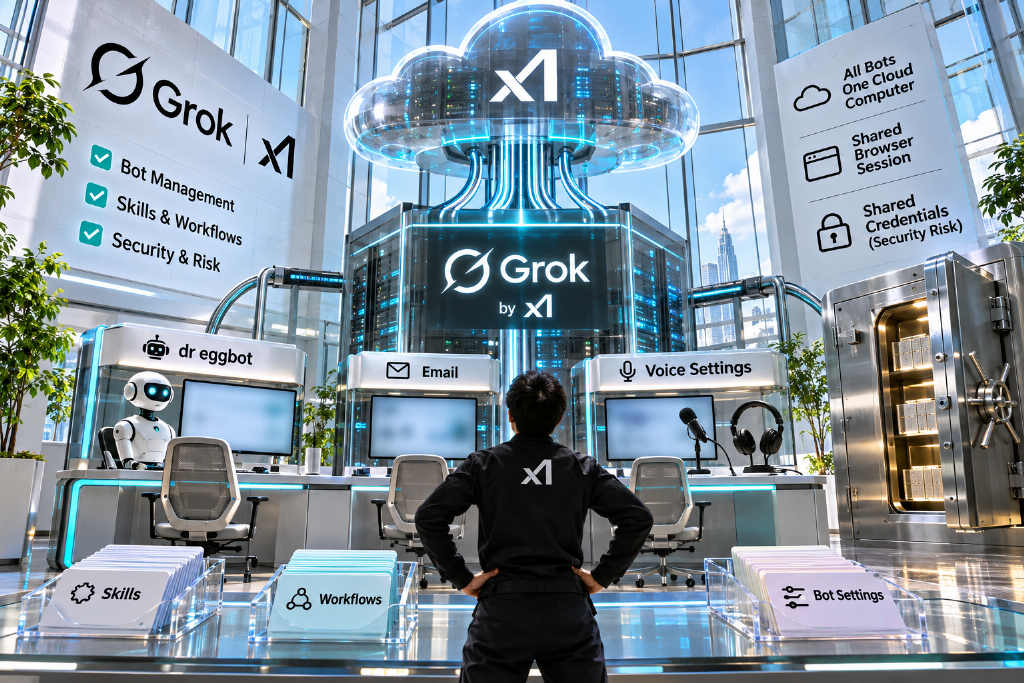
Lauren Tan, a member of the Grok Bot team at SpaceXSI, has published six recommendations plus one extra tactic for creating and managing a team of bots. The guide walks through official documentation feature by feature, covering dr eggbot, Skills, Connectors, Vault, dedicated email addresses, and voice input, while also flagging the platform’s security warnings.
In her post, Tan described it as a short guide to how she builds high-quality bots and manages her team, adding that users can ask @bot to read the post and help improve their own setup. The article says the guide drew about 1.19 million views and 19,000 bookmarks.
The main idea is straightforward: keep the number of bots low and make them count, then turn repeatable workflows into reusable Skills. Official materials also note that all bots under the same account share one cloud computer.
Tan works on the @bot product for Grok at SpaceXSI. The article says she was previously a core contributor to React Compiler and has also worked at Cursor, Meta, and Netflix.
Start with dr eggbot
Tan’s first recommendation is to add dr eggbot to the team. She said it is the bot she uses to design other bots. On the shared page she linked, the description says the bot asks a few preference questions first and then uses the CreateAgent tool to build a new bot.
Her design rules are brief: each bot should do one thing, use one tone, clearly state what it will not do, and avoid carrying tools it does not need. For coding bots, she also applies a standard named after her account, “poteto-mode,” which requires the bot to focus on one task, avoid padded output, and verify its work before finishing.
- Step 1: Open the dr eggbot share page
- Step 2: Click “Add to Grok Bot”; the Grok Bot app must already be installed on desktop or mobile
- Step 3: Find dr eggbot in the bot list, answer its preference questions, and let it create a new bot
Official documentation says that when a user adds someone else’s shared template, the system creates a copy inside that user’s own account. It does not grant access to the original creator’s computer, login details, or chat history. The share page also labels dr eggbot as a third-party bot rather than an official SpaceXSI bot, and adding it means accepting the third-party bot terms.
Tan’s second recommendation is not to keep too many bots. In her view, a few useful bots are more valuable and easier to manage than a large collection.
Turn repeatable work into Skills
Tan recommends asking a bot to save the process as a Skill while assigning the task. She said that helps the bot stay more consistent over long conversations.
The official method is to say, “Save the process we just used as a skill called…” Official guidance says a good Skill should spell out six items: when to use it, what permissions it needs, the order of steps, how success will be checked, what it should return, and which actions require prior approval.
Private Skills live in a shared library available to all bots under the same account. Tan also said users can ask a bot to create a private GitHub repo to store Skills separately. The article notes that this is her own practice and is not described in the official documentation.
Connectors, Vault, and dedicated email addresses
Tan’s fourth recommendation is to connect apps and use Vault. Connectors can be added from “Connect apps” in the sidebar. Users search for an app, add it, and then complete authorization in the browser. Official documentation says app login credentials are stored in the connector backend, and bots do not get direct access to those credentials when they call tools.
Vault is located under “Settings → Vault.” It can store website usernames and passwords, credit cards, and contact details, and it requires Grok Bot version 0.75.2 or later. Official materials say that when a bot signs in to a website, it uses credentials stored in Vault, but the bot does not see the contents while they are being filled in.
Tan also recommends giving a bot its own email address so it can register accounts separately from the user’s personal email. The official method is to tell the bot, “Get yourself an email address.” Each account can apply for one mail.grokbot.com address, and the address is created only after the user approves the card. After that, the bot can use it to register services and, with approval, receive verification codes.
The article highlights an official warning here. All bots under the same account share the same cloud computer, which means browser login sessions, files, and command-line credentials are shared across them. Official guidance says users should avoid placing credentials or files there if they do not want other bots to use them. Vault is also shared at the account level and cannot be restricted to a single bot.
Brief bots like interns
Tan’s fifth and sixth recommendations focus on identifying work that can be handed off. She suggests looking for tasks that are still being done manually, or steps where information still has to be copied and pasted into a bot, and then asking the bot whether it can take over.
Her framing is to treat a bot like a new intern. Introduce yourself, explain what kind of work you do, and then ask what parts it can automate.
Tan said her favorite tactic is voice. She uses voice mode or transcription to explain everything in one pass, then asks the bot to “restate this in your own words” to confirm it understood the instructions.
Official documentation lists two voice workflows. For voice input, desktop users can click “Start voice input” in the chat box or press Cmd/Ctrl+D. The spoken content is transcribed into text and can be edited before sending. On mobile, the option is “Start dictation.” For voice chat, users can click the waveform button in the chat box labeled “Start voice chat,” and after the call ends they can open the full transcript.
Test case and pricing
The article says 梭哈.AI fed Tan’s post to its own bot as a test. A screenshot showed that the account originally had nine bots. After reading the post, the bot suggested five changes: merge overlapping bots, give each bot a clear name and role, save repeated workflows as Skills, add connectors such as Gmail, and use voice to explain the user’s work.
Grok Bot is a paid product. It is included in The X Subscription’s Premium, Super, and Ultra plans, priced at $30, $100, and $200 per month. The article says that, based on the exchange rate on Nov. 2, those prices were about NT$980, NT$3,260, and NT$6,530. Usage limits reset weekly and are shared with Cursor and the Grok app.
FAQ
Does adding dr eggbot give users access to Lauren Tan’s data?
No. Official documentation says adding a template only creates a copy inside the user’s own account. The original creator’s computer, login details, and chat history do not come with it.
Where are Skills stored?
All bots under the same account share one private Skill library, and Skills can be enabled for individual bots from “Connect apps” in the sidebar. Saving them to GitHub is Tan’s own approach and is not described in the official documentation.
Is voice available on mobile?
Yes. The mobile chat box includes “Start dictation” for voice input, and when the chat box is empty users can also tap “Start voice chat” to begin a voice session directly.
Main takeaways
Tan’s Grok Bot guide lays out six recommendations plus one extra tactic. The main points are to add dr eggbot, keep the bot roster small, save repeatable processes as Skills, and use voice to brief bots in one pass.
The service is paid. Grok Bot is bundled with The X Subscription’s Premium, Super, and Ultra tiers, with monthly pricing from $30 to $200 and weekly usage resets.