
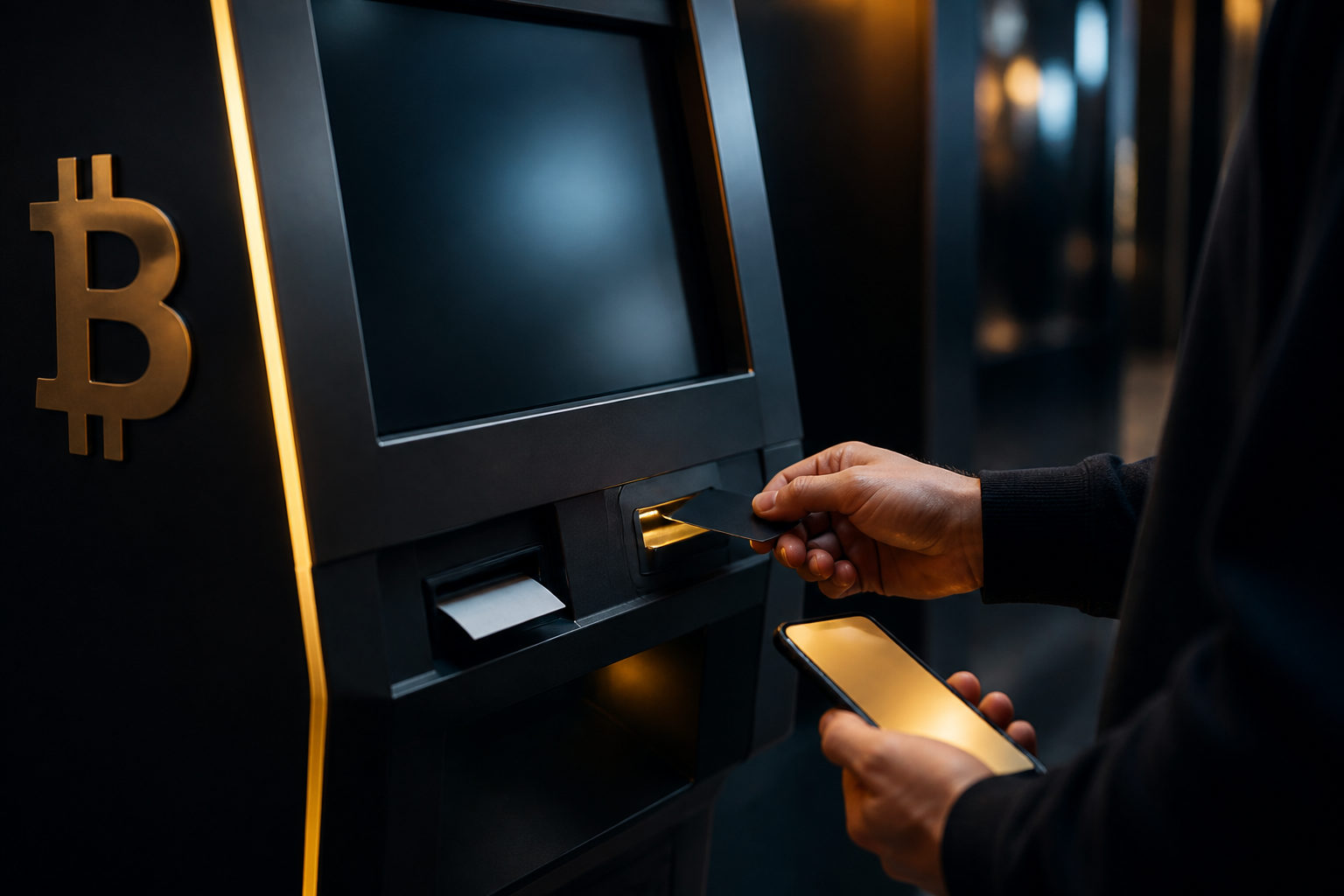
Buying bitcoin at an ATM with a debit card comes down to a handful of steps: first check whether the machine actually takes cards at all (plenty don't — a significant share of bitcoin ATMs in the US are cash-only, buy-side machines, and two-way machines are a clear minority), then have a wallet you control ready to go, review the fee and the exchange rate shown on screen before you commit, complete the card payment and identity check, and keep your receipt so you can confirm the coins actually landed. Whether your card even works depends partly on your card issuer, since some banks flag crypto-related merchants as higher risk.
Step one: confirm this specific machine takes debit cards
A lot of people search for how to buy bitcoin at an ATM with a debit card and assume every machine works the same way. It doesn't. Machine-tracking data doesn't agree on the exact split — different trackers put the two-way (buy-and-sell) share of US bitcoin ATMs anywhere from under 10% up to around 30% — but every source points the same direction: most US machines are one-way, buy-only, and a good chunk of those are cash-only. Some operators lean into that on purpose: RockItCoin, for example, markets its kiosks around not needing a bank account or a debit card at all, aiming squarely at people who'd rather pay cash. Card-reading hardware is a separate add-on that not every kiosk brand ships with, so card support is a machine-by-machine question, not something you can assume.
Before you commit to anything, read the screen prompts and any signage on the machine itself. Look specifically for accepted payment types, which card networks or brands work, ID requirements, and what kind of receipt you'll get. This matters because if the machine is cash-only, or only takes locally issued cards, you'll find out the hard way mid-transaction otherwise. Also don't confuse a bank ATM with a crypto kiosk — you're in the right place once you see language like buy crypto or send to wallet on the screen.
| Machine type | Typical payment method | Can you sell back for cash | Best for |
|---|---|---|---|
| Cash-only, buy-side (most common in the US) | Cash only | No | People without a card who just want a small cash purchase |
| Card-enabled, buy-side | Cash plus debit (sometimes credit) | No | People who'd rather pay by card but only need to buy |
| Two-way, buy and sell | Cash, sometimes cards | Yes | People who also want to cash out crypto later |
The point of that table isn't to memorize the categories — it's a reminder to check the operator's app or a kiosk-locator site for what a specific machine supports before you drive out there, rather than guessing.
Get a wallet ready before you go — don't send coins to a stranger's address
Set up a wallet you actually control before you buy anything, and make sure you can pull up your receive address as a QR code on demand. After the machine processes your purchase, it needs somewhere to send the bitcoin, and if you don't have your own wallet ready, you'll end up depending on someone else's address — which hands over control you probably want to keep.
Practically, open your wallet app ahead of time, find the receive screen, and have the QR code visible and easy to scan. This isn't just about speed; it also cuts down on the kind of fumbling that leads to scanning the wrong code. Be specific about who you trust here: a clerk, a stranger nearby, or someone from a chat you just met online should never be the one supplying your receiving address. If someone tells you to send it here first, I'll forward it to you, that's a request to give up control of your own money.
If your wallet lets you label addresses, tag the transaction for your own records — it makes reconciling things later much easier. One mistake people make surprisingly often is pulling up the wrong coin's receive address (say, an Ethereum address) and assuming it'll work for bitcoin. It won't, and once the machine sends the coins out, getting them back isn't something you can just undo. Double-check that the screen in front of you is genuinely a bitcoin receiving address before you scan.
Before you tap confirm, check the numbers — and understand what you're actually paying
Don't rush to hit continue. Read what the transaction screen lays out first. Confirm you're buying bitcoin and not some other token, that the payment method really is a debit card, that the fee and exchange rate are clearly shown, that you can review the destination address, and that any phone or ID verification steps are explained on screen.
Fees are where this channel gets expensive, and it's worth knowing that going in. Different industry write-ups land on somewhat different numbers, but the pattern is consistent: combined operator fees at bitcoin ATMs commonly fall somewhere between roughly 6% and 25% of the transaction, and some breakdowns separate out the spread — the gap between the price the machine shows and the actual market price — as an additional 5% to 15% on top. Compare that with mainstream regulated exchanges, where the same kind of conversion typically costs under 1%. Put $100 into a bitcoin ATM and you can easily end up with meaningfully less than $100 worth of bitcoin once everything's accounted for — not because a particular machine is ripping you off, but because that's roughly how this channel is priced across the board. Treat any published range as a ballpark; the number that actually matters is whatever the machine shows you on the final confirmation screen.
| Cost component | Typical bitcoin ATM range | Mainstream regulated exchange |
|---|---|---|
| Operator/transaction fee | Roughly 6%-25% (varies by report) | Usually under 1% |
| Spread vs. market price | Often another 5%-15% on top | Close to market price |
| Settlement | Receipt is instant; on-chain arrival needs block confirmations | Depends on platform, usually also needs confirmations |
Privacy is worth thinking through too. If a machine asks for a photo ID or a face scan, decide up front whether you're comfortable with that — it's part of how these operators stay compliant, but requirements aren't identical across machines. If a step doesn't make sense to you, it's fine to back out and start over rather than tapping through under someone else's direction.
Three things to watch when you actually pay with a debit card
First, make sure the card in your hand is genuinely a debit card, not a credit card. Some card issuers treat crypto-related merchants as a higher-risk category and decline transactions outright — around 2018, major US banks including JPMorgan Chase and Bank of America blocked credit card purchases of cryptocurrency in a fairly coordinated way. Debit card handling has never followed that same industry-wide pattern; it varies by issuer, so a decline at the machine doesn't automatically mean the kiosk is broken — check with your bank if you're unsure. Second, verify that the destination address shown on the final screen, or at least the first and last few characters, matches what's on your own wallet. Third, look one more time before confirming that you're actually buying bitcoin itself, not some bundled service, custodial balance, or gift-code product dressed up to look similar.
At the terminal, you'll typically insert, swipe, or tap your card and enter some form of verification. That's just how card networks authorize a transaction — nothing unusual there. What actually matters is your physical environment: cover the keypad when you enter a PIN, don't let someone standing nearby help by tapping buttons for you, and never hand your phone to a stranger to scan your QR code on your behalf.
If the machine gives you a final confirmation screen, take a few extra seconds on it. Read the fee breakdown, the destination address, and whether any add-on service has been tacked on. This is exactly the moment scammers try to rush — someone on the phone pushing you to hurry, or claiming the machine's about to time out. A transaction that's genuinely yours doesn't need to happen on a stranger's timeline.
After the purchase: keep your receipt, then check the blockchain
Once the transaction finishes, the machine will usually hand you a paper receipt, an on-screen transaction ID, or an emailed confirmation. Save it before you walk away. That's not overkill — it's your baseline evidence if there's a delay later, a dispute over the address used, or you need to contact support.
Arrival isn't instant. The bitcoin network produces a new block roughly every ten minutes on average, and a transaction usually needs a handful of confirmations before your wallet marks it as settled — so seeing a pending status for a while right after the purchase is normal, not a red flag by itself. Check your own wallet for the incoming transaction; if it's not showing yet, you can also look up the transaction ID independently. What you should never do is hand over your seed phrase, private keys, or other sensitive wallet details to anyone claiming to be support staff.
If the kiosk says the transaction went through but nothing's showing up in your wallet after a reasonable wait, go back to the receipt and double-check the address you saved against what you scanned. What actually helps at that point is the transaction ID, the timestamp, and your own receiving address — not repeatedly swiping your card hoping a retry fixes it. Repeat purchases just compound the problem if something's actually wrong.
The scams to watch for — and the numbers behind them
The riskiest part of the bitcoin ATM world usually isn't a malfunctioning machine — it's someone on the other end of a phone call steering you toward sending the coins you just bought straight to them. This isn't hypothetical. The FBI's Internet Crime Complaint Center (IC3) reported more than 13,400 complaints involving cryptocurrency kiosks in 2025, with losses exceeding $388 million, a 58% jump from the year before. Victims aged 60 and older accounted for more than $257 million of that, roughly two-thirds of the total kiosk-related losses. In other words, the fake-support, fake-tax-agent, fake-romance, and fake-investment-advisor scripts aimed at older adults aren't a fringe problem in this channel — they're the dominant one, and the losses have been climbing every year.
The common playbook: someone impersonating tech support, a tax official, an investment advisor, a romantic interest, or a refund specialist walks you through going to a specific machine and sending the coins to an address they provide. The moment the destination address isn't your own wallet, that's your cue to stop, no matter how the story is framed.
Another trap is treating the ATM as some kind of verification tool. If you get a call claiming your account is flagged and you need to verify your funds by sending bitcoin through a kiosk, that claim alone should raise suspicion — legitimate financial institutions don't ask customers to move money through a crypto ATM to a stranger's address as a way of confirming anything.
A third risk comes from fake help at the machine itself. If you're unsure how to complete a step, stick to the instructions printed on the kiosk. If you genuinely need support, use only the contact information displayed on the machine, not a QR code taped nearby, not a number a stranger hands you, and not a chat group someone tells you to join. Any of those can walk you straight out of the legitimate transaction flow.
Daily limits, ID checks, and oversight vary by place and operator
Bitcoin ATMs aren't unregulated in the way people sometimes assume. In the US, operators are required to register with FinCEN, the Treasury Department's Financial Crimes Enforcement Network, as a money services business — there's no minimum transaction size that exempts you from that. Regulators have also proposed a rule that would require enhanced identity verification and anti-money-laundering checks on kiosk transactions above $3,000; that rule is still working through the process and isn't finalized everywhere, so treat it as a direction of travel rather than a settled fact. On top of the federal layer, individual states add their own money transmitter licensing requirements, and those requirements aren't uniform.
California is the clearest documented example right now. Under the state's Digital Financial Assets Law, kiosk operators are capped at $1,000 per customer per day, and that limit has already survived a court challenge. Starting July 1, 2026, California went further, requiring every exchange, custodian, and kiosk operator serving state residents to hold a license from the Department of Financial Protection and Innovation. The point of mentioning California specifically isn't that this applies everywhere — it doesn't — but it illustrates why you might hit a lower-than-expected daily cap or stricter ID checks at some machines: that's usually local compliance rules doing their job, not the kiosk malfunctioning. Whatever region you're in, check the operator's posted policy or your local regulator rather than assuming the rules you read about somewhere else apply to you.
The industry moves fast — confirm the machine is still actually running
This corner of the crypto industry is consolidating quickly. Bitcoin Depot, once the largest bitcoin ATM operator in North America, filed for Chapter 11 bankruptcy protection in May 2026 and shut down thousands of kiosks. The reasons the company gave publicly included the revenue pressure from California's $1,000 daily cap, a wave of state-level restrictions and outright bans on kiosk operations (Tennessee and Indiana among them), mounting litigation and regulatory enforcement costs, and a roughly 49% revenue decline in the first quarter of 2026. Industry tracking put the total number of operating crypto kiosks worldwide at 38,928 as of the end of the first quarter of 2026 — that's the snapshot just before Bitcoin Depot's collapse, when it was still the largest operator with roughly 9,246 machines (23.8% share), followed by CoinFlip (roughly 5,493 machines) and RockItCoin (roughly 2,757 machines). Rankings have almost certainly shifted since Bitcoin Depot wound down, but no authoritative source has published an updated leaderboard yet, so treat any claim about who's currently largest with caution — check a live kiosk-locator tool like Coin ATM Radar for the current picture.
The practical takeaway: check the operator's app or a kiosk-locator site right before you go, rather than trusting an old search result or a friend's experience from a few months back. Machines get decommissioned, operators change, and payment support can shift without much notice.
When a bitcoin ATM isn't the right choice
If you don't have your own wallet yet, aren't clear on how a bitcoin address works, or can't tell whether you're buying coins for yourself versus sending them to someone else, hold off on the ATM. Bitcoin transactions are generally irreversible once sent, so you want to understand receiving addresses, transaction confirmations, and receipts before you're standing at a machine under time pressure.
Your debit card itself can also introduce uncertainty. Issuer policies, fraud-risk flags, and per-transaction spending limits all affect whether a purchase actually goes through. Rather than guessing at the machine, it's worth confirming your card works for this kind of purchase beforehand, or having a backup payment method in mind.
If your goal is simply figuring out the current price, a bitcoin ATM isn't the right tool. Between the fee and the spread discussed above, the price shown on screen can differ noticeably from the market price. Check a mainstream price source first, then weigh the ATM's total cost against that if you're deciding whether to actually buy there.
Frequently asked questions
Do all bitcoin ATMs accept debit cards?
No. Most US machines are one-way, buy-only kiosks, and many of those are cash-only — trackers disagree on the exact split, but two-way machines are consistently the minority. Card support requires dedicated hardware that not every machine has. Check the specific kiosk's posted payment methods before you count on being able to swipe a card.
Why do I need a wallet before I even get to the machine?
Because the kiosk needs somewhere to send the bitcoin it sells you. Without your own wallet ready, you end up relying on someone else's address, which weakens your control over the funds. Pulling up your receive QR code ahead of time also cuts down on mistakes.
Is it normal for the coins not to show up in my wallet right away?
Yes, that happens. The bitcoin network averages roughly ten minutes per block, so wallet confirmation can lag behind the machine's receipt. Compare your receipt and wallet records before assuming something's wrong, and avoid buying again out of impatience.
Is there a standard daily limit for bitcoin ATM purchases?
There's no global standard — limits depend on the region and the operator. California, for example, caps kiosk purchases at $1,000 per customer per day under state law, a limit that's held up in court. That figure is specific to California, not universal, so check what the machine or operator actually posts wherever you are.
Someone on the phone told me to buy bitcoin at an ATM and send it to them — is that legitimate?
Treat that as a serious warning sign. The FBI's IC3 reported over $388 million in losses tied to crypto kiosks in 2025 alone, with older adults bearing most of that. If someone else is dictating the destination address and pressuring you to move fast, stop — coins sent that way are very hard to recover.
Can I use a bitcoin ATM to check the current market price?
You can see what the machine is currently quoting, but that's not the same as a fair price comparison — the quote usually bakes in the operator's fee and spread. Check a mainstream price source first, then weigh the ATM's total cost, fee included, against that.
If you're set on buying bitcoin at an ATM with a debit card, four things are worth doing before you leave the house: confirm the specific machine actually takes cards rather than assuming it does, have your own wallet ready to receive, make sure you're buying for yourself and not routing coins to someone else on someone else's instruction, and take the time to actually read the fee, spread, and address on screen instead of rushing through confirmation. Limits, fees, and rules shift by region and by operator, sometimes quickly — when in doubt, go with whatever the machine and the operator publish at the time, not what you read somewhere else months ago.
Disclaimer: This article is for general information and educational purposes only and does not constitute investment, financial, or legal advice. Cryptocurrency prices are highly volatile and you could lose your entire investment. Rules on kiosk limits, licensing, and taxation vary by region and change over time, so confirm current requirements with your local regulator and the specific operator before you transact. Do your own research and use your own judgment.