
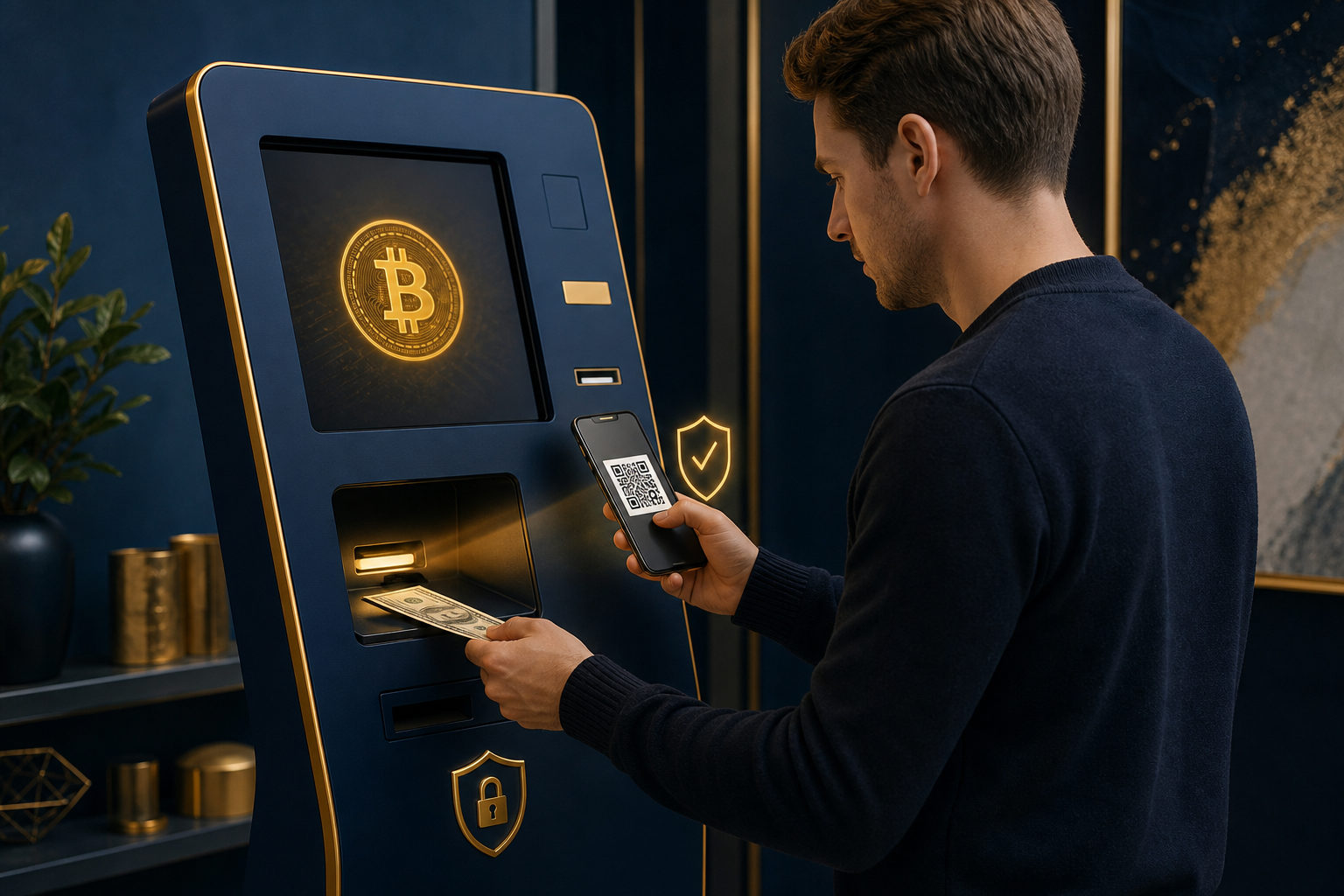
To use a bitcoin machine for the first time, set up your own wallet first, scan your receive address carefully, read every on-screen prompt, and keep the receipt before you walk away.
What a bitcoin machine actually does
A bitcoin machine is usually a physical terminal that lets a user buy bitcoin with cash or another supported payment method and send it to a wallet address. Some machines also support selling bitcoin, but that is not universal, and the flow can differ from one operator to another.
For a first-time user, the biggest mistake is treating it like a regular bank ATM. A bank ATM works with a fiat account you already control. A bitcoin machine involves a wallet address, a blockchain transaction, service fees, possible identity checks, and a record you may need later if something goes wrong.
Before you start, answer three basic questions. Are you buying or selling. Which wallet will receive the bitcoin. If something feels wrong in the middle, are you ready to stop instead of pushing through. If you are unsure about any of these, pause before touching the screen.
What to prepare before your first transaction
Set up your own wallet first
If you are learning how to use bitcoin machine for the first time, the safest starting point is a wallet you control yourself. The wallet is what manages your keys and generates a receive address. Without it, you may end up depending on someone else to hold or move your bitcoin.
Focus on backup, not on flashy features. When a wallet is created, it often gives you recovery information such as a seed phrase. That information should be stored offline and kept private. No legitimate staff member, shop worker, or support agent needs your recovery words or private key to help you use a machine.
Have your receive address ready
Most bitcoin machines that support buying bitcoin will ask for a wallet address so the purchased bitcoin can be sent out. For a beginner, showing a QR code from your wallet is usually the easiest and least error-prone method.
Even after the machine scans it, do a quick check of the beginning and end of the address shown on the screen. You do not need to memorize the full string. You do need the habit of confirming that the address on the machine still matches the one in your wallet.
Start with a small test transaction
Your first transaction should be a practice run with an amount you can afford to lose if you make a mistake. That is not about fear. It is about giving yourself room to learn the process without turning a minor error into a major problem.
First-time errors are often small and boring. A dim phone screen can break a scan. A rushed tap can skip a fee notice. A confusing prompt can make you think you are done when the machine is still waiting for the next step. A small test helps you catch these issues cheaply.
Check the physical environment
The machine matters, but the setting matters too. If someone is standing too close, watching your screen, offering to press buttons for you, or trying to rush you, stop. A first-time transaction should feel controlled and private, not pressured.
It is also smart to look for anything unusual on the device itself. If the scanner area looks tampered with, the keypad feels loose, or an add-on component seems out of place, walk away. You do not need to diagnose the hardware. You only need to recognize when something feels off.
How to use a bitcoin machine for the first time: step by step
Step one: confirm whether you are buying or selling
Do not hit start just because you are standing in front of the machine. Read the home screen and make sure you are entering the correct flow. Some machines separate buying and selling clearly. Others present a menu first and expect you to pick the right function.
This matters because the required actions are different. If you are buying bitcoin, you will usually need your own receive address. If you are selling bitcoin, the machine may generate a destination address or order code and ask you to send bitcoin first. Mixing up these paths creates confusion fast.
If the wording on the screen is vague, back out and start again. On a first transaction, restarting is safer than clicking through a process you do not understand.
Step two: read the fee, limit, and verification details
Before you move money, look for the machine's explanation of service fees, network fees, transaction limits, and any identity checks. Different operators use different rules. A beginner often assumes the process is as simple as inserting cash and waiting, then gets stuck because another requirement appears later.
The reason to read these details is simple. You are using a service, not just interacting with Bitcoin directly in the abstract. A service can impose its own conditions, and you need to know them before you commit.
If the machine does not explain fees clearly, hides key information until the last moment, or gives no obvious path for support or order lookup, do not continue. Lack of clarity is a warning sign.
Step three: scan your wallet address
Once you enter the buy flow, the machine will often ask you to present your wallet QR code. Open your wallet, find the receive function, raise your screen brightness if needed, and hold the QR code steady in front of the scanner until the machine accepts it.
This step is about control as much as convenience. Sending the purchased bitcoin straight to a wallet you control reduces confusion later and keeps ownership in your hands from the start.
There are three things to watch closely here. First, do not use an address sent by a stranger unless you fully understand who they are and why you are paying them. Second, do not let someone standing nearby tell you to switch to a different coin or network display without understanding what they mean. Third, check the visible address on the machine after the scan instead of assuming the scanner got everything right.
Step four: complete payment while watching the machine's response
After the address is accepted, the machine will move to payment. If it accepts cash, the screen may ask you to insert bills one at a time. If it supports another method, it should show the next action clearly. As you pay, watch the screen and confirm that the machine is recognizing the amount or the payment status correctly.
The purpose of this step is to avoid a very common beginner mistake: thinking a payment has gone through when the system is still waiting. The mechanical action itself is easy. The real task is checking whether the machine actually registered what you just did.
Do not let a line behind you force you into sloppy behavior. Do not repeat an action quickly because you feel rushed. If you move faster than the machine can process, you may end up confused about what has already been submitted.
Step five: review the order details before final confirmation
Before the transaction is submitted, the machine will often show a summary screen. This may include the receive address, the amount you are paying, the way the bitcoin amount is calculated, fee information, or a final prompt asking you to confirm.
For a first-time user, this is the most important screen in the whole process. It is your last clean chance to catch a wrong address, a misunderstood fee, or a detail you missed earlier. Once a blockchain transaction is sent, many mistakes cannot be reversed in any simple way.
If anything on this page is unclear, stop there. Check your wallet again. Read the prompt again. A short pause at this point is worth far more than trying to fix a bad transaction later.
Step six: keep the receipt and check the status before leaving
After submission, the machine may print a paper receipt or show an order reference on the screen. Save it. Do not leave it sitting near the terminal. If you take a screenshot, be careful not to share personal details carelessly.
You need this record in case the transaction is delayed, the machine reports an issue, or you have to contact support. Without an order record, even a legitimate problem becomes harder to explain and track.
Before you walk away, look at your wallet or the order status page and see whether a pending transaction appears. No immediate update does not automatically mean failure, because machine processing and blockchain broadcast can take time. Still, keeping the receipt gives you something solid to follow up with.
The biggest risk for first-timers: scams, not buttons
When people ask how to use a bitcoin machine for the first time, they often focus on the screen flow. The larger danger is being manipulated into using the machine for someone else's scam. Fraud in this area is often low-tech. It relies on urgency, confusion, and the fact that blockchain transactions are hard to undo.
Never let a stranger direct the whole transaction
If someone on the phone, in a chat app, or on social media tells you to go to a bitcoin machine and follow their instructions, stop. Common excuses include a refund, account recovery, security verification, frozen funds, or a required investment deposit.
A stranger who insists that you stay on the call while operating the machine is trying to control your pace and your judgment. That alone is a serious warning sign.
Never share your seed phrase, private key, or one-time code
A machine transaction may involve a receipt, a phone number, or a verification step depending on the operator. None of that means you should ever reveal your wallet recovery phrase or private key. If you do, another person may be able to move your bitcoin without touching the machine again.
One-time codes deserve the same caution. A scammer may claim they need to verify or release your transaction, when in reality they are collecting access data.
Do not send bitcoin to a so-called safe wallet
A common scam script says you must move bitcoin to a secure address, a review wallet, or a temporary holding address before a refund or account fix can happen. That language sounds official. The real effect is simple: it gets you to send funds somewhere you do not control.
For a first transaction, keep the rule basic. The bitcoin you buy should go to your own wallet unless you are making a payment you fully understand and intended from the start.
Do not assume the machine solves the original problem
Scam stories often present the machine as the cure for another issue. Maybe someone says your account is under review. Maybe they say a refund requires a bitcoin payment first. Maybe they claim a legal or tax problem will disappear once you complete a transfer.
The machine cannot fix those claims. It can only move money. If the underlying story makes no sense, learning the button sequence will not make the transaction safe.
FAQ
Do I need an account before using a bitcoin machine for the first time
Not always. Some machines may require registration, contact information, or identity verification, while others may have a simpler flow. The screen instructions from the operator are what matter.
For a beginner, the more important question is whether you already have your own wallet and whether you understand the fee and receipt details before paying.
Why should I prepare my wallet QR code in advance
The machine usually needs a receive address when you are buying bitcoin. Having the QR code ready reduces typing errors and makes it easier to send the bitcoin directly to a wallet you control.
If you install a wallet at the last minute, finish the backup process before you start the transaction. Do not skip security setup just to save time.
How long does it take to see the transaction after using the machine
That depends on the operator's process and on when the transaction is broadcast to the blockchain. You may first see a pending status, then wait for confirmation.
No instant update does not automatically mean something failed. Keep your receipt, then check your wallet and any order reference the machine gave you.
What should I look at when checking the machine's fees
Look for the service fee explanation, any network fee notice, the way the machine presents the exchange calculation, and the final confirmation screen. Do not focus only on how much money you insert.
If the important fee details are unclear or hidden until too late, the safer choice is to stop and try again another time.
Can I fix a wrong address if I notice it after scanning
If you catch the problem before the final confirmation, you can often go back, cancel, or rescan the correct address. The real danger starts after the transaction has been submitted.
That is why address checking is not optional for a first-time user. It is one of the main safety steps.
What to confirm before you leave the machine
Make sure you kept the receipt, make sure the destination address belongs to you, and make sure you know where to check the order or wallet status. If anyone nearby asks to see your phone, requests a screenshot, or tells you to forward the bitcoin to another address after purchase, end the conversation and leave.
For a first transaction, one small, fully documented test is safer than trying to do several transactions in a row.