
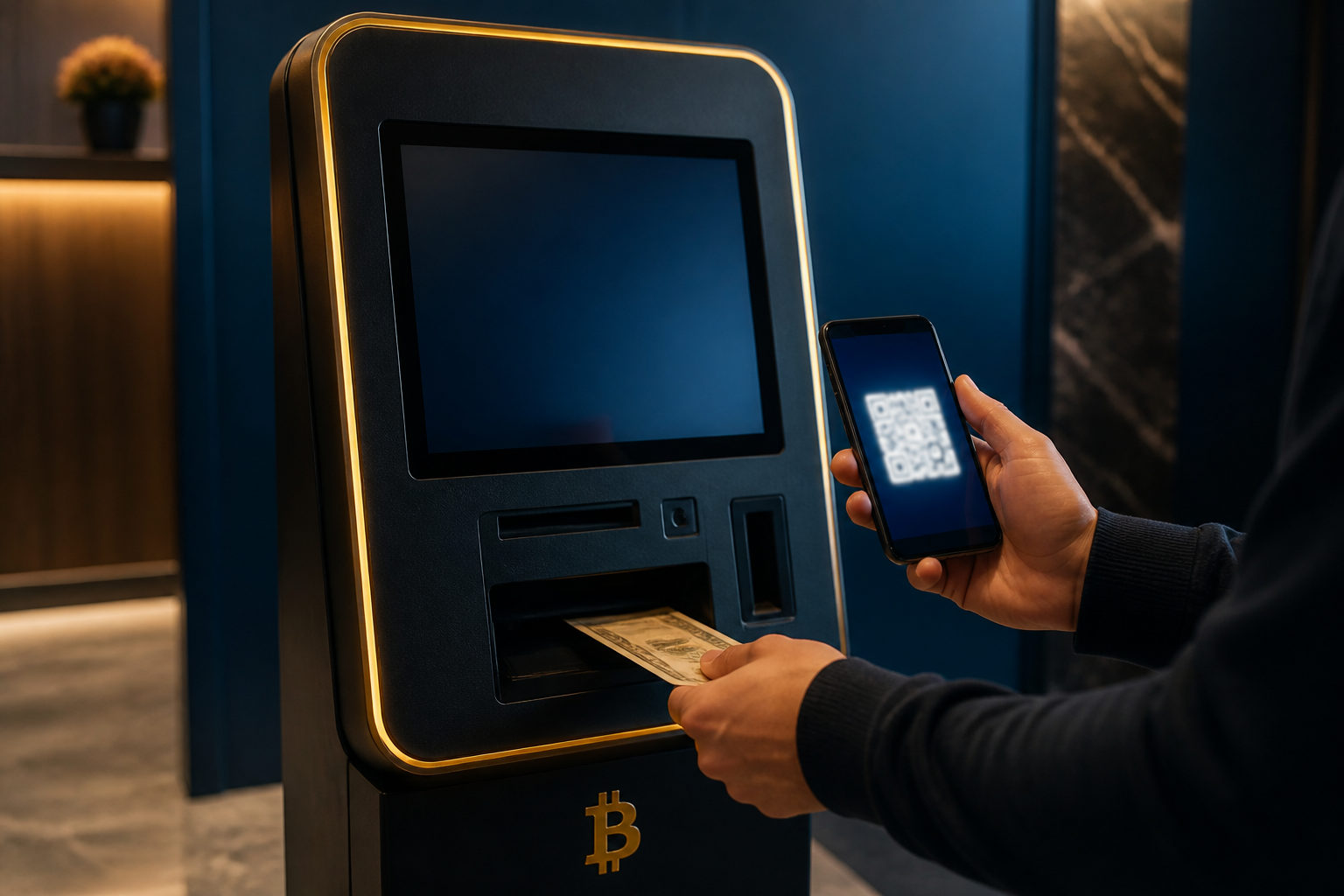
To use a CoinFlip bitcoin machine, you usually need your own Bitcoin wallet first, then you choose the buy option, scan your receiving QR code, complete any identity checks shown on the screen, insert cash, and confirm that the transfer appears in your wallet. The part that matters most is not speed. It is whether the receiving address is yours, the fees make sense to you, and nobody is steering you toward a wallet you do not control.
What a CoinFlip bitcoin machine actually does
A CoinFlip bitcoin machine is a self-service terminal that lets a user exchange cash for Bitcoin. After you follow the on-screen process, the machine sends Bitcoin to the wallet address you provide. It does not hold the asset for you in the way a bank account or an exchange balance might appear to do.
That distinction helps avoid a common beginner mistake. People sometimes think the machine itself is acting as a wallet, or that a receipt is the asset. In practice, ownership depends on where the Bitcoin is sent on-chain and whether you control that destination wallet.
What to prepare before you go
Set up a wallet that you control
Before visiting the machine, make sure your Bitcoin wallet is already installed or configured and that you know how to open the receiving screen. Doing this ahead of time lowers the chance of downloading a fake app in a rush or trying to learn the wallet interface while standing in a public place with cash in hand.
If you plan to receive the Bitcoin into an exchange deposit address, check that the address is meant for Bitcoin on the main chain and that you know where incoming transfers appear inside that account. For many first-time users, a personal wallet is easier to verify on the spot because the receiving screen is direct and there is less room for confusion.
Handle backup first, not in front of the machine
If your wallet uses a seed phrase, backup file, or another recovery method, store it safely before the trip. Buying Bitcoin is only the first half of the job. If your phone is lost, damaged, or reset later, your ability to recover the wallet decides whether you still have access to the coins.
Do not share a seed phrase with support staff, a stranger, a friend helping you, or anyone claiming they need it to activate the wallet. A person asking for recovery information is asking for control.
Confirm that your wallet is showing a Bitcoin receive code
Many wallet apps support several assets, and switching between them can be fast enough to cause mistakes. Before leaving home, open the receive page, check that it is for Bitcoin, and make sure you know how to return to the transaction history later.
If you cannot tell what coin the wallet is set to receive, stop there and sort that out first. A cash transaction is not the right moment to guess.
How to use the machine step by step
Start by checking the machine and the area around it
When you arrive, take a moment before touching the screen. Look for an ordinary home screen, a normal scanning area, and no odd attachments or covers on the device. Also pay attention to people nearby. If someone approaches you and offers to help you buy faster, that is a reason to slow down, not speed up.
Cash-based crypto purchases can be hard to unwind once completed. If another person asks to hold your phone, tells you to send them your QR code, or pressures you to continue, walk away from the session.
Choose the Bitcoin purchase option and read the prompts
After you enter the buying flow, read the screen carefully. You want to know which asset you are buying, what fees are being shown, whether any identity verification is required, and what record of the transaction you will receive at the end.
Do not insert cash just because the machine is ready for it. A rushed user can reach the money stage before noticing that the wallet is not ready or that the fee display was never reviewed.
Complete any identity checks shown on the machine
Some machines may ask for a phone number, a code sent by text message, or another verification step. What matters is that the request appears as part of the machine's own process. Be careful if anyone tries to move you away from the machine interface and into a random website, chat app, or link on your phone.
A normal transaction should stay centered on the machine screen and your wallet app. Once an outsider starts redirecting the process, you can no longer assume the instructions are in your interest.
Scan your own wallet's receiving QR code
Open the receive page in your wallet, raise your screen brightness if needed, and let the machine scan the QR code. After the scan works, compare the address shown by the machine with the address shown in your wallet. Do not rely on the first few characters alone.
This is the point where one small mistake can change the destination of the whole transaction. If the address is wrong, the problem is not that the machine failed to send. The problem is that it may send to a wallet you do not control.
Review the expected amount and the fee before adding cash
Most machines display an estimate of how much Bitcoin you will receive for the cash inserted, along with any fees tied to the purchase. Pause and decide whether the result is acceptable to you.
If you do not understand what the machine is showing, stop before feeding in bills. This matters even more if someone else told you what to do, asked you to buy for them, or gave you a receiving address to scan. Those situations often turn a simple purchase into a transfer that benefits someone else.
Insert cash carefully and keep the transaction record
As you insert bills, watch the machine confirm what it accepts. Keep an eye on the address displayed during the session so you know it still matches the one you checked earlier. If the machine rejects a bill, pauses, or returns cash, do not let a bystander tell you to start a second purchase right away.
At the end, save whatever record the machine provides, whether that is a printed receipt or an electronic confirmation. The useful part is the transaction information itself, such as the wallet address and the machine's record of the session, because that helps you verify what happened afterward.
Before leaving, make sure you know how to verify the transfer
Completion on the machine does not always mean the Bitcoin will appear in your app at the same instant. You should still be able to check your wallet for a pending incoming transfer or use the wallet's own tools to look for the transaction.
If the machine says the purchase is complete but your wallet shows nothing at all, compare the destination address first. That tells you far more than repeating the purchase and hoping the second attempt fixes the first one.
Scam risks that matter most
Someone else tells you where to send the Bitcoin
A very common fraud pattern works like this: a stranger from social media, a romance scammer, a fake employer, or a person claiming to guide an investment asks you to visit a bitcoin machine and follow their instructions. The machine may be working exactly as intended, but the receiving wallet belongs to them.
If the QR code is not from your own wallet, stop and reassess. The story attached to the request may involve account verification, collateral, repayment, release of funds, or a special opportunity. The wording changes, while the risk stays the same.
A helper wants access to your phone or wallet recovery details
Basic assistance might mean pointing out where to tap next on the machine screen. It should never involve taking your phone, entering a destination for you, reading your messages, or asking for your recovery phrase.
The line is simple: once another person can influence the receiving address or the recovery credentials, they can influence control of the asset itself.
You check for arrival but forget to check the destination
Some users manage several wallets or accounts and get a notification somewhere, then assume everything worked as intended. The real question is whether the Bitcoin reached the exact wallet you planned to use.
One practical habit is to name or label the wallet in your own mind before the purchase, then return to that same wallet screen afterward. That reduces the chance of confusing any receipt of funds with receipt in the correct place.
FAQ
Do I need an exchange account before using a CoinFlip bitcoin machine?
Not always. What you do need is a wallet or account that can receive Bitcoin and that you understand well enough to verify on the spot.
If I do not get a printed receipt, does that mean I will not get the Bitcoin?
No. The receipt helps with recordkeeping, but the key issue is whether the machine sent Bitcoin to the correct address and whether you can confirm that transfer in your wallet or transaction view.
Why does the machine say complete while my wallet still shows nothing?
Your wallet may be slow to refresh, or you may be checking the wrong place inside the app. Start by matching the receiving address and reviewing the transaction record before doing anything else.
Can I buy Bitcoin for a friend by scanning their QR code?
It may be technically possible, but the control and funding sides of the transaction are then split between different people. That makes disputes and fraud risk much harder to manage.
Can I use an exchange deposit address instead of a personal wallet?
Sometimes, yes, if that address is clearly intended to receive Bitcoin on the main chain and you know where to confirm the deposit afterward. For a first purchase, a personal wallet is often easier to verify at the machine.
What to do after the purchase
Once you are back in a safer setting, check that the transaction appears where you expected and confirm that your wallet backup method is still accessible to you. If this was a one-time cash purchase, your next useful task is not learning more buttons on the machine. It is making sure you understand who can sign in, who can recover the wallet, and who can move the Bitcoin from this point forward.