
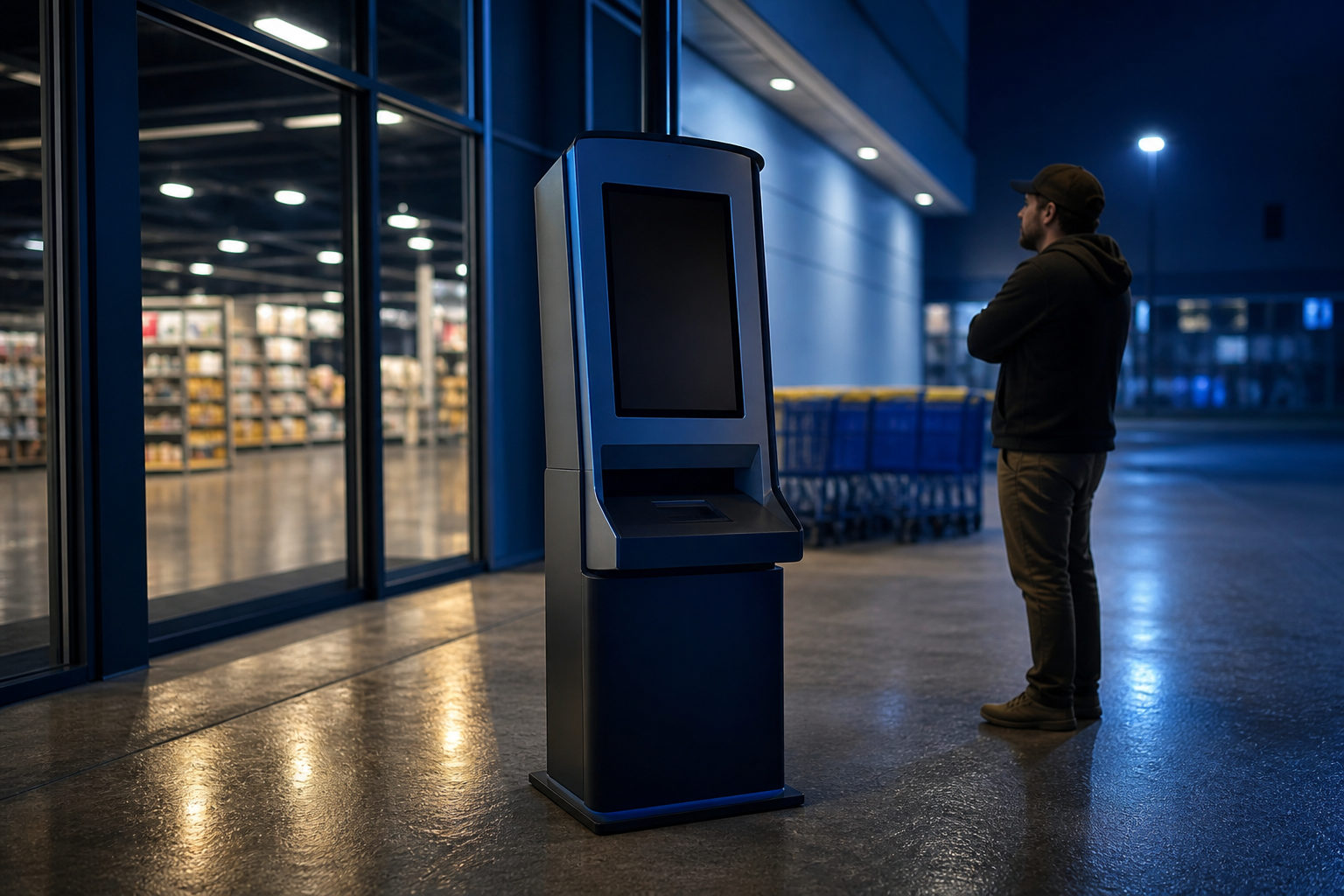
Yes, a Walmart store may have a bitcoin machine on site, but there is no blanket rule that every location does. When one is present, it is usually operated by a third party, so availability, verification steps, and transaction terms depend on the specific machine and store.
What people usually mean by a “bitcoin machine in Walmart”
This search often bundles two different questions together. The first is whether you can buy bitcoin inside a Walmart location. The second is whether Walmart itself offers that service. In practice, those are not the same thing.
A machine placed inside a store is often there because an outside operator installed it in leased floor space or as part of a separate retail service arrangement. That matters because the rules you face at the screen are set by the machine operator, not by the checkout lane. If something goes wrong, the support path is usually on the machine display or receipt rather than at the store counter.
It also means that a store employee may know where the machine sits without knowing what it actually does. Some kiosks handle bill payment, money services, gift cards, or several functions at once. A device in Walmart should only be treated as a bitcoin machine after the screen clearly shows that it supports Bitcoin or BTC.
| What you find in store | What it may be | How to verify it |
|---|---|---|
| Standalone kiosk | Third-party crypto or payment terminal | Check the on-screen menu for Bitcoin or BTC |
| General money service terminal | May not support bitcoin purchases | Read the function list before starting |
| Store staff says there is a machine | Could refer to a different self-service device | Ask whether it can send BTC to your wallet |
| Online store listing or map result | Suggests a nearby machine may exist | Confirm it is inside that Walmart and active that day |
How to check before you drive to the store
The biggest mistake is assuming that an online mention equals a working machine. Physical kiosks can be offline, under maintenance, removed, or limited by local compliance steps. A listing can be directionally useful, but it should never be your final confirmation.
A practical approach is to call the exact store and ask narrow questions. Instead of asking “Do you have bitcoin,” ask whether the store has a third-party cryptocurrency kiosk, whether it supports Bitcoin, and roughly where it is placed. If the answer sounds uncertain, that does not automatically mean the machine is absent; it may simply mean it is not part of the store’s core service.
You should also prepare for the possibility that a machine exists but still does not fit your needs. Some users want a direct purchase sent to a personal wallet. Others are only trying to check whether a kiosk is nearby. Those are different tasks. If your real goal is to buy BTC, confirm that the machine can send to your wallet address and that you understand the steps before feeding any payment into it.
What to verify at the machine itself
- Bitcoin support is stated clearly: do not rely on the look of the kiosk.
- A wallet address can be entered or scanned: many purchases require this.
- Identity checks are shown up front: if the process asks for personal information, decide whether you are comfortable before you continue.
- Fees and exchange terms are visible before confirmation: if the cost is unclear, stop there.
- A receipt or transaction record is offered: keep it in case you need support.
What using one actually involves
A bitcoin machine can feel familiar because it stands in a familiar retail setting. The transaction itself is different from normal shopping. You are dealing with a digital asset transfer, not a standard card purchase that a cashier can simply reverse.
The most important point is your receiving address. Bitcoin’s smallest unit is 1 satoshi, equal to 0.00000001 BTC. Even a small amount can be sent to the wrong place if the address is entered incorrectly. That is why many users prefer to open their wallet first and let the machine scan the wallet’s receiving QR code instead of typing a long string by hand.
You also need to separate the machine from the asset. Bitcoin has operated on its own network since the genesis block on 2009-01-03, with a target block time of about 10 minutes. A kiosk inside Walmart does not hold up that network or change how Bitcoin works. It is only an access point for buying or, in some cases, selling or redeeming through a process defined by the operator.
| Stage | Common mistake | Better approach |
|---|---|---|
| Before leaving home | Planning to set up a wallet on the spot | Install a wallet first and confirm the receiving screen works |
| Entering the address | Typing the address manually | Use the wallet QR code when possible |
| After payment | Assuming the machine screen is the only confirmation needed | Check your wallet for a pending or incoming record |
| Support issue | Going straight to the store counter | Use the operator contact shown on the machine or receipt |
| Unclear pricing | Proceeding anyway | Do not confirm until the full cost makes sense to you |
Is a Walmart bitcoin machine a good way to buy BTC?
That depends on what you value. A store-based machine can be convenient for someone who wants a physical location and a guided screen flow. It may be less appealing if you want time to compare purchase methods, read every fee detail carefully, or avoid doing a financial transaction in a public place.
Another point often missed by first-time users is that not every machine flow looks the same. Some devices send bitcoin directly to your wallet during the transaction. Others may route you through a code, voucher, or delayed redemption process defined by the operator. If the screen does not make that distinction obvious, pause and sort it out before moving forward.
It also helps to know what Bitcoin is apart from the machine. The supply has a hard cap of 21,000,000 BTC, expected to be fully issued around 2140. The block subsidy halves every 210,000 blocks, roughly every four years; after the 2024-04-19 halving, the current block reward is 3.125 BTC. Those rules apply no matter where you buy it. A kiosk can help you acquire BTC, but it does not replace the need to understand custody and transaction finality.
FAQ
Can I assume every Walmart has a bitcoin machine?
No. Availability varies by store, and some locations may have no relevant kiosk at all. Even when a machine is present, you still need to confirm that it supports Bitcoin rather than another retail service.
How do I know the machine really sells bitcoin?
Look for Bitcoin or BTC on the screen, not just on a nearby sign or general kiosk branding. A stronger signal is that the device asks for your bitcoin wallet receiving address or lets you scan a wallet QR code.
Do I need a wallet before going to Walmart?
In many cases, yes. A machine often needs a destination address so it can send the BTC you purchase. Preparing your wallet first makes the process simpler and lowers the chance of entering the wrong information under time pressure.
If the transaction has a problem, should I ask Walmart staff to fix it?
Usually the machine operator is the right contact. Store staff may be able to point you to the kiosk, but transaction support is commonly handled through the contact details shown on the device or receipt.
What if I only want to know the bitcoin price today?
You do not need to visit a Walmart for that. Bitcoin prices change with the market, so a live market data service or trading interface is a more direct way to check the current price than a store kiosk.
If you plan to use a machine in Walmart, do two things first: confirm the exact store and prepare your wallet receiving code. At the kiosk, focus on three checks only: whether it supports BTC, whether the full cost is shown clearly, and where the purchased bitcoin will be sent.