
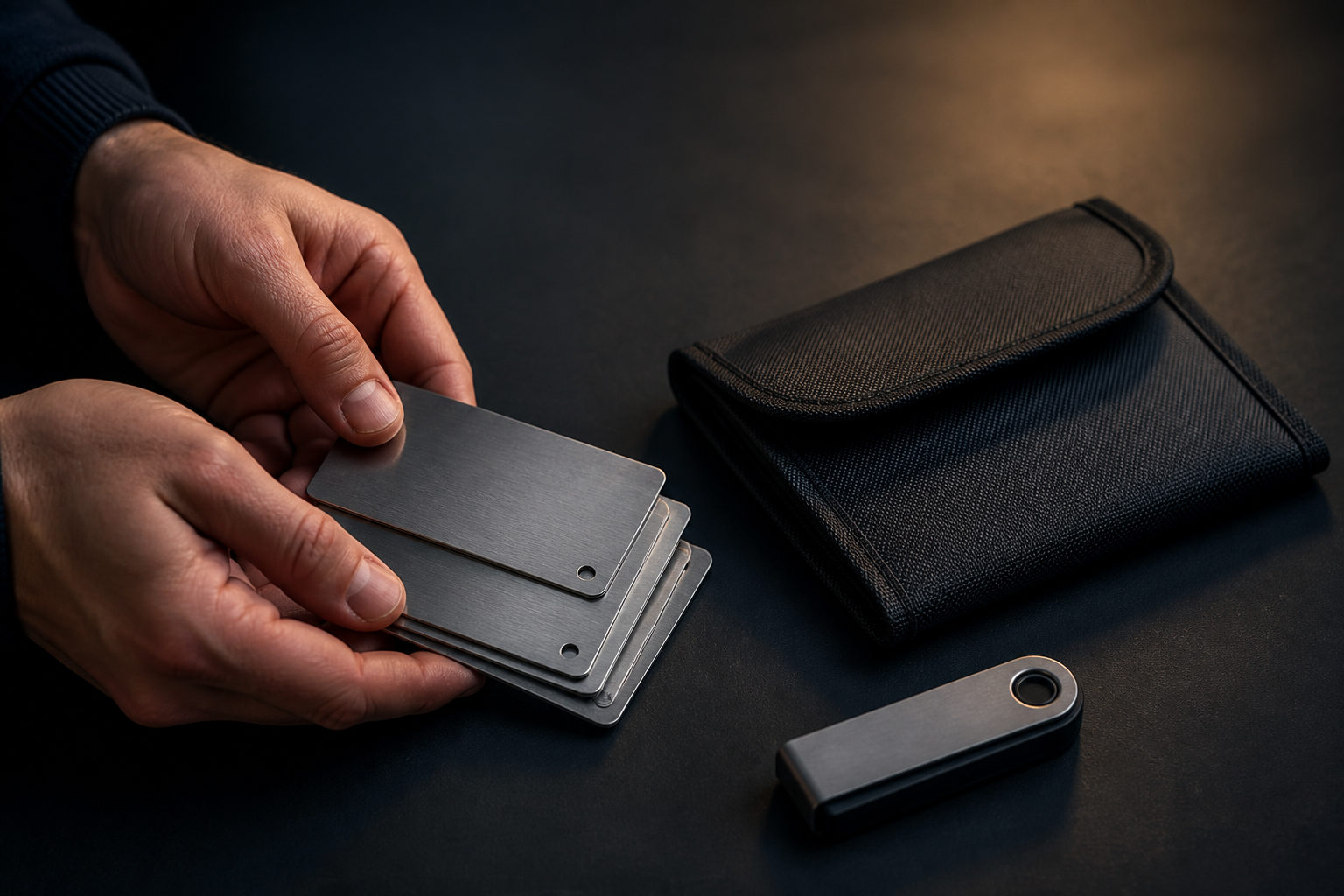
How to physically store bitcoin comes down to one thing: keep the private keys or recovery words offline, back them up properly, and make sure you can restore the wallet before sending meaningful funds.
What “physical storage” of bitcoin actually means
Bitcoin itself is not placed inside a USB drive, a safe, or a sheet of paper. The coins remain on the blockchain. Physical storage means storing the information that gives control over those coins in an offline form.
That information is usually a seed phrase, a private key, or another recovery secret. If someone gets it, they can often move the bitcoin. If you lose it, there may be no practical way to recover access. That is why self-custody starts with key management, not with buying a device.
Offline storage options compared
| Method | Best for | Main benefit | Main risk |
|---|---|---|---|
| Hardware wallet | Most long-term holders | Private keys usually stay off general-purpose internet-connected devices | Tampered device, bad setup, leaked backup |
| Paper backup | People who want a simple offline copy | Cheap and easy to create | Fire, water, fading, accidental exposure |
| Metal backup | People focused on durability | Better resistance to heat, moisture, and time | Transcription mistakes, storage location exposure |
| Air-gapped setup | Advanced users | Smaller online attack surface | More complex process, more room for user error |
For many people, a hardware wallet plus an offline backup is enough. Complicated setups can be useful, but they also create more ways to fail. If your process only works when everything goes perfectly, it is weaker than it looks.
A practical way to set it up
Move bitcoin to a self-custody wallet first
If your bitcoin is still sitting on an exchange account, you do not fully control the keys. Physical storage only makes sense once you use a wallet where the recovery secret is yours.
Keep the categories separate in your mind. Your exchange password is for the platform account. Your wallet seed phrase or private key is what matters for on-chain control. Storing the wrong credential in a safe solves the wrong problem.
Initialize the wallet in a clean environment
Buy hardware wallets from a trusted source and watch for anything unusual during setup. The seed phrase should be generated by the device during initialization. If a package arrives with recovery words already printed inside, do not use it.
Do not take photos of the seed phrase. Do not save it in email drafts, cloud notes, phone screenshots, or chat apps. Write it down offline and check each word carefully. A backup that contains one wrong word may fail when you need it most.
Create a backup that can survive real life
People often say they will remember the recovery words. That is a weak plan. Memory changes, stress affects recall, and long holding periods make this worse.
Use paper if you need a simple start. Use metal if you want better durability for long-term storage. The medium matters, but legibility and accuracy matter more. Write clearly, preserve the correct order, and keep the backup away from casual access.
Test the recovery path with a small amount
This step deserves far more attention than it gets. Before treating the setup as your long-term vault, verify that the backup can restore the wallet in a separate clean environment and that the expected addresses match.
Start with a small amount because blockchain transactions are usually irreversible. If you send funds before you know the recovery process works, you are trusting assumptions that may never have been checked.
Where people usually get hurt
| Mistake | Why it is dangerous | Safer approach |
|---|---|---|
| Photographing the seed phrase | Images may sync automatically or be exposed through other apps | Keep recovery data offline only |
| Storing the seed in a computer file | Malware, remote access, and accidental upload can expose it | Avoid digital text storage for wallet recovery secrets |
| Keeping only one backup | A single accident can destroy access forever | Use more than one location without making them easy to find together |
| Confusing PIN, password, and seed phrase | Recovery fails because the required data is incomplete | Label each item by purpose |
| Sending large funds before testing | Address or backup mistakes stay hidden until too late | Validate the full process first |
Losing the hardware wallet does not always mean losing the bitcoin. If your recovery backup is correct, you can usually restore access on a compatible wallet. The opposite is also true: keeping the device safe does not help much if the seed phrase has already leaked.
Some users split backups across locations or add an extra passphrase. Those choices can raise the difficulty for an attacker, but they also increase the chance that the owner forgets part of the recovery path. If your setup is too hard to explain to your future self, it may be too complex for the role.
How to choose a storage plan
| Situation | Useful setup | Main focus |
|---|---|---|
| New to self-custody | Hardware wallet with paper backup | Learn the process without unnecessary complexity |
| Long-term holding | Hardware wallet with metal backup | Durability and disaster resistance |
| Frequent spending | Small balance in a hot wallet, larger balance offline | Separate convenience from long-term storage |
| Family inheritance planning | Backups in separate places with clear recovery instructions | Make restoration possible without exposing everything at once |
If you hold less than one full bitcoin, secure storage still matters. Bitcoin is divisible down to 1 satoshi, which equals 0.00000001 BTC. Good storage practice should not depend on whether your stack looks large.
Long-term holders often care about bitcoin’s fixed issuance schedule, and that can shape storage decisions. The supply cap is 21,000,000 BTC, with issuance expected to finish around 2140. The block subsidy halves every 210,000 blocks, roughly every 4 years. After the halving on 2024-04-19, the current block reward is 3.125 BTC, and the next halving is expected around 2028. Those rules may support a long holding mindset, but they do not protect anyone from sloppy backup habits.
FAQ
Can I store bitcoin on a USB drive?
You can store wallet files or backup material on a USB drive, but that is not the same as moving bitcoin off the blockchain. A USB drive also becomes risky if it is plugged into an infected computer or if the file inside is not encrypted and handled carefully.
Is a hardware wallet enough by itself?
No. The device is only part of the setup. Without a correct offline backup of the recovery words or private key, a broken, lost, or wiped device can leave you stuck.
Should I print my seed phrase?
Printing creates extra exposure through printers, connected computers, and temporary files. Handwriting or stamping onto metal is usually more aligned with the goal of offline storage.
What happens if I lose the device but still have the seed phrase?
You can usually restore the wallet on another compatible wallet using the recovery words. That is why the backup is the real center of gravity in self-custody.
Do I need cold storage for a small amount of bitcoin?
That depends on your time horizon and how painful a loss would be for you. Even a small amount may justify proper backups if you plan to hold it for a long period or if replacing it would be difficult.
If you want a clean starting point, do these three things first: choose a self-custody wallet, write the recovery information offline, and test restoration with a small amount. Only after that should you treat the setup as a place for long-term bitcoin storage.