
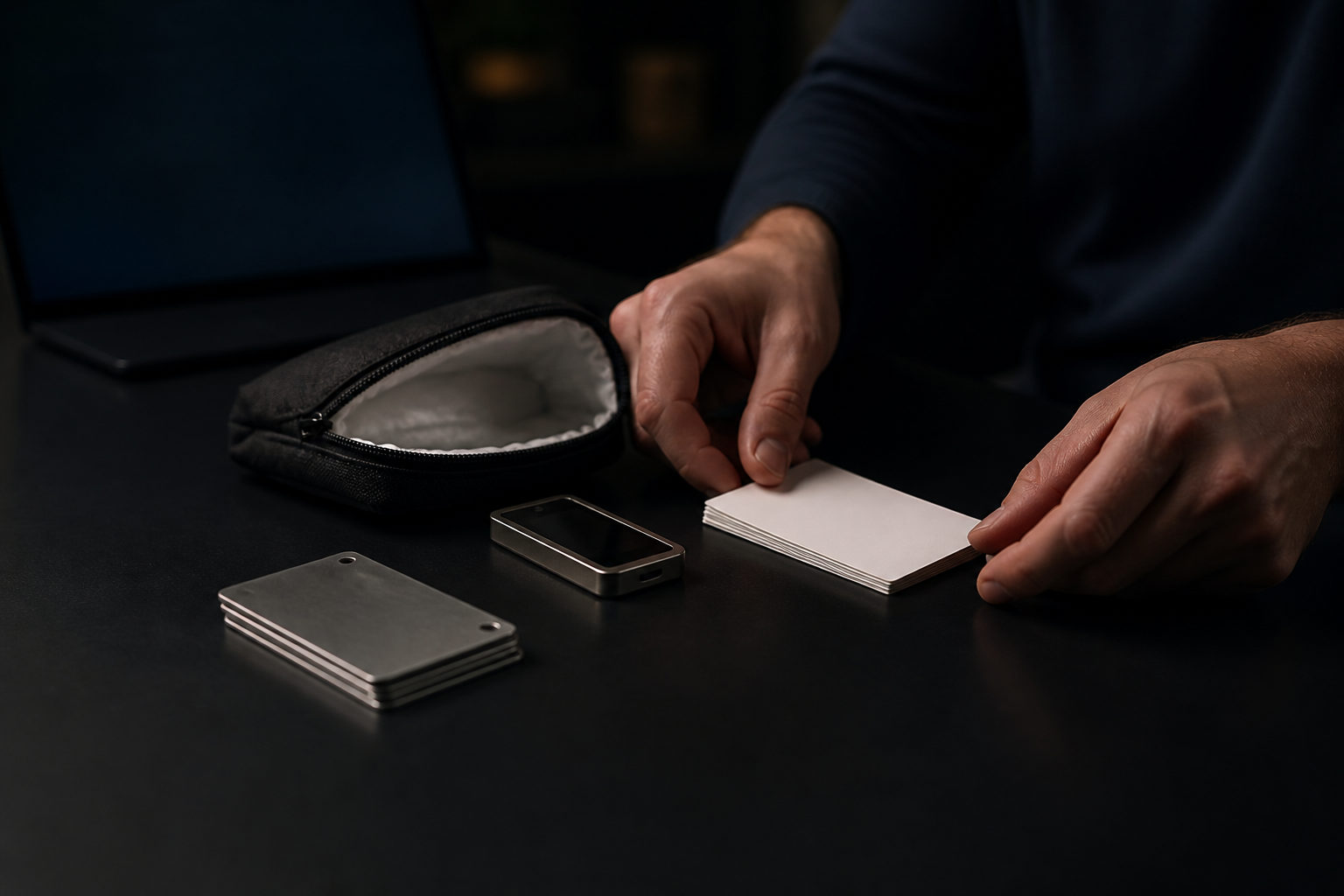
To store Bitcoin private keys safely, keep the recovery data offline, create separate backups, and verify that recovery works before you rely on that wallet. If a private key or seed phrase is exposed or lost, the funds it controls are usually gone for good.
What you actually need to store
People often think they are protecting an account, but with Bitcoin the real target is the secret that gives spending control. That secret may be a raw private key, a seed phrase, or a seed phrase paired with an extra passphrase. Your wallet app, device, balance display, and transaction history can be replaced or resynced; the secret material cannot.
That difference matters because many common habits feel organized while creating serious risk. A screenshot in your phone gallery, a note in cloud storage, or a copy sent to your own email may be easy to retrieve, but each of those choices puts highly sensitive data into connected systems built for convenience rather than strict isolation.
| Item | Purpose | If lost | If exposed |
|---|---|---|---|
| Private key | Signs transactions directly | You may lose control permanently | Someone else can spend the funds |
| Seed phrase | Restores the wallet | Device failure becomes much harder to recover from | Someone else can import the wallet |
| Passphrase | Adds another protection layer | Recovery can fail if you forget it | Risk rises if it is exposed together with the seed phrase |
| Wallet device or file | Provides the working environment | It can be replaced if backup data exists | Keys may be extracted if protection is weak |
Choosing a storage method
There is no single best setup for everyone. The right choice depends on how often you need access, how long you plan to hold, how much operational responsibility you want, and how secure your physical surroundings are.
| Method | Main strength | Main weakness | Best fit |
|---|---|---|---|
| Hardware wallet with written backup | Good balance between isolation and usability | Bad backup habits, unclear device origin, no recovery rehearsal | Most long-term self-custody users |
| Single paper backup | Simple starting point | Fire, water, loss, or easy visual exposure | Beginners with small amounts |
| Metal backup | Better durability over time | Creation mistakes and single-location storage risk | Long-term cold storage |
| Offline computer workflow | High degree of control | Complex process with more room for error | Users comfortable with security procedures |
| Custodial platform | Convenient access | You do not hold the private keys | People who accept custody trade-offs |
For long-term holding, Bitcoin private keys are usually better kept in a setup with minimal internet exposure and a tested recovery path. If you transact often, it can make sense to keep a spending wallet for routine use and a separate wallet for savings. That split limits the damage if the more active device is compromised.
A practical storage process you can follow
The tool matters, but the sequence matters more. Many losses come from skipping one step, rushing setup, or assuming recovery will work later. A careful process is what turns a wallet into a reliable storage plan.
- Create the wallet in a trusted environment. Use software or hardware from a source you trust, and make sure the seed phrase is generated during setup. If recovery words arrive preprinted in the box, treat that as a major warning sign.
- Write the recovery data by hand. Record each word carefully and check the order before moving on. Do not depend on copy and paste, and do not photograph the phrase “just for now.” Temporary digital copies often become permanent in ways users never notice.
- Make more than one backup. Separate backups reduce the chance that one accident destroys everything. Copies should not sit in the same drawer, the same cabinet, or even the same part of the same building if you can avoid it.
- Keep backup data away from internet-connected devices. Phones, laptops, cloud drives, messaging apps, and email accounts are all poor homes for plaintext seed phrases and private keys.
- Run a recovery test. Before sending meaningful funds, confirm that the written backup can restore the wallet correctly. This is where many hidden mistakes show up.
- Leave only the minimum guidance you need. If you use a passphrase, keep enough information to understand your own recovery setup later, but do not leave the secret spelled out in plain language next to the seed phrase.
| Step | What to verify | Common mistake |
|---|---|---|
| Wallet creation | Fresh setup and trusted source | Using a prefilled recovery card |
| Writing the backup | Correct words and order | Missing a word or writing unclearly |
| Backup separation | No single point of failure | Keeping all copies in one place |
| Recovery test | Wallet can actually be restored | Depositing funds before testing |
| Long-term storage | Protection from damage and accidental disposal | Hiding the backup in a place that gets cleaned out |
One warning deserves extra visibility: do not send funds you cannot afford to lose until recovery has been tested. A wallet that looks fine on day one can still fail years later because one word was copied incorrectly at setup.
The highest-risk habits to avoid
Unsafe storage choices usually happen because they feel efficient. The trouble is that speed and convenience tend to widen the exposure surface.
- Screenshots of seed phrases. Photo galleries, device backups, and sync tools can duplicate sensitive images without much visibility.
- Emailing the seed phrase to yourself. Searchable archives make it easy for an attacker to locate the exact data they want if that account is ever compromised.
- Saving the phrase in notes or cloud documents. Version history, shared access settings, and automatic sync add risk even if the file feels private.
- Relying on memory alone. Human recall changes over time, especially for wallets you rarely open.
- Using unknown key-generation tools. If you do not trust the tool path, you cannot know whether a copy was retained elsewhere.
Passphrases need careful handling too. They can improve security, but only if you can reproduce the setup later. If the rule lives only in your head, or if you never test the full recovery path, the extra protection may turn into self-lockout.
How to plan for long-term holding and family access
Bitcoin key storage is not only a software problem. It is also about physical protection, readability over time, and making sure the right person can act if you cannot. A good plan guards against theft, damage, confusion, and silence.
| Situation | Recommended approach | Why it helps |
|---|---|---|
| Long-term personal holding | Keep a primary offline backup and a separate copy in another location | Reduces single-event loss risk |
| Frequent moves | Use durable backup material and check readability from time to time | Limits wear, loss, and accidental disposal |
| Possible family handoff | Prepare instructions that explain the process without exposing the secret itself | Helps nontechnical people find the right pieces |
| Daily spending plus savings | Use separate wallets for active spending and long-term storage | Keeps routine exposure away from larger holdings |
Instructions should not contain everything in one place. A better setup is to explain where materials are, what type of device is involved, and what order the recovery steps follow, while keeping the actual secret data stored separately. That way, seeing one document does not hand over the coins.
FAQ
Is a seed phrase the same thing as a private key?
Not exactly. A private key is the direct signing secret, while a seed phrase is a common recovery format that can regenerate wallet secrets. For many users, the seed phrase is the backup they interact with most often.
Is writing a seed phrase on paper enough?
Paper is usually safer than storing the phrase on connected devices, but it still has weaknesses. Water, fire, fading, physical loss, and easy visual exposure all need to be considered if you plan to hold for a long time.
Why should I test recovery before depositing more Bitcoin?
Because setup errors stay invisible until you try to restore the wallet. A recovery test catches wrong word order, missing words, and passphrase mistakes before the wallet becomes important.
Can I encrypt the seed phrase and keep it in cloud storage?
That shifts the problem into account security, file history, syncing, and sharing settings. For long-term cold storage, keeping the core recovery data offline is usually the safer path.
What if my family is not technical?
You can prepare a plain-language instruction sheet that explains what to look for and in what order, without placing all sensitive data together. The useful test is simple: someone unfamiliar with wallets should still be able to follow the process with help, rather than guess what you meant.
If you do one thing today, check whether your Bitcoin private keys or seed phrases appear anywhere in your photo library, email, notes, chat history, or cloud drives. If they do, move the funds to a newly secured wallet and rebuild your backup process with offline copies and a real recovery test.