
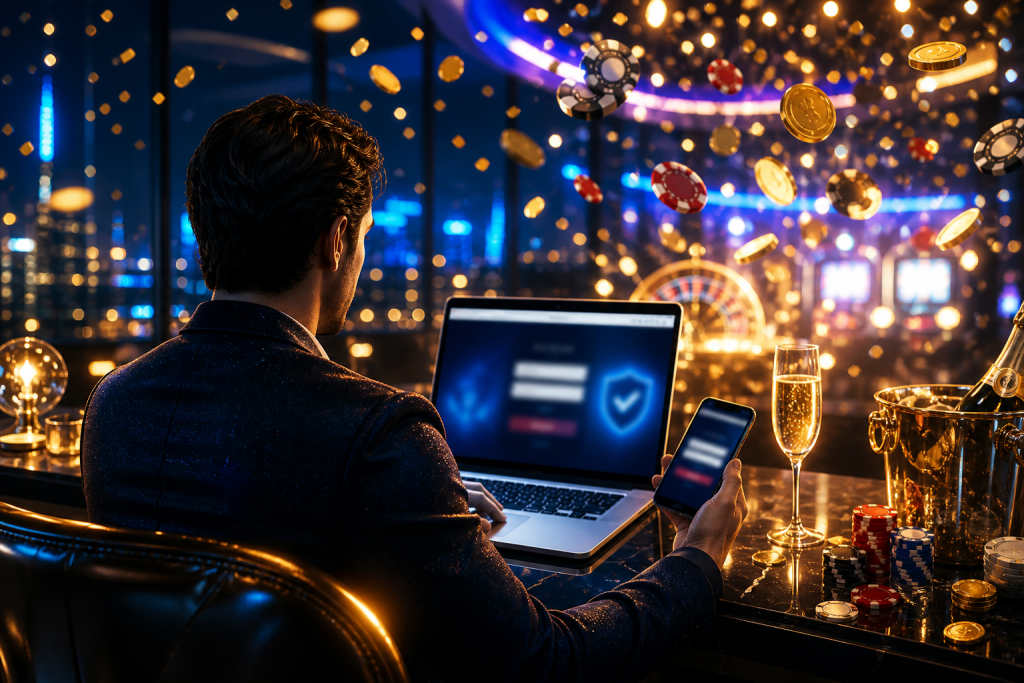
The login page loads, the address bar looks familiar, and one small mistake can send you to a fake clone. Bookmarking the login page can reduce that risk, but only if the bookmark points to the right address and you still check the page before entering details.
A bookmark is not a shield. It is a shortcut to a specific URL, which can help you avoid typing errors and reduce the chance of landing on a lookalike page from a search result, ad, or message link.
What risk the bookmark is meant to reduce
Most login mistakes start with a bad path to the page. A copied link in chat, a search result with a similar domain, or a typo in the address bar can all lead to a site that looks convincing enough for a quick password entry.
That is the main problem bookmarking tries to solve. You store the exact address once, then return to it instead of hunting for the site through search engines or old messages where a fake link can be mixed in with real ones.
There is another benefit, smaller but real. A saved bookmark can make it easier to notice when the page suddenly changes domain, because the URL in the browser should stay the same each time you open it.
How the protection works
A bookmark does not verify identity by itself. It simply opens the same address every time, so the browser goes where you told it to go rather than where a misleading link wants to send you.
That helps most when paired with a habit of checking the address bar. If the bookmarked page opens on a different domain, or on a subdomain that does not match what you saved, stop before logging in.
Think of it as a memory aid with a security side effect. The bookmark reduces dependence on search results and manual typing, both of which create room for mistakes that attackers often try to exploit.
What still can go wrong
A bookmark can be wrong from the start. If you saved a fake page once, you may keep returning to the fake page until you notice the mismatch.
Browsers can also preserve old links after a site changes structure. A page that once redirected cleanly may later lead through a new path, so the first visible address deserves a quick glance every time.
Phishing is not the only concern. A saved bookmark does nothing against stolen passwords, reused passwords, or a device that has been compromised by malware.
| Method | What it helps with | What it does not do |
|---|---|---|
| Bookmarking the login page | Reduces typing mistakes and avoids some fake search results | Does not verify that the site is genuine |
| Typing the address manually | Avoids relying on a stale saved link | Raises typo risk |
| Following a message or ad link | Can be convenient | Creates the most phishing exposure |
Practical steps for safer bookmarking
First, open the site by a route you already trust, then save the bookmark from that page. Do not bookmark a link from an email, message, or social post just because it looks right.
Next, check the full address before saving it. A missing letter, extra hyphen, or odd subdomain can be enough to point the browser somewhere else entirely.
After that, keep the bookmark in a clearly named folder. Confusing it with unrelated saved pages increases the chance of clicking the wrong entry later, especially on a phone where the screen is cramped.
When you return, look at the address bar again. Even a trusted bookmark should not override basic checks if the page asks for unusual details, behaves oddly, or shows a domain you do not recognise.
Useful habits that pair well with bookmarks
Use a strong, unique password for the account. A bookmark can help you reach the page; it cannot recover an account once credentials have been exposed.
Turn on two-factor authentication if the operator offers it. That extra step can slow down a login attempt even if a password is reused or stolen elsewhere.
Be careful on shared devices. A browser that stores bookmarks, autofill data, or login sessions can make access easier for the next person using the same machine.
- Save only the exact login URL.
- Check the domain before signing in.
- Avoid login links from messages.
- Keep passwords unique and long.
- Review saved bookmarks after site changes.
Why bookmarking is not the same as trust
The bookmark is only a pointer. It does not confirm who runs the site, how the site handles funds, or whether any particular service is legitimate.
That distinction matters because the main safety gain comes from reducing exposure to lookalike pages, not from any technical validation of the operator itself. The browser will open whatever address was saved, even if that address later becomes unsafe or outdated.
For mobile users, the habit can still be worthwhile. A single tap is often less error-prone than typing a long address on a small keyboard, especially when the page name appears in several similar forms online.
FAQ
Does bookmarking the login page make sign-in safe?
No. It mainly reduces the chance of landing on a fake page through a typo or search result.
Should I bookmark a link sent by support or chat?
Not as a rule. Save the address only after you have reached it by a route you already trust and confirmed the domain.
What should I check before entering my password?
Look at the full domain, make sure it matches the bookmark you saved, and stop if the page asks for anything unusual.
Play responsibly
Gambling should be treated as paid entertainment, never as a way to earn income or recover losses.
18+ or 21+ depending on where you are; follow the minimum age that applies to you.
Help line (US): 1-800-MY-RESET (1-800-697-3738)
This article is general information about how these mechanics work. It is not legal advice and not a recommendation to gamble or to use any particular operator. Availability and legality differ by jurisdiction — check the rules that apply where you are.