
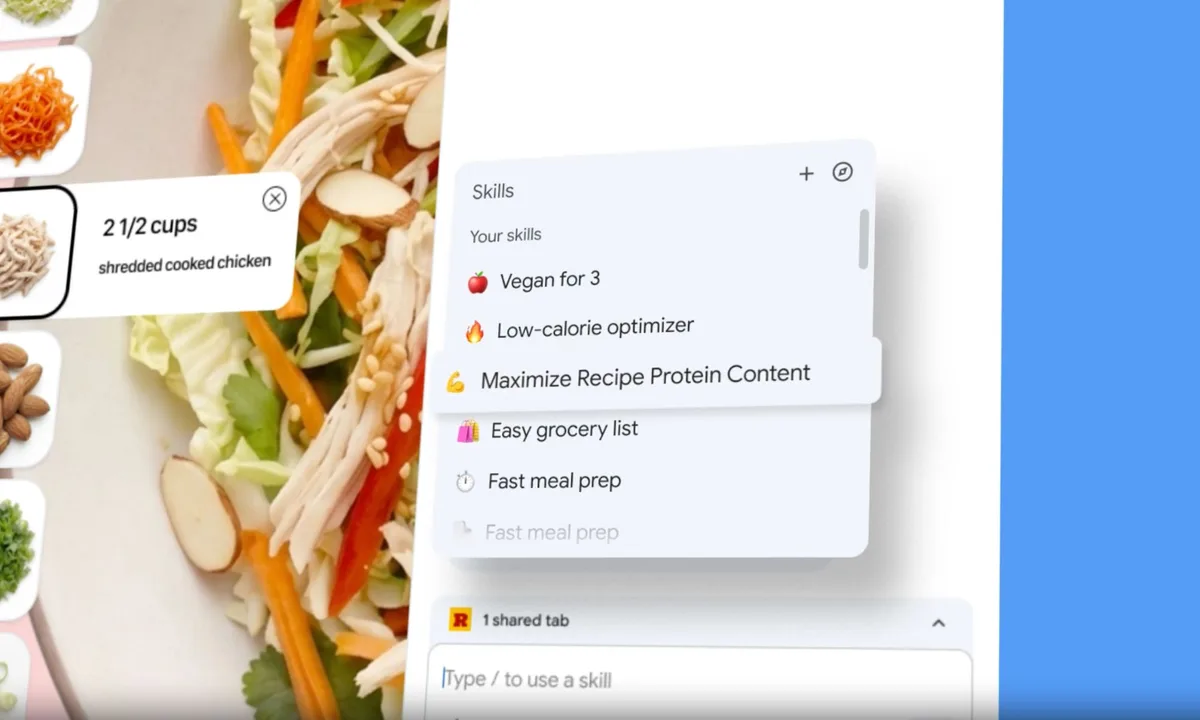
Google has launched Skills in Chrome, a new feature that lets users save frequently used Gemini prompts and reuse them with a single click while browsing. The rollout covers Mac, Windows, and ChromeOS desktop users, though it is currently limited to Chrome installations set to English (United States).
Chrome product manager Hafsah Ismail announced the update in an official blog post on July 14. The basic workflow is simple: users can take a prompt they have already written in the Gemini in Chrome chat window, save it as a Skill, and call it again later instead of typing the same instruction from scratch on every page.
Saved prompts can be triggered on the current page or across tabs
Google said users can access saved Skills by typing a forward slash “/” in the Gemini chat box or by clicking the plus “+” button, then selecting the prompt they want to run. Once selected, the Skill can be applied to the current webpage. It can also run across multiple open tabs, which is one of the feature’s more practical additions.
Saved Skills are editable after creation, and users can build new ones from scratch at any time. Google also said the saved list syncs with the signed-in account, so the same personal Skills can be accessed on any logged-in Chrome desktop device.
Google is also offering a built-in Skills library
Alongside custom prompt saving, Google has introduced a prebuilt Skills library with ready-made prompts for common use cases. Users can pull these directly from the library, save them, or modify them into a version that better matches their own workflow.
The examples Google highlighted include checking ingredient labels on product pages, comparing gift options across tabs based on budget and recipient preferences, and generating specification comparison tables from several product listings. The emphasis is on repetitive browser tasks. Instead of rewriting the same prompt again and again, users can turn it into a reusable tool.
Confirmation is required for sensitive actions
On security, Google said Skills runs within Chrome’s existing security and privacy framework and uses the same protection model as prompts in Gemini in Chrome. If a Skill attempts a sensitive action, such as creating a calendar event or sending an email, Chrome will show a confirmation dialog before the action goes through.
Google described the feature around three core actions: saving prompts, launching them with one click, and applying them across tabs. That puts it in a similar functional area to Anthropic’s computer use and OpenAI’s Operator, though Google’s approach is lighter and focused on prompt reuse inside the browser rather than handing over the whole task flow to an agent.
English interface first, no timeline yet for other languages
For now, the rollout is narrow. Skills is only available to desktop users whose Chrome language setting is English (US), across Mac, Windows, and ChromeOS. Google has not announced when support for other languages will arrive, and there is still no official timetable for Chinese interface support.