

Grok Bot is now connecting directly to Microsoft accounts.
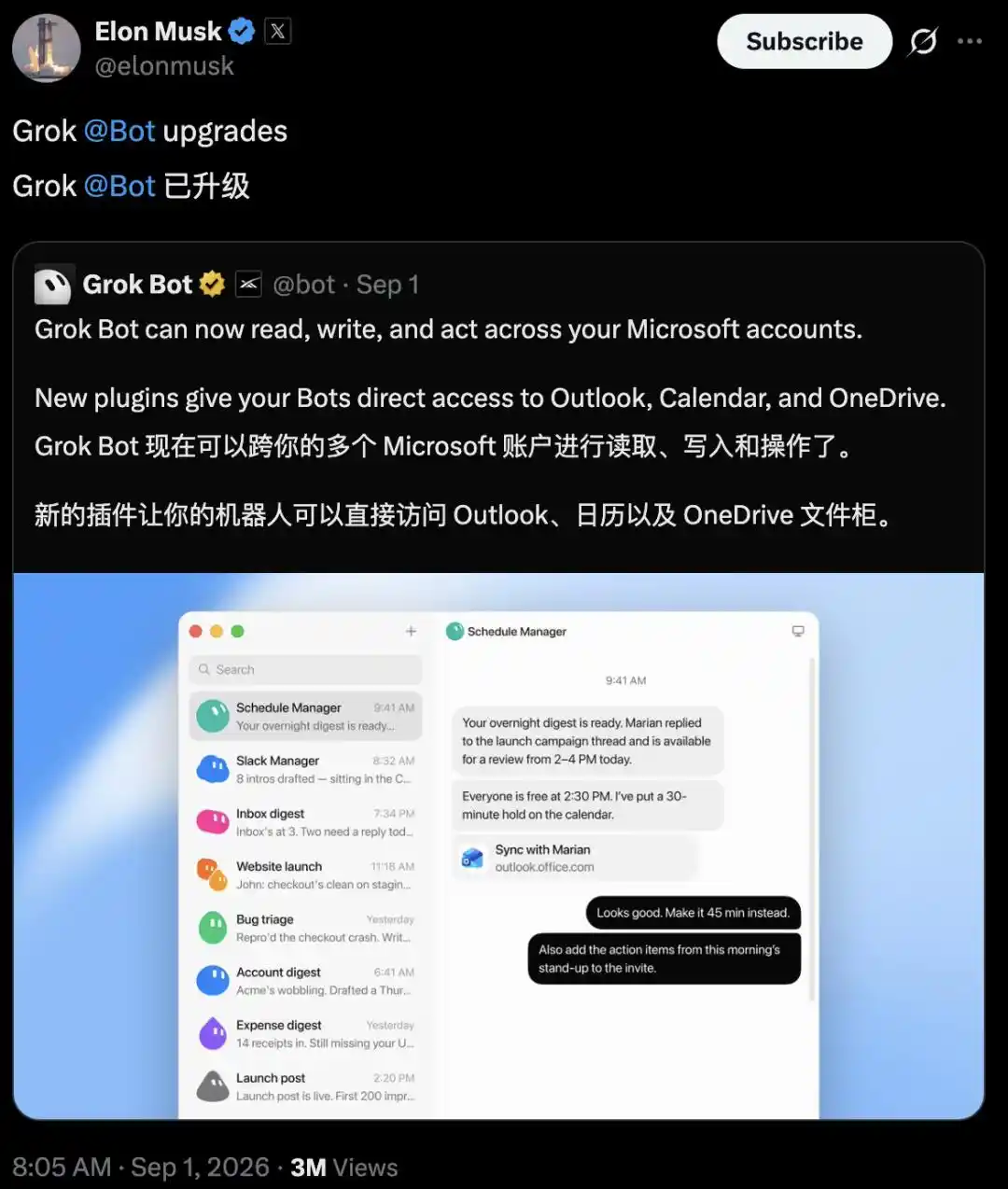
On Sept. 1, the bot announced support for new plugins that link to Outlook, Calendar and OneDrive, giving it the ability to read, write and take actions across those services. Hours later, Elon Musk reposted the update with a short line: 「Grok Bot has been upgraded.」
There was no launch event and no demo video. Still, the change was concrete. Grok Bot can now get access to a user’s email, calendar and cloud storage, letting it send emails, adjust meetings and upload files to OneDrive.
The reaction quickly turned into comparisons with Microsoft Copilot. But xAI’s own documentation shows Outlook and OneDrive connectors were already listed in Grok docs in May this year. In other words, the ability to read from and write to Microsoft accounts was not created this week. What changed was the actor using those permissions. The shift sits in the word “Bot.”
What the three plugins can actually do
At the action level, the update covers three separate areas.
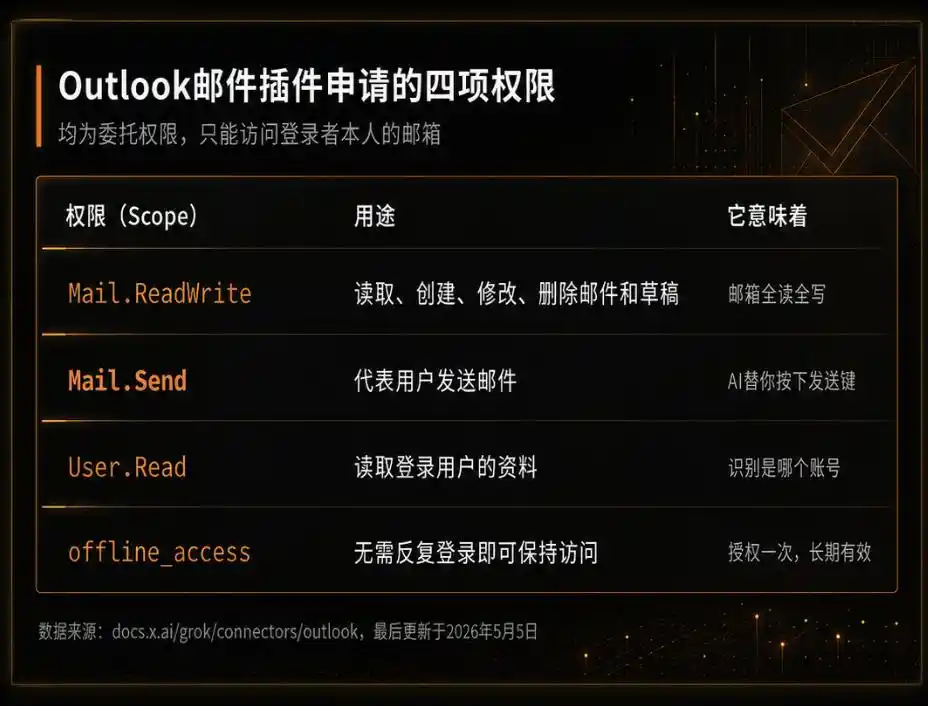
The Outlook mail plugin has the broadest feature set. It can search mail, read message bodies and attachments, draft emails, send them, reply all, forward messages and move emails into other folders for organization. Files generated by Grok can also be inserted directly into drafts as attachments.
The key permissions behind that setup are Mail.ReadWrite, Mail.Send and offline_access. That last scope means a user does not need to log in again and again after granting access once.
Calendar is handled through its own connector and its own authorization step. It can check events by date, look up free time across multiple people, create and modify meetings with attendees and recurrence rules, and respond to invitations with accept, decline or tentative.
OneDrive is more limited. The official description lists folder browsing, document reading and uploads of content generated by Grok. Full-text search across files in OneDrive requires a separate SharePoint connector. xAI also says this part of the flow is available only for Grok Business and Enterprise, not personal accounts.
Put simply, mail can be received, sent and organized; calendar events can be created, edited and answered; cloud storage can be viewed and used for uploads.
The permissions were there in May. Now they sit inside Grok Bot.
If those connectors already existed in May, why did this round of announcements cause such a stir? The answer lies in the operating model.
Back in May, the connectors were built for a conventional chat experience. A user could ask something on grok.com like what a supplier said in an email from last week, and Grok would call Outlook and return the result. The permissions existed, but the interaction stayed tied to a prompt-and-response loop.
That changed on Aug. 11, when Grok Bot entered early testing. Instead of living inside a chat box, it runs on a persistent cloud computer with its own browser, file system and terminal. It can log into websites, preserve sessions, run tasks in parallel and keep working after the user closes the laptop.
This latest update effectively turns the May connectors into plugins for that cloud machine. The permission set is the same, but the way it gets used is different.
Before, the request looked like a user asking Grok to check an email. Now the workflow can look like the bot reading a full night’s inbox on its own, deciding which messages need replies and placing drafts into the draft folder for the user to review in the morning. The executor has moved from a chat assistant waiting for instructions to a cloud-based worker that stays online.
Microsoft and Google are drawing the line differently
The services Grok Bot is entering are the core Microsoft 365 territory where Copilot already operates. Six days earlier, Grok 4.6 had also been announced for Microsoft Foundry, with hosting and sales through Azure. Because the timing was close, some observers tied the two developments together.
Technically, they are separate tracks.
Foundry is a place for enterprises to buy models. It is not the same thing as a personal user authorizing account access. The Outlook plugin uses Microsoft’s standard authorization flow for third-party apps, the same type of process used when a user grants sign-in permissions to another app. The user clicks consent and hands over the key. Microsoft does not do it on the user’s behalf.
That is also the cost of an open platform. Once standard interfaces are available to outsiders, other products can enter the platform’s core workspace.
Google is taking a more cautious position. Its account help page says sign-ins may be blocked if the browser is controlled by automation software rather than a human, or if the browser is embedded inside another application. A browser running inside Grok Bot’s cloud computer sits close to that boundary.
Some users have already hit blocking prompts when trying to sign into Google inside Grok Bot. That does not mean Google has blocked Grok across the board. xAI’s official documentation still lists OAuth connectors for Gmail, Google Drive and Google Calendar.
So the distinction is narrower: Google is restricting bot-like browser sign-ins in the cloud while still allowing formal OAuth authorization by the user.
The fight over agents has moved into Microsoft accounts
Grok Bot is not the only system trying to get there.
Microsoft’s own Copilot is already embedded in Outlook. At Build, Microsoft also introduced an Autopilot product called Scout that can stay in Outlook and monitor email.
Anthropic offers a Microsoft 365 connector as well, with support for reading SharePoint, OneDrive, Outlook and Teams. But actions such as sending email, modifying calendars and writing files require separate approval from a tenant administrator, and the setup works only with work accounts, not personal @outlook.com addresses.
On the open-source side, OpenClaw is taking a community path. ClawHub lists multiple Microsoft Graph skills. The official Outlook skill has been downloaded more than 6,600 times, while the microsoft365 skill covering OneDrive has over 1,000 downloads. The tradeoff is that users must register the app in Azure and manage the token flow themselves.
All of these efforts are converging on the same target: placing an agent inside the user’s Microsoft account.
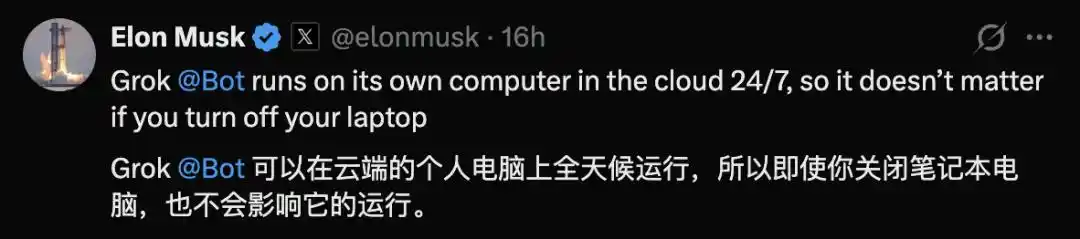
Grok Bot’s distinction is that it ties a persistent cloud computer to first-party plugins in one package. Musk added another line the same day, saying Grok Bot runs on its own cloud computer 24/7, so whether the user shuts the laptop does not matter.
That setup removes the need to configure Azure on your own or leave a local machine powered on. Grant access once, and the bot can keep working in the cloud.
User approval still matters, and so do the risks
The delegated permission may sit inside a personal account, but the material inside that account is often real work. A wrongly sent email or a deleted meeting is not a theoretical problem.
xAI has kept approval checkpoints in the product.
In one official demo, a bot called Inbox Manager finishes its overnight run and leaves the user a message in the morning: 「Inbox cleared, with five drafts waiting for your review.」
Another bot, Sales Outbound, shows the workflow in more detail. A user gives it one instruction: screen leads from Google Sheet, research them on the web, enrich the data with Hex, Sumble and Salesforce, then draft emails and LinkedIn outreach in the user’s tone.
By the next morning, it returns a list with 52 customer accounts, three similar audience groups, four people skipped because they had been contacted recently, and 36 drafted emails lined up for review. Sent emails: zero.
Only after the user replies with something like “The first 10 look good, send them, and run this weekly from now on,” does the bot send them and save the task as a weekly routine.
The final decision, at least in the examples xAI has shown, stays with the user.
The real handoff happens at the consent button
For ordinary users, the big issue in the agent era may not be benchmark scores at all. The more practical questions are whether the system asks before sending something, whether its actions can be checked afterward, whether access can be revoked in one step and whether mistakes can be undone.
Email, calendar and cloud storage form three of the deepest entry points in knowledge work. The first product to win those permissions gains a foothold in the default workflow.
In that sense, the onboarding process for an AI employee is hidden inside a very ordinary moment: the user tapping an authorization button.