


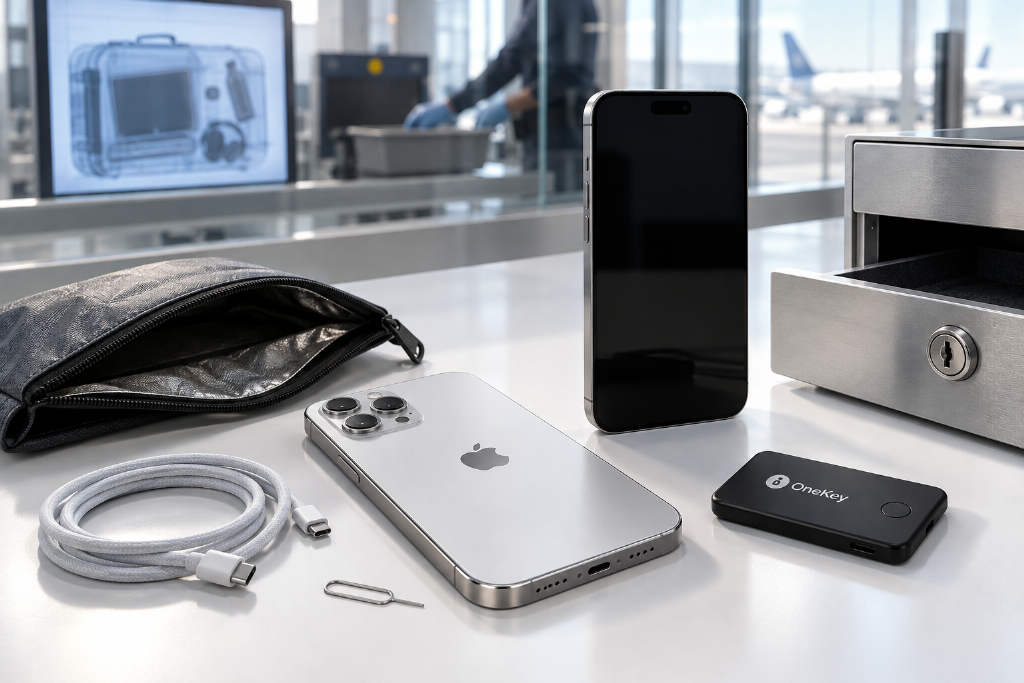
OneKey maintainer Yishi said an iPhone can be used as an offline device for storing crypto, but only under a narrow set of conditions. His minimum bar is an iPhone 17 or newer, running iOS 27 or later, with the device replaced every one to two years. He added that he would not trust large crypto holdings to an older iPhone running an outdated iOS build.

The article, translated by TechFlow, argues that taking a phone off the network does not remove the risk created by physical access. In Yishi’s framing, the real security outcome depends on hardware generation, patch level, whether the device is in BFU or AFU state, the strength of the passcode, and the wallet’s own key-management design.
Border searches can still inspect local data on an offline phone
Yishi begins with the border-search scenario. Citing the U.S. Customs and Border Protection annual report for fiscal year 2025, he wrote that CBP recorded 55,318 electronic device searches during the period from Oct. 1, 2024, to Sept. 30, 2025. Of those, 50,922 were basic searches and 4,396 were advanced searches.
He stressed that those figures are search statistics, not proof that 55,318 iPhones were successfully broken into. In the article’s summary of CBP policy, a basic search usually involves an officer reviewing content on the device, while an advanced search involves connecting external equipment, wired or wireless, to copy or analyze content. A basic search may also include entering relevant information into CBP systems.
The piece points to a detail in a January 2026 CBP directive: using a device to make content available for inspection, including bypassing a passcode or defeating encryption, does not by itself make the search “advanced” under that policy. For that reason, the basic-versus-advanced split does not cleanly show which phones encountered unlocking tools and which did not.
Under CBP policy, advanced searches require reasonable suspicion of a violation within CBP authority or a national security concern, plus supervisory approval. Yishi noted that these are agency rules and do not mean every jurisdiction applies the same legal standard.
He also highlighted practical details. A phone that cannot be inspected may be detained. CBP says U.S. citizens will not be denied entry because a device cannot be inspected, while non-citizens seeking admission may have non-cooperation weighed along with other factors. The directive says searches should usually take place with the traveler present, but that does not mean the traveler can watch every step.
For cold storage, the most relevant point is that CBP policy limits the scope to information stored locally on the device. Officers must disable network connections, or ask the traveler to do so, to avoid collecting data stored only remotely. In other words, a phone may be intentionally taken offline before local content is examined. A photo or note saved on the device does not become inaccessible just because Wi-Fi is off.
Yishi’s conclusion from that section is simple: lawful inspection and theft are different things, but the custody lesson is the same. Users need to assume that someone else may get the chance to inspect data carried on the device.

A seed phrase stored in Notes or Photos is still exposed in readable form
Yishi drew a hard line around recovery phrases. He said he would not photograph a seed phrase and save it in Photos, then call that cold storage just because the iPhone is offline. He would not paste it into a normal note either.
The article says those files are still covered by iOS encryption and Data Protection and may not sit on NAND in plaintext. The problem is different: once someone obtains the content, the secret is readable as text or as an image. At that point, the wallet’s own password, transaction approval flow, and signing controls are no longer standing between that copy and wallet reconstruction. If an extra passphrase was used, that would still be required.
He made a narrower distinction for Locked Notes. Apple allows notes to be locked with the device passcode or with a separate custom password, and locked notes receive additional encryption protection. A strong custom password is not the same situation as an ordinary unlocked note. Even so, it remains a general-purpose document store, and the authentication method matters. Reusing the same device passcode does not create an independent password boundary. Apple also notes that after one note is unlocked, other locked notes in the same account may remain unlocked for several minutes.
The same logic applies to the Hidden and Recently Deleted albums, which rely on Face ID, Touch ID, or the device passcode. Hiding a photo does not add an independent layer of protection to a recovery secret. Deleted photos are usually kept in Recently Deleted for 30 days. Turning networking off today also does not revoke copies that may already have been synced or backed up.
If a recovery phrase has already been exposed, moving that same phrase onto a better device does not repair the exposure. Yishi’s recommendation is to generate a new wallet in a trusted environment, verify recovery, make a small test transaction first, and only then move funds on-chain.
Mobile forensics is a mature industry, and locked devices are routine
Yishi listed several companies active in mobile forensics, including Cellebrite, Magnet’s Graykey, Oxygen, and China’s SDIC Intelligence, the company behind Meiya Pico. Their products and capabilities differ, he wrote, and device access, passcode recovery, extraction, and analysis are separate stages. Model, OS version, and device state determine which methods are available.
The article also explains the term FFS, or full file system extraction. That is different from a partial extraction, and both are different from recovering the lock-screen passcode. Obtaining a file system copy does not mean every encrypted file inside it has been decrypted.
According to the piece, Cellebrite’s spring 2026 briefing named iPhone 17 and iOS 26.3.1 in expanded Inseyets support. A narrower and more useful claim appears on page 4, where Cellebrite Advanced Services said it supports AFU access for iPhone 11 through 16 devices running iOS 26 or later. Yishi said these are vendor capability claims, not proof that every supported combination can export every wallet secret.
In the same release notice, Cellebrite said 75% of devices received by its North American forensic labs were locked. The article notes that this is an intake statistic, not a 75% unlock success rate. It still shows that locked devices are normal work for the industry.

On Graykey, Yishi cited a November 2024 report by 404 Media based on internal documents saying newer iPhones running iOS 18 and 18.0.1 could yield partial extractions. Public reporting did not specify exactly what each extraction contained. “Partial” does not mean private keys were recovered, but it does show that a locked screen should not be treated as proof that no data can be reached.
For Yishi, one detail matters more than most others: whether the phone has been successfully unlocked at least once since boot.
BFU and AFU describe key state, and locking the screen does not return the phone to BFU
BFU means Before First Unlock. The phone has booted, but no one has entered the correct passcode yet. AFU means After First Unlock. Once the correct passcode has been entered after boot, the device is in AFU, and locking it again does not send it back to BFU.
Yishi wrote that iOS file protection is organized around per-file keys, class keys, and the keybag. The first unlock makes certain protected class keys available. Some remain available after the screen is locked so background tasks can continue.
His key example is class C, NSFileProtectionCompleteUntilFirstUserAuthentication. Apple’s documentation says the class key remains in memory after the device is locked again. It is also the default file-protection class for third-party apps when no other class is specified. Class A is stricter: under system protection rules, its decrypted class key is discarded after lock.
That means AFU can expose app data that the same attacker could not reach in BFU, assuming the right exploit chain and privileges are available. Yishi said this is the useful “warm” state forensic operators try to preserve. Wallets may add stronger file protection, Keychain access controls, or their own encryption, so class C does not prove every wallet seed is readable. It does explain why pressing the lock button is not enough to settle the issue.
Apple has been narrowing that window. The article says iOS 18 introduced inactivity reboot. Researcher Jiska Classen recorded a 72-hour interval on versions she tested and later described an earlier seven-day interval. She traced the timer to the Secure Enclave Processor, meaning SEP tracks time since the last unlock and triggers the reboot. Yishi cautioned that those historical intervals should not be assumed to apply to every later iOS version.
A normal reboot returns the phone to BFU and clears some useful decrypted state. Forensics vendors are adapting. Yishi cited Cellebrite’s spring 2026 release page, which said Safeguard Mode can preserve access after reboot. Public material does not fully disclose the mechanism, prerequisites, or the exact level of access retained on each device, so he said the claim has to be read with those limits attached.
That is why, in his own setup, he stores a dedicated signing phone powered off. He does not treat any auto-reboot feature as the foundation of a custody plan.
Turning networking off does not remove the USB attack surface
At the interface level, the article says USB Restricted Mode limits wired data access on a locked device. It is an important barrier, but not a perfect one.
Yishi cited CVE-2025-24200, which allowed a physical attack to disable USB Restricted Mode on a locked device. Apple fixed it in iOS 18.3.1 and said it may have been used in an extremely sophisticated attack against specific targets.
He also referred to Amnesty’s investigation into forensic tool use in Serbia, which documented a related technical path on Android. That chain involved simulated USB peripherals reaching kernel drivers and included CVE-2024-53104, CVE-2024-53197, and CVE-2024-50302. The device classes involved included video, audio, and HID.
Yishi was explicit that this was an Android exploit chain, not evidence that the same bugs affect iPhone. The broader technique still matters: peripheral emulation, driver attack surface, kernel exploitation, privilege escalation, and extraction. Taking a phone offline reduces network exposure. It does not remove physical ports, their drivers, or the software that enforces access restrictions.
Chip-off access is not the same thing as decryption
On hardware design, Yishi said this is where the iPhone deserves some credit. The device passcode is bound to a hardware UID key. Apple says the relevant derivation is calibrated to about 80 milliseconds per attempt, with increasing delays and attempt limits on top. As long as that hardware binding holds, the critical work of brute force has to happen on the target device.
Removing NAND and dumping it does not, by itself, turn the passcode into something that can be attacked in parallel on a GPU cluster. Apple also documents that the UID is not exposed through JTAG or other debug interfaces.
He then separated chip-off from ISP. In embedded forensics, chip-off means removing the storage chip to read it. ISP, or in-system programming, can access the chip while it remains on the board. Those techniques solve the problem of reading stored bytes. They do not automatically recover the keys needed for decryption. Fault injection and power side-channel analysis are different attack directions again, each requiring relevant weaknesses and experimental evidence. “They can take the phone apart” is not an explanation of how a private key becomes readable.
Yishi argued that the device passcode still matters enormously. To illustrate, he used a simplified scenario in which an attacker has bypassed attempt limits and escalating delays, but each guess still takes 80 milliseconds, guesses are sequential, and there is no shortcut.
- A random 6-digit numeric code has 10^6 possibilities. Exhausting the full space would take about 22.2 hours, with an average of 11.1 hours.
- Ten random lowercase letters and digits have 36^10 possibilities. Exhausting the full space would take about 9.27 million years.
- Twelve random upper- and lowercase letters and digits have 62^12 possibilities. Exhausting the full space would take about 8.18 trillion years.
He said these are calculations under stated assumptions, not measured speeds for any specific forensic product. The point is to show how much the passcode itself matters once another line of defense fails. A birthday, a phone number, or a dictionary word plus a year does not have the entropy of a uniformly random string.

His own recommendation is at least 12 truly random alphanumeric characters, plus an independent offline recovery plan. He added that security that permanently locks the owner out is also a custody failure.
Once the device is accessible, wallet key management becomes the next boundary
The article then shifts to wallet design. Recovering the device passcode does not necessarily reveal the wallet’s recovery phrase. A wallet can encrypt its own secrets and use a non-exportable key generated inside the Secure Enclave to help protect them, with access governed by Keychain rules. In that case, a file-system extraction may yield only ciphertext.
Yishi highlighted an API limitation. Apple’s documented Security Framework interfaces for Secure Enclave keys use P-256 keys generated inside the enclave. They do not import arbitrary pre-existing plaintext private keys. Bitcoin and Ethereum commonly use secp256k1, which is a different curve. So the statement “it uses the Secure Enclave” does not prove that an arbitrary BIP39 recovery phrase lives entirely inside SEP or that every on-chain signature is produced there.
Another design is key wrapping. A hardware-protected key can help protect the recovery phrase, or protect the key that encrypts it. After authorization, the app unwraps or decrypts what it needs, derives blockchain keys, and signs in its own process.
Yishi breaks this into two separate questions: how the secret is protected at rest, and where plaintext appears during use.
Keychain configuration matters. AfterFirstUnlock and WhenUnlocked have different access conditions. WhenPasscodeSetThisDeviceOnly adds more restrictions, including no iCloud Keychain sync and no backup inclusion. A Face ID icon does not tell the user any of that.
He also wrote that a compromised kernel does not automatically mean a compromised Secure Enclave. But if an attacker controls the environment where the wallet runs, that may still allow reading app memory or abusing available authorization to make it sign. A key being “non-exportable” is not the same thing as a wallet refusing an unauthorized transaction.
A different failure mode appears when a wallet uses an app password to derive a key through PBKDF2 or Argon2 and then encrypts the seed phrase on disk. If an attacker can extract the ciphertext, salt, and parameters, verify guesses, and does not need any extra hardware-bound secret, that password can be attacked off-device. That is an offline cracking problem.
In that case, the 80-millisecond figure for the device passcode no longer describes the cost. The cost depends on the entropy of the app password, the PBKDF2 iteration count or Argon2 memory and time settings, and the attacker’s implementation and hardware. Yishi’s point is blunt: a good KDF name does not rescue a weak password.

The worst case is simpler. If the phone becomes accessible and the app password only gates the interface, without effective independent protection or fresh transaction authorization, someone may be able to open the wallet and move funds without extracting any seed phrase at all.
That is why he says he would ask wallet developers a specific set of questions: Does the app password actually participate in decryption? Can biometric authentication fall back to the device passcode? Does every signature require fresh authorization? How long does decrypted key material remain in memory? What leaves the device in backups?
Why his hardware floor starts at iPhone 17
Yishi said the hardware floor starts at iPhone 17 because iPhone 17 and iPhone Air introduced Memory Integrity Enforcement, or MIE, with the A19 generation. In his summary, the system combines several components to make memory-corruption exploitation harder.
- Typed allocators constrain how different object types share memory.
- Enhanced Memory Tagging Extension, or EMTE, checks pointers against memory tags.
- Tag confidentiality makes those tags harder to discover and therefore harder to bypass.
He wrote that exploit development often begins with a heap overflow, a use-after-free, or an out-of-bounds read or write. Heap grooming then arranges allocations to make the bug useful, and the result is an exploit primitive, with arbitrary kernel read/write being especially valuable. MIE interferes with several of those steps. Apple’s technical note says it was deployed in the kernel and more than 70 user-space processes and evaluated against historical real-world exploit chains. It first arrived with iOS 26 on supported new hardware, not with iOS 27. Older phones cannot gain missing EMTE hardware through a software update.
Yishi also noted the limits. Whether third-party wallets use hardware memory tagging still depends on their build configuration. MIE does not fix a bad authorization decision or a logic bug. What he wants is the extra hardware defense plus a wallet that actually uses the protections available.
Older devices carry another well-known weakness: checkm8, a BootROM vulnerability affecting A5 through A11 devices, including the iPhone X generation. Ordinary iOS updates cannot replace vulnerable BootROM code. Exploiting the boot chain does not automatically decrypt all user data or break the Secure Enclave, but it remains a permanent disadvantage for those devices.
On software, he set iOS 27 as his current floor and said the latest stable security patches should be installed. He framed that as a custody policy, not a claim that every older version is exploitable or every newer version is safe. Apple continues to ship updates across multiple supported branches.
Device history matters, and a phone does not stay “safe enough” forever
Yishi argued that a phone’s history matters when deciding whether it should still be trusted for cold storage. Apple patches vulnerabilities and adds hardware defenses. Forensics vendors keep developing new access methods. A public support matrix is a dated statement of capability, not a promise about next year.
That is why he plans to migrate every one to two years, or sooner if a serious issue appears or the device loses support. He said that interval is a maintenance policy, not a scientifically fixed expiration date.

Before declaring an old phone “cold,” he would ask another question: was it ever compromised while it was still being used as a daily phone?
The article cites Google’s 2026 Coruna research, which documented five iOS exploit chains and 23 vulnerabilities, including modules aimed at wallet apps. It also cites DarkSword research describing payloads that collect crypto wallet data. Yishi said these were attacks against specific vulnerable iOS ranges and that fixes are available. They are not evidence that the same chains can remotely compromise a fully patched, offline phone. They do show why device history matters.
If a recovery phrase leaked before the phone was taken offline, Airplane Mode cannot pull it back. Powering the phone off or enabling Lockdown Mode cannot do that either.
He also warned that QR codes do not remove the need to trust the signer. Dark Skippy demonstrated that a maliciously controlled signer can encode secret material into transaction signatures through nonce selection, with the transaction itself carrying the output on-chain. The attack requires a compromised signer. It is not a claim that ordinary iPhone wallets do this. It does show that an offline signer still has an output channel.
During migration, he said recovery phrases should not be moved through AirDrop, iCloud, screenshots, chat logs, or shared clipboards, because that creates fresh exposure. Moving hardware and protecting the recovery secret are part of the same job.
How Yishi says he would set up an iPhone for this role
Yishi closed with a practical configuration list.
- An iPhone 17 or newer, running iOS 27 or later, with current security patches installed. Verify the actual hardware protections on the model. Plan to migrate every one to two years, and respond sooner if there is a major security change.
- A truly random alphanumeric device passcode of at least 12 characters. Do not rely entirely on system guess limits.
- A wallet with effective independent protection. Review seed encryption, KDF parameters, Keychain classes, hardware-backed key wrapping, and transaction authorization. A Face ID prompt is not a security architecture.
- An independent offline recovery backup. Do not place any recovery phrase in ordinary Notes, Photos, or screenshots. Verify that recovery actually works before committing large funds.
- Reduce unnecessary interfaces and access. Disable lock-screen Control Center access and unnecessary accessory access. Turn off Wi-Fi and Bluetooth in Settings; disconnecting them from Control Center is not the same as fully disabling them.
- Store the device powered off. The next normal boot returns it to BFU. Physical protection still matters.
- Use a dedicated device initialized from a trusted state. Do not jailbreak it, do not install unrelated apps, do not use a daily Apple account, and do not restore the full dataset of a daily phone. Lockdown Mode can reduce exposure for high-risk users, but it does not replace updates and it does not undo secrets that have already leaked.
- Maintain the full signing workflow. Use a controlled offline signing process, including QR transfer where supported. Verify addresses, amounts, network, and permissions. Plan updates carefully and verify isolation afterward. Consider physical access, travel, and recovery, not just internet access.
For long-term custody of large holdings, Yishi wrote that he would rather use a dedicated signing device with a transparent security design, ongoing maintenance, and on-device transaction verification. Even then, he said, the firmware, supply chain, and recovery process still need scrutiny.
His final point returns to the start: taking a phone offline is one precaution. Hardware generation, patch level, BFU or AFU state, the passcode, and the wallet’s key management determine what that precaution is actually worth.