



OpenAI rolled out a Locked Chats feature in ChatGPT on Oct. 20, letting users hide selected conversations behind a 4-digit account PIN. On supported mobile devices, those chats can also be opened with facial recognition, fingerprint authentication, or the device’s own unlock method.

The feature is designed for conversations people do not want to delete but also do not want others to see. OpenAI’s documentation shows that the new lock changes how chats are displayed in the interface, but it does not rewrite the separate rules that govern memory, data retention, or model improvement.
ChatGPT’s sidebar has become a private archive for many users
For many people, the ChatGPT sidebar now holds far more than work prompts. It may contain health questions asked the night before a meeting, a resignation letter draft opened while showing photos on a phone, or gift lists and price comparisons prepared for a family holiday.
Those conversations are often worth keeping. Deleting them is not always practical. At the same time, a shared screen or a borrowed device can expose a private exchange in seconds. Locked Chats is meant to sit in that middle ground: keep the conversation, reduce the chance that someone nearby sees it.
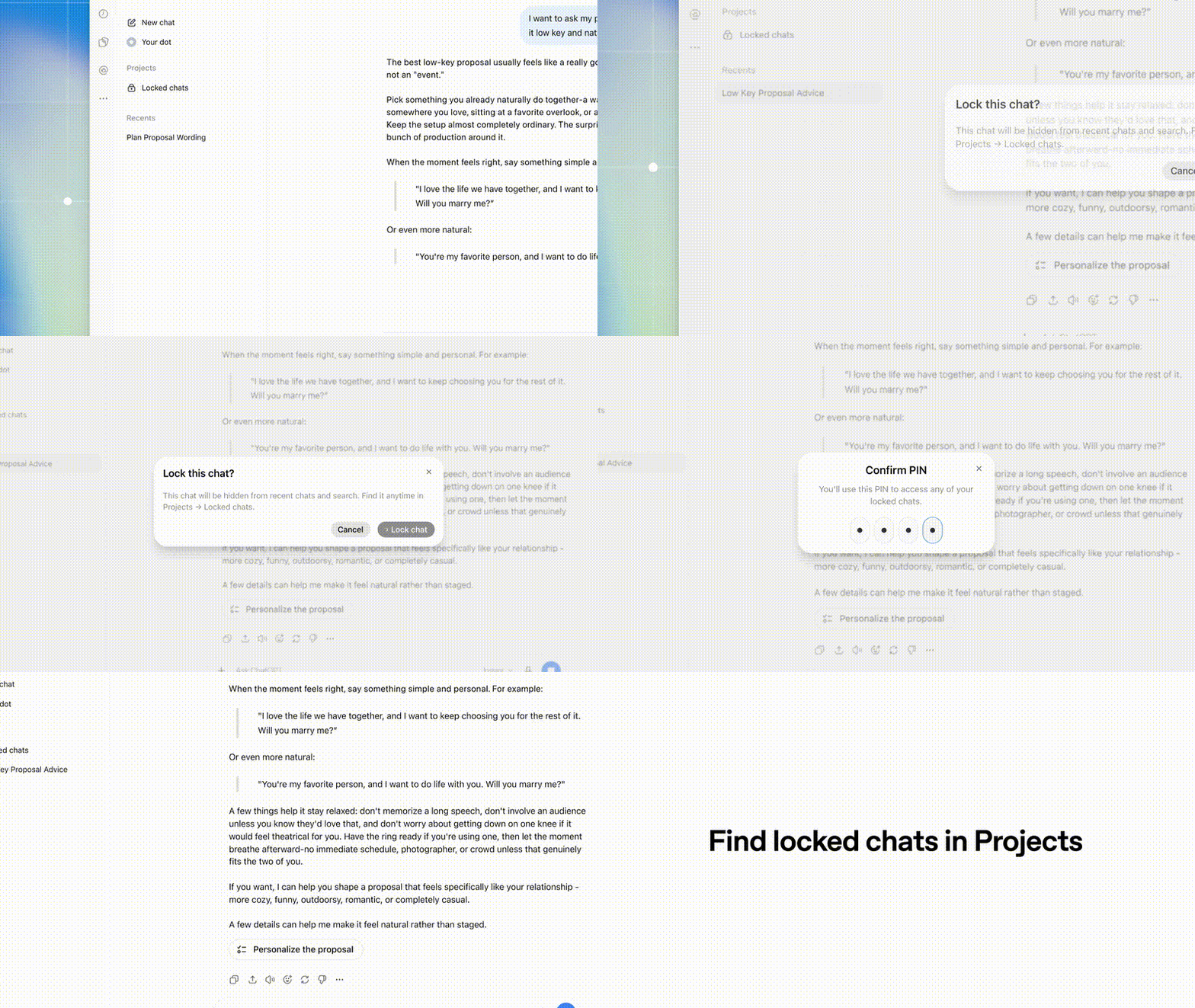
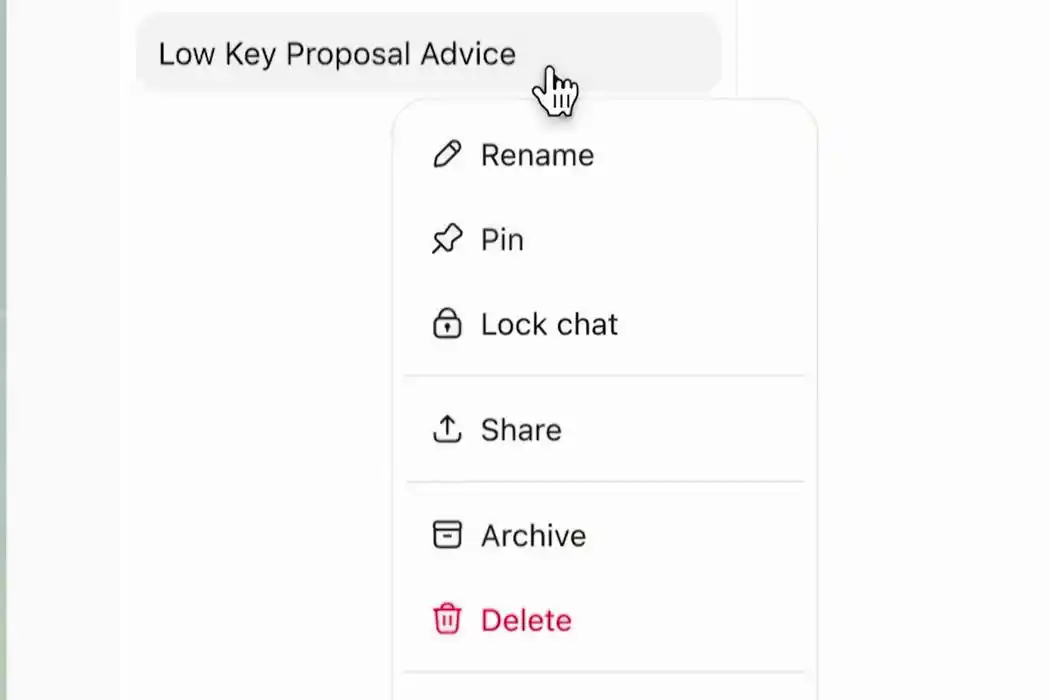
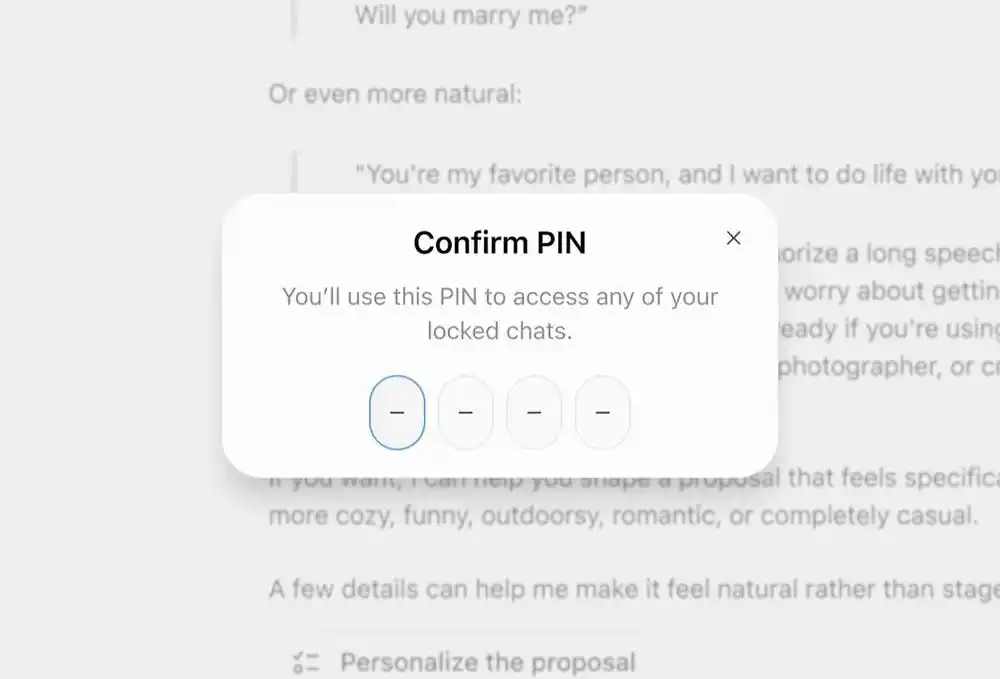
OpenAI says the setup is straightforward. Users open the menu for an individual conversation, choose “Lock chat,” then set and confirm a 4-digit PIN. Once protected, the conversation appears in “Locked chats.”
After a chat is locked, it is removed from the standard history list, pinned sections, and ordinary search results. It is moved instead to a dedicated Locked Chats area under Projects in the sidebar. After identity verification, the user can continue the same conversation.
Rollout covers free and paid plans, but not every chat type
According to the OpenAI Help Center, the feature is rolling out to Free, Go, Plus, Pro, Business, Enterprise, and Edu plans, which means free users are included.
Availability is expanding across the web, iOS, Android, and newer macOS and Windows desktop apps.
Not every conversation can be locked. Temporary chats, archived chats, group chats, and conversations tied to scheduled tasks or meeting recordings are not supported at this stage. Chats created through someone else’s shared link, Codex conversations, and local work chats also come with restrictions. ChatGPT for Healthcare does not offer the feature.
Locking a chat does not instantly hide it everywhere
Adding a conversation to the locked list does not mean it disappears at once from every screen where it is already open.
OpenAI says that on the web, the current browser tab may continue to display the conversation after the user clicks lock. If the same account is open on a tablet or another computer and that page is already loaded, those pages also need to be refreshed before the title and loaded content are fully hidden.
That leaves a practical warning for users who are about to share a screen or hand over a phone. Seeing the “locked” status is not enough on its own. Closing the current page and refreshing the list is part of the process if the goal is to keep the conversation out of view.
There is another detail that can be missed. Locking a chat does not invalidate an existing shared link. Anyone who already has that link can still view the conversation. New content added while the chat is locked will not sync to the old link, but access is not revoked unless the shared link itself is deleted.
OpenAI also says the feature does not provide end-to-end encryption and does not change data retention or model improvement settings. It adds a viewing check. It does not alter how the content is otherwise handled.
Memory rules stay separate from interface-level hiding
The word “locked” may suggest to some users that the AI will no longer remember those conversations or use them in any way outside the protected area. OpenAI’s documentation says that is not how the system works.
If memory is enabled, a locked chat can still draw on memories already saved from regular chats, so the user does not need to reintroduce themselves. New information learned inside a locked chat may also be remembered and shared across other locked chats.
At the same time, memories created while a chat is locked do not spill into regular chats. In effect, locked chats can maintain their own memory space for use within other locked conversations.
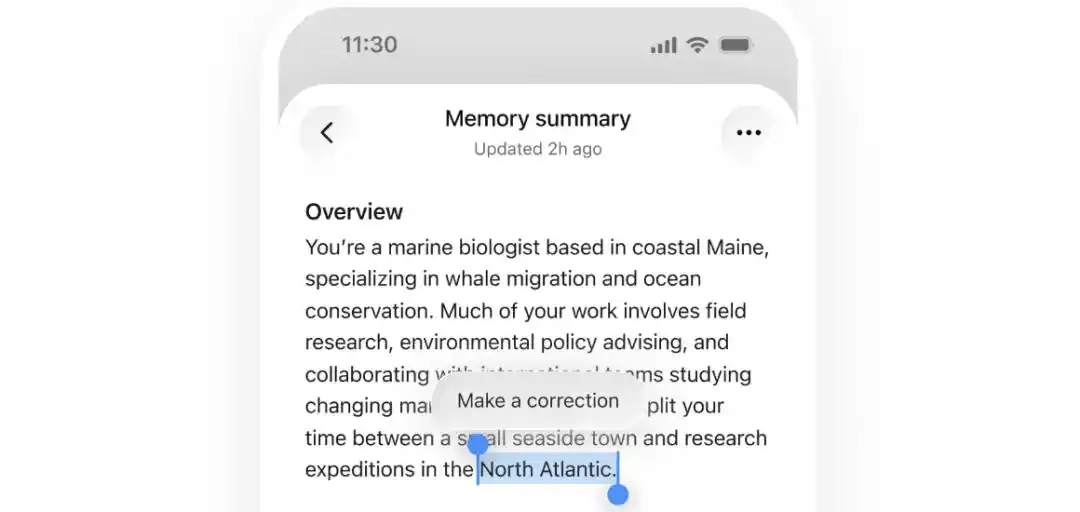
ChatGPT’s Memory Summary page shows saved personal background information, and users can select an item and click “Make a correction” to edit it.
There is also a limit to what locking can undo. Information that had already been saved as memory before the conversation was locked is not automatically erased. If a private matter was stored as memory during a regular chat, locking that conversation later does not stop that memory from being used in regular chats.
If the user permanently unlocks the conversation at a later point, the full chat may again be used to form regular memory, depending on account and workspace settings. By contrast, memories created only during the locked period do not automatically merge into regular memory after unlocking.
In the source article’s phrasing, old memory is not canceled out by adding a lock later, while new memory created inside the locked area remains dedicated to that area.

Training use still depends on data controls
Locked Chats does not change OpenAI’s retention policy and does not automatically turn off model improvement. Whether a conversation is used for training still depends on the account’s data control settings.
OpenAI draws a line between two separate functions. Memory affects how ChatGPT personalizes replies. Model improvement settings determine whether conversations may be used to improve the model.
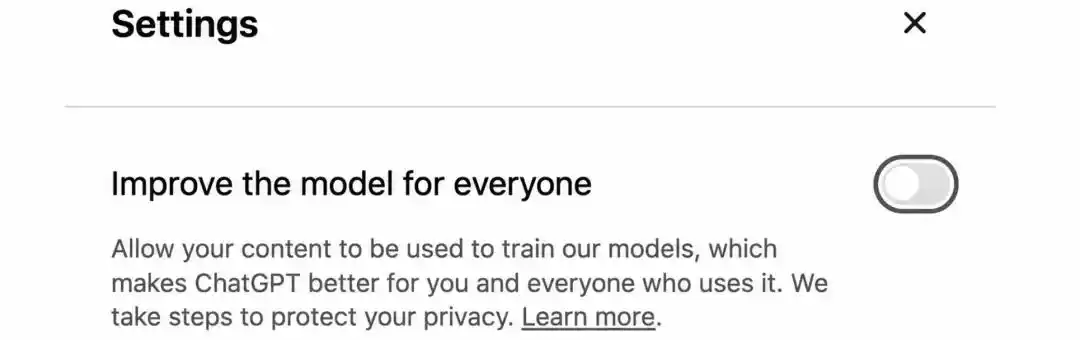
Users who want to stop new conversations from being used for training need to go to Settings, then Data Controls, and manually switch off “Improve the model for everyone.” Only after that change will new chats stop being used for model training.
OpenAI adds one exception. Even if the training switch is turned off, a full conversation tied to user-submitted feedback, such as a thumbs-up or thumbs-down, may still be used to train the model.
Users who want a conversation to stay out of history, avoid creating or updating memory, and stay out of model training can use Temporary Chat. OpenAI says those conversations may still be retained for up to 30 days for safety review. If they are later saved as regular chats, the standard rules apply.
That leaves three different controls for three different concerns: Locked Chats for reducing the chance that someone nearby sees the conversation, memory settings for controlling what ChatGPT may bring up later in everyday use, and data controls for deciding whether chats can be used in model improvement.
Forgetting a PIN is not what deletes content
The most consequential button in this feature is the option to reset the PIN.
If a user simply wants to replace an old PIN, they can choose to change it and keep their chat history intact. Forgetting the PIN by itself does not automatically delete chats or files.
The irreversible step is choosing to reset the PIN and confirming that action.
Under OpenAI’s rules, a reset permanently deletes all locked chats in the account, not just the one a user may be trying to access. It also removes memories stored only in locked chats and files protected only by the old PIN.
OpenAI says this deletion cannot be reversed, and customer support cannot restore the removed content.
That makes the confirmation screen especially important. Before proceeding, users need to understand the full scope of what will be erased and whether any important conversations or files still need to be preserved.
The lock helps with visibility, not every privacy question
People now use ChatGPT for much more than work. They ask about health, relationships, and difficult personal decisions, and some of those exchanges become records they want to revisit later.
Locked Chats gives users a way to keep those conversations while lowering the chance that someone else sees them on screen. But the boundaries matter: old memories may still exist, shared links may still open, and resetting a PIN can wipe chats and files permanently.
The source article cites a TechCrunch report published on Oct. 20, 2026, and the OpenAI Help Center article “using locked chats in chatgpt.” It also notes that the Chinese article was originally published by the WeChat account Xinzhiyuan (ID: AI_era), written by ASI Qishilu and edited by Yuanyu.