

OpenAI has widened Codex’s migration pipeline to capture the part of rival coding tools that tends to keep developers from switching: the local instructions, skills, plugins, project memory, and chat history they have built up on their own machines.
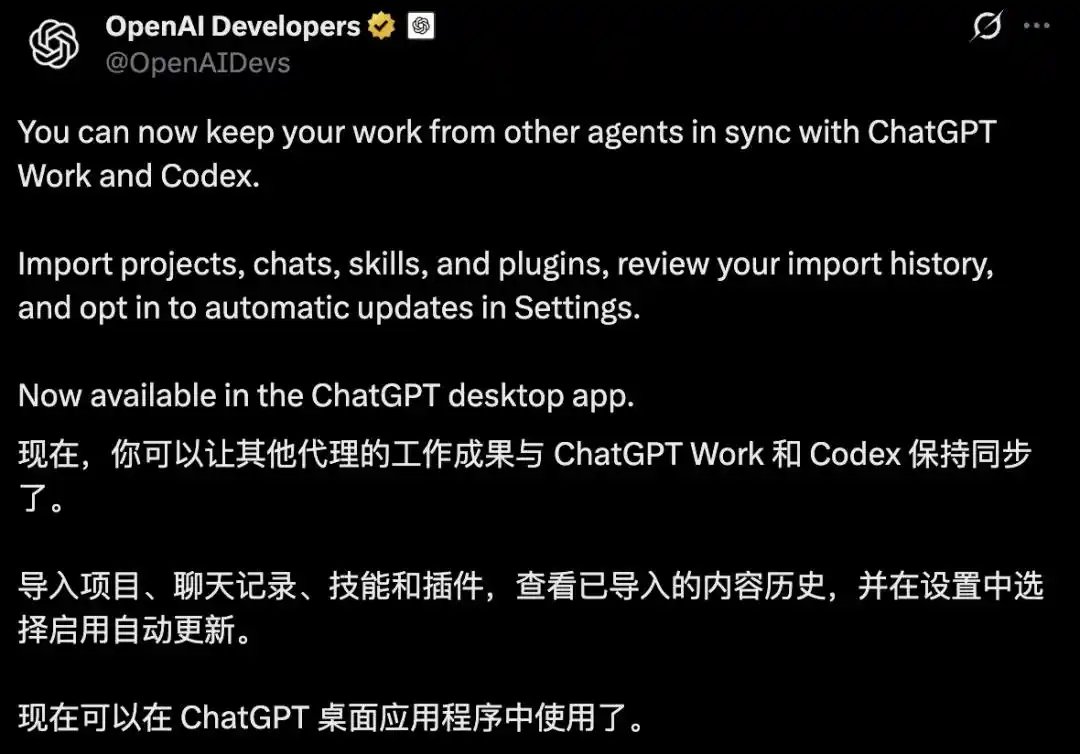
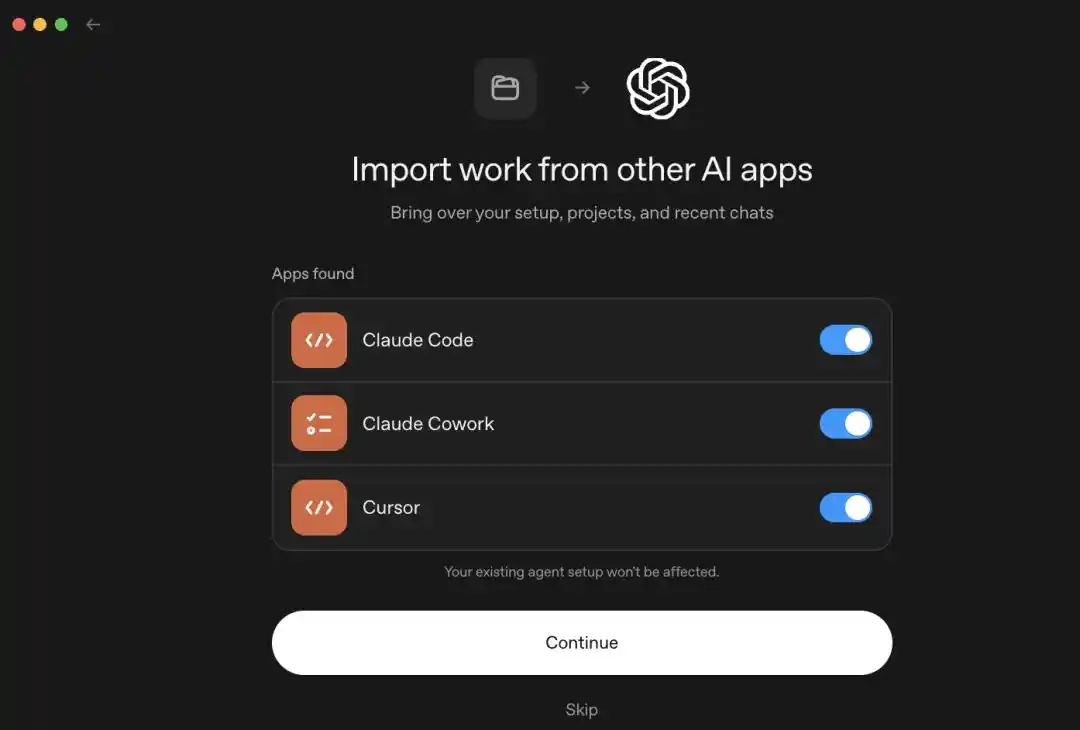
On Aug. 11, OpenAI consolidated documentation for importing external agents. In the ChatGPT desktop app, Settings now includes an Import option that can detect Claude Code, Claude Cowork, and Cursor. In the Codex CLI, the /import command recognizes Claude Code and Cursor.
According to the documentation described in the report, users can selectively import local configuration, skills, plugins, projects, and chats from the past 30 days in one pass. What gets moved is a copy. OpenAI states that the import process does not modify or delete an existing agent configuration.
What the documentation does not include is an /export path. Users can move material into Codex, but not back out of it through a matching built-in workflow.
What Codex can import
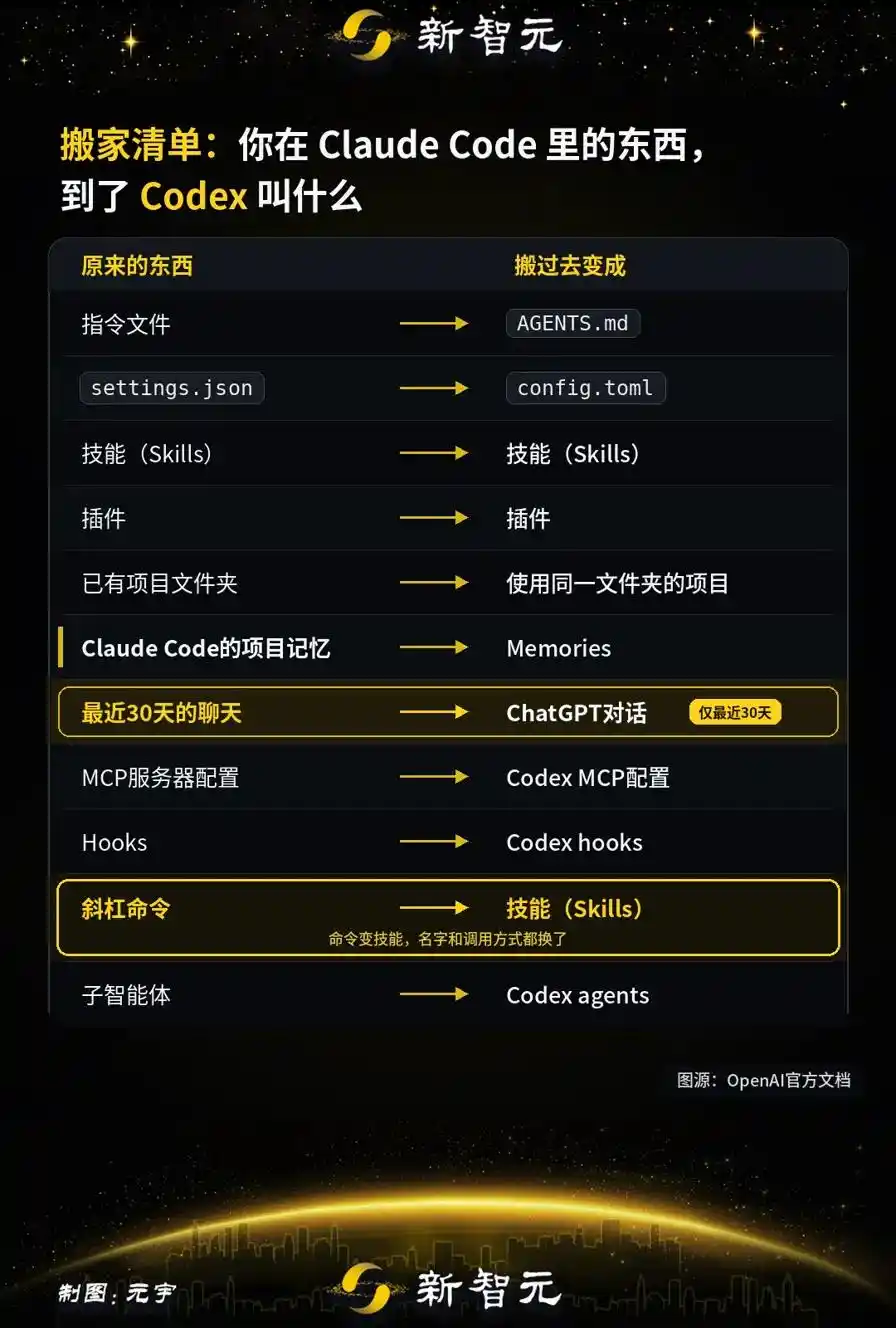
OpenAI published a mapping table showing how assets from other tools are translated once they enter Codex.
On the Claude Code side, the main instruction file is CLAUDE.md, which becomes AGENTS.md after import. settings.json is converted into config.toml, moving Claude Code’s mix of JSON and Markdown into a TOML-based structure on the Codex side.
Skills remain skills, and plugins remain plugins, although whether a plugin works without follow-up changes depends on compatibility. MCP server settings are mapped into Codex MCP configuration, hooks map into Codex hooks, and sub-agents map into Codex agents.
User-written slash commands, the /xxx shortcuts many teams use to package recurring workflows, no longer stay commands after migration. They are turned into skills. Commands bundled inside plugins are converted the same way at install time. The name changes, the invocation method changes, and the scope of use may change as well. In practice, that makes this part of the process a refit, not just a copy operation.
Claude Code project memory becomes Memories, while chats from the past 30 days are imported into ChatGPT chats. For project migration, OpenAI’s wording is that existing project folders become projects that use the same folder. The report interprets that to mean Codex takes over the local directory rather than uploading or duplicating the repository to OpenAI’s side.
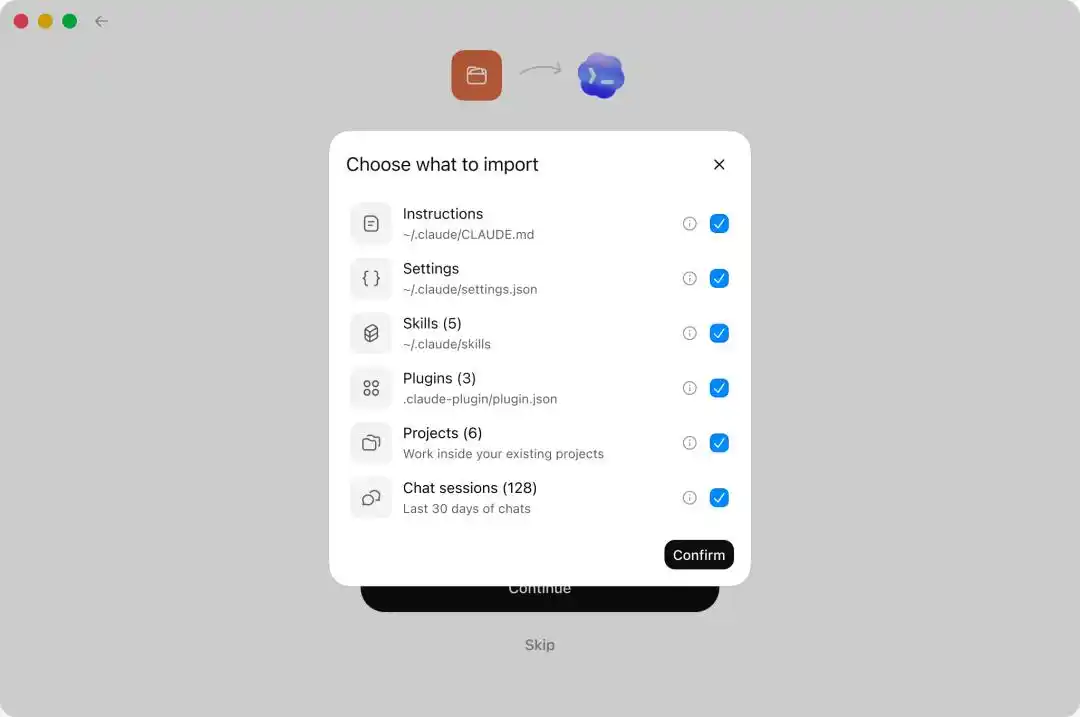
The import checklist is granular. Users can choose items one by one, including instructions, settings, skills, plugins, projects, and chats.
Imported long chats are compressed before the next reply
One detail highlighted in the report is how Codex handles lengthy legacy conversations from Claude Code. Those threads are often too large to fit in full when reopened.
Instead of failing outright, Codex records the length of the imported conversation and the amount of quota it occupies. When a user returns to that chat and sends the first post-migration message, Codex first compresses the earlier context to free space, then continues the exchange.
In the flow described by the source article, users do not need to manually trim the conversation before continuing.
The import system was expanded in three iterations over three months
This did not appear all at once on Aug. 11.
The /import command first showed up in Codex CLI 0.140.0. At that stage, it could only bring in Claude Code settings, skills, and chat records, while Cursor users still had to copy material over manually.
On June 9, Codex app 26.608 brought the import workflow into the desktop client and added it to first-run onboarding.
Codex CLI 0.145.0, released on July 21, was the major expansion point. It increased the scope to six migration areas: settings, MCP servers, plugins, sessions, commands, and project-level memory.
Version 0.147.0 on Aug. 7 added Cursor skill import and follow-up syncing for already imported conversations.
That release cadence amounts to three iterations in three months, suggesting OpenAI has been steadily raising its ability to absorb setups built inside Claude Code and related tools.
Sync flows one way into ChatGPT and Codex
The report stresses that OpenAI’s documentation provides no command for exporting a Codex configuration elsewhere. Changes made inside Codex do not write back into Claude Code.
The desktop app does include an automatic update toggle and an import history view, but the sync direction is explicit: new material from Claude Code or Cursor can continue flowing into ChatGPT.
The upstream tool keeps changing. The downstream tool keeps receiving. The relationship is not symmetrical.
On the CLI side, the opening is narrower. Codex CLI 0.147.0, released on Aug. 7, adds two things: import for skills managed by Cursor, and sync for later changes to already imported Claude and Cursor conversations without creating duplicates.
Anthropic offered two-way memory transfer, and OpenAI had already entered Claude Code earlier
The report places OpenAI’s move in a broader timeline of migration features across AI coding tools.
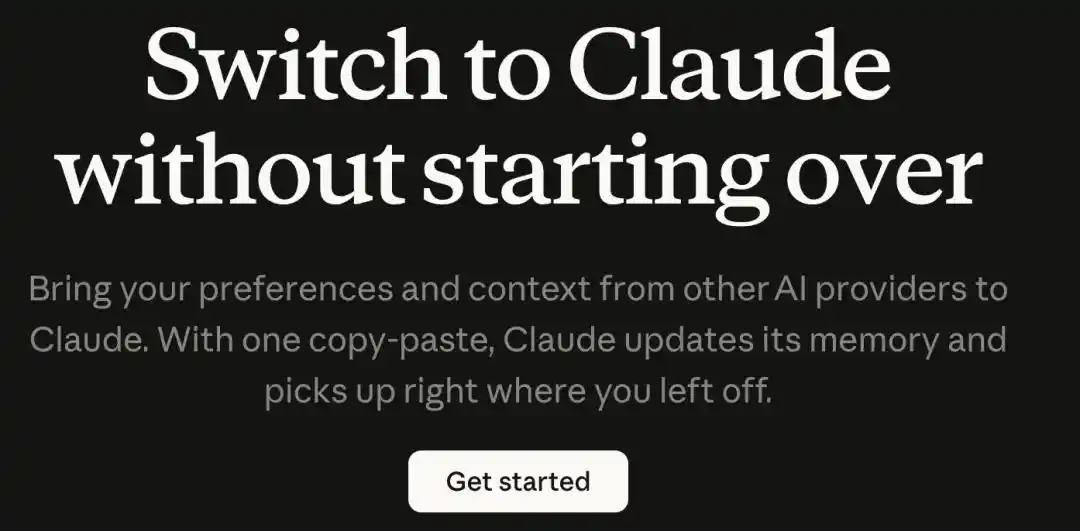
In early March, Anthropic launched Memory Import, aimed at ChatGPT and Gemini users who wanted to move saved preferences and context into Claude. Anthropic’s support documentation also says Claude memories can be exported for backup or migration, meaning both directions are open.
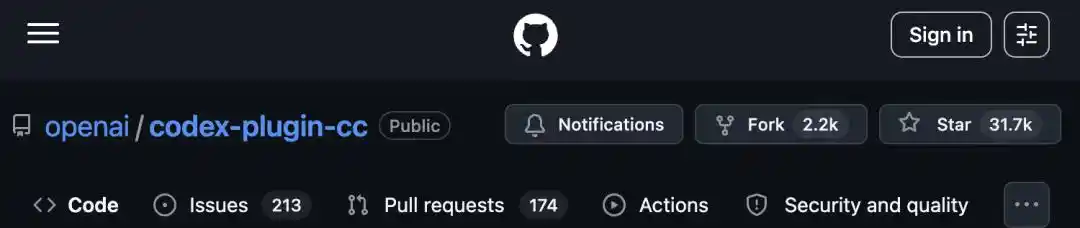
OpenAI made an earlier move on March 30, when it released codex-plugin-cc under the Apache 2.0 license. That plugin let Codex run inside Claude Code and turned OpenAI’s code review and task delegation features into slash commands inside a rival terminal environment.
The plugin includes /codex:transfer, which converts the current Claude Code conversation into a persistent Codex thread. Its documentation says it uses Codex’s external-agent session importer, the same conversion rules referenced in the current import workflow.
Measured against that timeline, OpenAI has moved from operating inside a competitor’s tool to pulling user assets directly into its own environment over a little more than four months.
Four categories still do not migrate cleanly
Developers in the community who have attempted full migrations described the result in roughly the same terms, according to the report: about 90% of the configuration can be converted automatically. The remaining 10% is where the real friction sits.
The first problem is permissions. A fine-grained whitelist tuned by hand over months in Claude Code has to be collapsed into one of three sandbox levels in Codex: read-only, workspace-write, or fully open. That is not a rename job. It requires translating the original intent behind the whitelist into one of Codex’s three built-in permission profiles.
The second is hooks. Claude Code supports a richer hook model, including conditional grouping and asynchronous processing chains. Codex does not offer a one-to-one equivalent. For more complex hook chains, migration becomes redesign. OpenAI’s own documentation warns that imported hooks may behave differently and should be reviewed before use.
The third is the model itself. The luggage may move, but the worker changes. Codex natively uses OpenAI’s Responses protocol and does not directly support Anthropic models. That means a user can import CLAUDE.md, skills, and MCP settings into Codex, but GPT rather than Claude will be executing them after the switch. The report says the only workaround is to set up a compatible gateway, register it as a model provider, and create a separate profile that points to it. Within the migration checklist described, this is the only item with no native equivalent.
The fourth is the boundary around chat history. Only local conversations can be imported. Web chats on claude.ai and web chats on Cursor do not come across. On the CLI side, there is also a hard limit of 50 items from the most recent 30 days.
The article also cites a developer count of Claude Code skill fields: 18 in total, of which only 6 are generic and the remaining 12 are specific to Claude Code. By that measure, only one-third of the skill structure is portable without tool-specific loss.
OpenAI also provides a post-import review checklist covering skill and agent permissions, MCP servers that require a fresh login, hooks whose behavior may change, plugins that need manual follow-up, and command templates that include parameters and file paths.
So the real workflow is not just one click. It is one-click migration followed by manual review.
The contest is shifting from model scores to accumulated user assets
The article’s core argument is that benchmark rankings change quickly, while the configuration, memory, skills, and chat history developers store locally keep getting thicker over time.
That accumulated setup is both a user asset and a retention moat for companies such as OpenAI and Anthropic. By making rival setups easier to import, OpenAI is trying to lower the switching cost attached to those assets and weaken part of the lock-in built by competing tools.
At the same time, more portable formats can weaken lock-in for everyone. The report points to SKILL.md, AGENTS.md, and standardized MCP definitions as formats that are starting to look like de facto standards. The more universal those formats become, the harder it is for any one platform to hold users in place through configuration alone.
For developers, the article’s takeaway is straightforward: anchor accumulated workflows in formats that can be moved, rather than in a single vendor’s tool.
The source article was republished by MarsBit from the WeChat account Xinzhiyuan and credits the author as ASI Qishilu.