
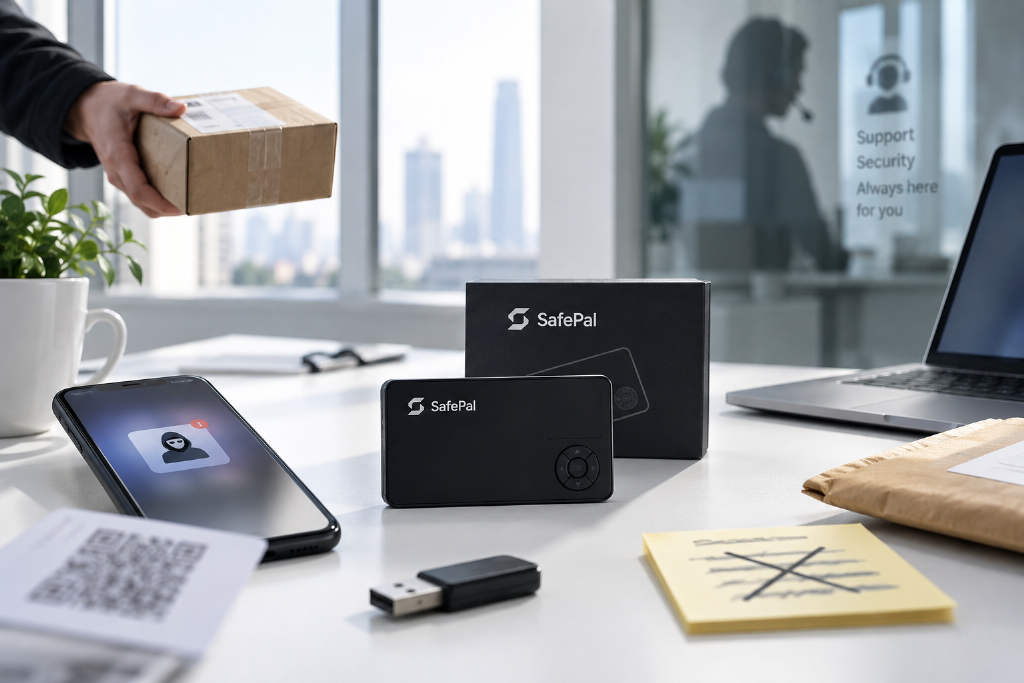
SafePal has put out a security guide with a blunt warning: in crypto, some of the worst attacks do not begin with some technical break-in. They begin when users are talked into opening the door themselves.

The guide says regular users are more likely to face social engineering scams than complicated on-chain exploits. In these cases, attackers do not always need to crack a hardware wallet or get system-level access. They do something simpler. They pretend to be trusted parties, manufacture urgency, and lean on fear of losing assets to push victims into transferring funds, clicking phishing links, downloading malicious software, connecting wallets, signing transactions, or even giving up seed phrases and private keys.
SafePal says the social engineering attacks that work best usually do not look like scams at all. Very often, the risky move is presented as some routine security step.
Five common forms of social engineering attacks
Impersonation
The first category is impersonation. Attackers may act like wallet providers, exchange support staff, project administrators, key opinion leaders, logistics companies, lawyers, or other institutions. They may reach out through Telegram, Discord, X, WeChat, or by phone.
Common lines include: 「We detected unusual activity on your account.」 「Your wallet needs to be re-verified.」 「We can help recover your assets.」 SafePal says that even when the other side knows a user’s name, phone number, order details, or account information, that still does not prove the identity is real. Those details may just be there to make the contact feel believable.
The guide says the real question is not whether someone appears to be customer support. It is what they want the user to do. If the request means giving up control of assets, treat it as a scam. SafePal also says fake support accounts can show up even inside official communities, and direct messages are one of the places where these scams most often land. So when something goes wrong, the guide recommends asking questions in public channels instead. And it says real official staff will not proactively send private messages offering help.

Phishing links, fake websites, and fake software
The second category covers phishing links, fake websites, and fake software. Email, text messages, search ads, QR codes, and social media direct messages can all be used as entry points. Attackers may create pages that look almost identical to official sites, or push fake wallet apps, browser extensions, desktop clients, and so-called firmware updates. Same goal every time: get users to type in account credentials, verification codes, seed phrases, connect a wallet, or sign a transaction.
Sometimes the only thing off is a domain name with one missing letter or one extra character. SafePal says users should not assume a page is safe just because it resembles an official site, especially when downloading wallets, logging in to accounts, installing browser extensions, or dealing with hardware wallet firmware.
- After confirming a website through an official verified channel for the first time, users can save it manually as a browser bookmark.
- Later visits should come from that bookmark instead of repeated searches through search engines.
- The guide says sponsored or ad links at the top of search results are often where fake sites are concentrated.
- When downloading a wallet app or browser extension, users should go through the official redirect link provided on the project’s website.
- Even inside an app store, users should still check developer information and download counts to avoid fake apps with similar names.
Fear and urgency
The third category is fear and urgency. SafePal describes this as one of the most common psychological tactics in social engineering. Typical claims include: 「Your assets are being stolen.」 「There is a critical vulnerability in your wallet.」 「If you do not act within 10 minutes, your account will be frozen.」 「You must upgrade immediately or the device will stop working.」
The point is to stop users from checking the situation and shove them into following instructions. In many cases, the supposed security alert is the scam. Attackers first create panic that funds will be lost if the user waits. Then they offer a malicious link, fake software package, or so-called safe address as the fix. SafePal says messages demanding immediate action deserve more verification, not less.
Long-term trust building
The fourth category is about hiding in plain sight and building trust over time. Not every social engineering attack runs on fear. Some start with an apparent upside. Free airdrops, NFTs, cashback rewards, high-yield investment offers, and insider allocations can all be used as bait.

SafePal says some scams grow through social apps, group chats, or even dating platforms, where attackers spend time building a relationship before bringing up an investment opportunity, trading platform, or managed trading service. The guide says this kind of attack can be especially dangerous because the attacker may wait weeks or even months before asking for money, until the victim sends funds voluntarily.
For people who have already been scammed, the guide also warns about a more hidden second-round fraud. In these cases, supposed lawyers, investigators, or asset recovery teams get in touch and say the funds have been found, but ask for legal fees, taxes, or unfreezing charges first.
Offline social engineering
The fifth category is offline social engineering. SafePal says these attacks are not limited to screens. Attackers may use phone calls, physical letters, courier deliveries, or even send a so-called replacement device, telling the user that the original device is at risk and has to be upgraded by scanning a code, re-importing the wallet, or replacing the hardware.
The guide says any wallet device that arrives without the user having bought or requested it should not be used directly. And users should not import an existing wallet’s seed phrase into such a device.
How a social engineering attack usually unfolds
SafePal says that even though the formats differ, most attacks can be reduced to a few familiar steps.
The first step is credibility. Attackers may pretend to be a wallet provider, exchange, support team, project, logistics company, or use real personal information. They may also build trust through long-term communication. The guide stresses that a scammer knowing real details about a user does not prove the identity is genuine.

The second step is creating a reason that seems to demand action. That reason may come from fear, such as stolen assets or a frozen account. It may come from gain, such as an airdrop, refund, or recovered funds. It may also be framed as help, with the attacker saying they can fix the problem. Different wrapping. Same purpose: cut down the user’s time to think for themselves and push them to the next step.
The third step is the attack itself. According to the guide, attackers usually tell the victim to visit a specified website, scan a QR code, download software, share a screen, connect a wallet, enter a verification code, sign a transaction, provide a seed phrase or private key, or transfer funds to a given address. SafePal says this is the most important point for judging risk. Rather than asking whether the person looks official, users should ask what that person actually wants them to do. If a so-called security notice ends with the user giving up control over assets, the earlier packaging means nothing.
Four bottom-line rules in the guide
SafePal says scam methods can keep changing, but the basic safety rules are simple.
- First, never provide a seed phrase, private key, PIN, or wallet password to anyone. The guide says a seed phrase is not a verification code, not identity material, not a refund credential, and not a security upgrade code. A legitimate self-custody wallet may require a seed phrase only when the user is restoring the wallet on a trusted device or in official software. That is completely different from sending it to support staff, an administrator, or entering it on an unfamiliar webpage.
- Second, do not use a channel provided by the sender to verify the sender. If an email claims to be official, users should not click the website link inside that email to check it. If a phone call seems suspicious, they should not keep using the callback number provided during the call. The guide recommends leaving the current source and independently finding the official platform website, official app, or verified account before checking again.
- Third, do not approve signatures or permissions you do not understand. SafePal says not leaking a seed phrase does not automatically mean funds are safe. Malicious approvals, Permit signatures, Token Approve actions, and even an ordinary transfer can still lead to losses. If a user does not understand what is being authorized, the guide says they should not confirm it just because someone claiming to be support says verification is required.
- Fourth, the more pressure there is, the more important it is to stop. Claims such as 「You must upgrade now,」 「Your assets are being stolen,」 or 「If you do not act within 10 minutes, your account will be frozen」 are described as classic pressure tactics. A normal security process can withstand a few extra minutes of checking. A scam depends on the victim not having time to think.
What to do after a suspicious action
SafePal gives different recommendations depending on what has already happened.
If a user only received a suspicious email, text message, phone call, or direct message, and did not click, sign, or transfer anything, the guide says ending contact and keeping the evidence is enough.

If the user has already entered an account password or verification code, or downloaded suspicious software, SafePal says they should change the relevant account passwords as soon as possible, reset 2FA, and review login records for important accounts such as email and exchange accounts.
If the user has already connected to an unfamiliar dApp, or completed a suspicious approval or signature, the guide says they should review recent wallet transactions and permissions, then revoke any authorization they do not recognize or no longer use.
If a seed phrase or private key has already been exposed, SafePal says the original wallet should be treated as compromised. The user should create a completely new wallet and seed phrase on a trusted device, then move any remaining assets from the old wallet to the new one as quickly as possible. A leaked seed phrase should not continue to be used.
SafePal’s closing warning
At the end of the guide, SafePal says the most dangerous part of social engineering is not technical complexity. It is the way it exploits human psychology. When users get unusual contact involving assets, the key is not memorizing every scam pattern. It is avoiding decisions made under fear, greed, or pressure. The guide’s closing message is plain: the more urgent it feels, the slower users should move; the more tempting it looks, the more that one extra check matters.
The article also includes a disclaimer saying that markets involve risk and investment requires caution. It says the piece does not constitute investment advice, and users should consider whether any opinions, views, or conclusions in the article fit their own circumstances and bear responsibility for investment decisions made on that basis.
