
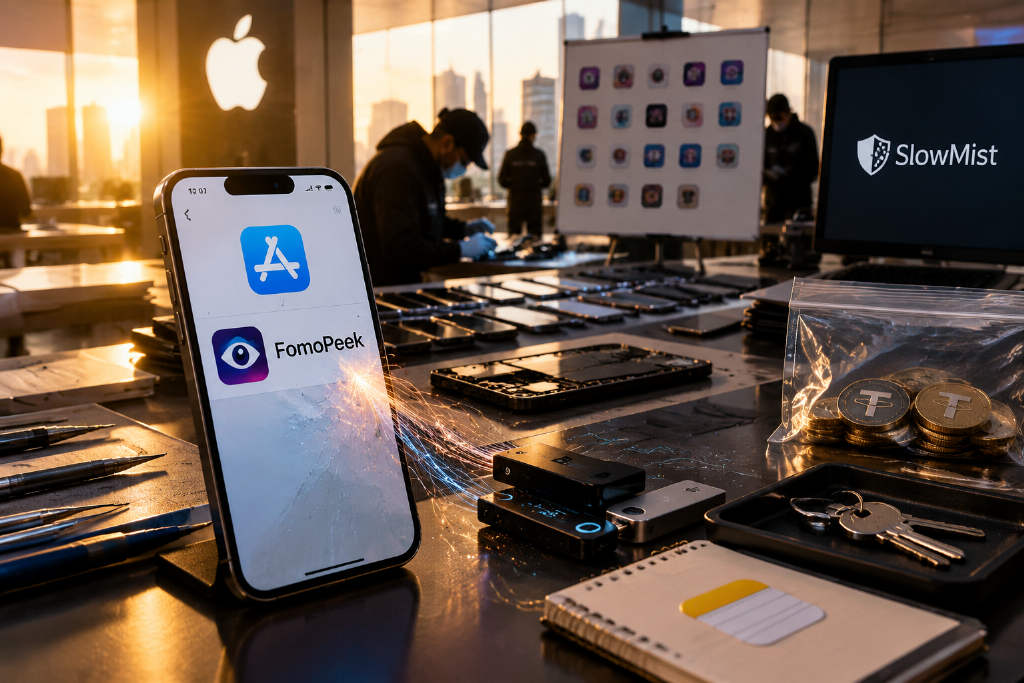
Blockchain security firm SlowMist published an analysis of FomoPeek on Sept. 20, saying the on-chain monitoring app was listed on Apple’s App Store but versions 1.1 and 1.2 contained two malicious modules, apptrace and libapptracecore. According to the report, the modules supported remote configuration, kernel exploit attempts, sandbox escape, Keychain decryption and cross-app data collection.

SlowMist said the framework’s declared system coverage in code spanned iOS 12.0–18.7.2 and iOS 26.0–26.1, indicating the target set was not limited to older systems or legacy devices.
The investigation began after multiple users reported stolen assets. The incidents involved private key exposure, and some of the affected users had used FomoPeek 1.1 or 1.2 before the thefts, the report said.
A normal-looking app on the surface
Based on public information compiled by SlowMist, FomoPeek looked like a standard project. The app was listed as FomoPeek – Whale Tracker & Smart Alerts, with App Store ID 6806199011. It was first released on Aug. 29, 2026. The developer display name was WhaleScanv, while the seller or legal entity was Porter Manufacturing, L.L.C. Its website was fomopeek[.]com, and its official X account was @FomoPeek.
The app described itself as a wallet monitoring and whale-tracking tool for Solana, Ethereum and TRON, with on-chain alerts. It required iOS 16.0 or later, was listed as free in the Finance category, and showed version 1.3 as the current release, updated on Sept. 18, 2026.
SlowMist said the app had a normal App Store presence, a website and social media accounts. From either the review side or the user side, the report said, it would have been difficult to connect that outward appearance with kernel exploit activity.
Promotion targeted crypto users, while the malicious code arrived through version updates
FomoPeek was marketed to crypto users who wanted to track whale transactions. It supported monitoring wallet activity on Solana, Ethereum and TRON. Users could add public wallet addresses and receive on-chain alerts. The app claimed to be read-only, not to connect wallets, and not to ask for seed phrases.
In isolated testing, however, SlowMist said it obtained a collection list covering 19 wallet and note-taking apps and observed Apple Notes data being packaged and uploaded.

According to promotional material reviewed by SlowMist, FomoPeek used crypto KOLs, communities and invitation codes to attract users. Participants downloaded the app, registered, set a security code and added a monitored wallet, then used the app on a real iPhone for 5 to 7 minutes. After review, they could receive 5 to 7 USDT. Some campaigns limited participation to one time per phone and did not accept cloud phones.
For users already familiar with block explorers and whale-tracking tools, adding a public address is routine. A wallet address can reveal balances and transaction activity, but it cannot sign transfers. The promotion also did not ask users to pre-fund accounts, hand over seed phrases or approve transactions. SlowMist said that made it easy for users to judge risk only by whether they had surrendered direct control of assets.
Historical installation packages obtained by SlowMist showed no such malicious modules in version 1.0, first released on Aug. 29. The related code first appeared in version 1.1, released on Sept. 9, and remained in version 1.2, released on Sept. 12. By Sept. 16, warnings had already appeared on social platforms from users saying assets were stolen after downloading the app. Version 1.3, released on Sept. 17, removed the two modules, and the package size dropped from 10.47MB to 1.81MB.
SlowMist said the main app and the two malicious modules used the same Apple developer signing entity, and the original package still contained encrypted metadata used for App Store distribution. Based on that, the research team concluded that the malicious modules were included in the formal versions submitted by the developer. That means users could have received the affected versions even if they had not installed enterprise-signed software or downloaded the app from a third-party site.
The report also said the App Store privacy label stated that no data was collected, while the app’s own privacy policy listed device identifiers, push tokens, email addresses, password hashes and wallet addresses added by users. For ordinary users, checking the store page, website and social accounts would not have been enough to spot the attack code added to the package.
How the modules worked
Apple’s sandbox model limits what files a third-party app can access, and each app has its own data directory. The system Keychain stores passwords, keys and login tokens under controlled access rules. Under normal permissions, an app that monitors public on-chain transactions should not be able to read private data stored by another wallet app.
SlowMist said the two implanted modules had different roles. apptrace contacted the attacker’s command server, while libapptracecore contained exploit and data collection code. They were loaded when the app started, allowing the hidden code to remain in the same process while the user viewed the normal interface.

Researchers captured a list containing 135 app identifiers during testing. With that information, the server could determine which wallets were installed on the phone and then send collection targets to that device, without asking the user to select or enter wallet names in the interface.
The server also controlled whether exploit attempts were enabled, whether they repeated and how often they ran. The server address itself could be changed remotely. SlowMist said that let the operator adjust targets and execution schedules without republishing the app. The version number and visible functions could stay the same, while the instructions delivered in the background changed.
In SlowMist’s reconstruction of the attack design, the framework then selected an exploit path based on system version and device model and tried to obtain kernel-level access beyond normal app permissions. If a relevant vulnerability was successfully exploited, the report said, the malware could bypass access restrictions, read other app directories and try to extract and decrypt sensitive information from Keychain.
The code included eight exploit strategies, with declared compatibility covering iOS 12.0 to 18.7.2 and 26.0 to 26.1.
During isolated testing, the server initially returned the exploit switch in the off position. After researchers manually enabled the relevant switch, the client received collection settings for 19 wallet and note-taking apps, including MetaMask, OKX Wallet, Trust Wallet, imToken, TokenPocket and TronLink. The configuration pointed to key stores, databases and local files in those apps, and also included the full Apple Notes data directory.
The team then captured an uploaded compressed archive of about 46KB. After extraction, it contained the Notes database and related files. The collected data was first staged in FomoPeek’s own directory and then sent to a remote server.
That made Notes another possible source of wallet compromise. If a user had copied a seed phrase into notes, an attacker who obtained that backup could potentially restore the wallet tied to it.

For ordinary self-custody wallets controlled by seed phrases and private keys, anyone with a usable key can restore the account on another device and sign transactions there. The transfer instruction comes from the attacker, so the wallet on the original phone does not need to show another confirmation prompt. SlowMist said users could still lose assets even if they never entered a seed phrase into FomoPeek, because data from the same device may have been read.
Fund flows traced on-chain
SlowMist said one main attacker address analyzed by its tracking tool MistTrack had been active since Sept. 15 and had received a cumulative 579,984.34 USDT by the time the report was released.
According to the report, the funds involved Ethereum, BNB Chain and Arbitrum. Most of the assets were consolidated on Ethereum and then moved out in batches. One downstream address received 159,000 USDT and sent all of it to exchange platform FixedFloat. Another address received 47,028 USDT, which then moved to KuCoin and FixedFloat.
Plaintext backups in photos and notes can also reopen a wallet
SlowMist said FomoPeek targeted both wallet apps and Apple Notes, exposing plaintext backups alongside wallet data files. Even if one person spread assets across several wallets, the risk remained if those wallets were installed on the same affected device or if seed phrases were stored together in one note-taking app.
The report also referenced SparkCat, an infostealer disclosed by Kaspersky in February 2025. Kaspersky said apps with malicious components had entered both the App Store and Google Play, including the food delivery app ComeCome. Those apps requested photo access under normal business pretexts, then scanned accessible images, used text recognition to search for seed phrases and uploaded matching images.
SparkCat relied on photo access to find plaintext backups. FomoPeek, by contrast, included code that attempted to break through system isolation. One could turn a screenshot of a seed phrase into an entry point for theft; the other expanded collection targets to data stored by other apps. SlowMist said a normal-looking wallet interface or the absence of suspicious authorization prompts does not, by itself, rule out either kind of leak.
The report also cited Ledger’s security guidance, which says users should not photograph recovery phrases or enter them into a computer or phone. Even if transaction signing takes place on a hardware device, a complete recovery phrase left in a phone’s photo library or notes can still be used by someone else to rebuild the wallet.

What users should do after installing 1.1 or 1.2
SlowMist advised users who had run FomoPeek 1.1 or 1.2 to stop using the app, not reinstall it, and treat related seed phrases, private keys and sensitive credentials as compromised. The removal of the modules in version 1.3 only shows that the code is no longer present in that release, the report said. It does not retrieve data that may already have been uploaded.
Asset migration should be carried out on a trusted device that never had FomoPeek installed and has been updated to the latest supported system version. A new wallet must be created with a completely new seed phrase. Importing the old seed phrase into another wallet still restores the same account. Adding new accounts under the same seed phrase leaves them under the control of that same phrase. Tokens on different chains, NFTs and assets still deployed in protocols all need to be checked separately, so users do not move only the most visible balance shown in the interface.
SlowMist said a wallet unlock password usually protects only local access and changing it does not replace the on-chain private key. Revoking token approvals can remove a contract’s spending permission, but it cannot stop someone who already has the private key from signing fresh transactions. If a key may have leaked, the response should include moving assets out and abandoning the old account.
If gas funds added during migration are transferred out immediately, users should stop topping up repeatedly. The report said a compromised wallet may be watched by an automated sweeper, and any token sent in to pay fees may also be taken. In that case, users should contact official wallet support or a trusted security team to assess next steps and should not hand seed phrases to strangers while seeking help.
Email accounts, exchange accounts and other important accounts on the device should also be checked for login history and unfamiliar sessions. Passwords should be changed on a safe device, suspicious sessions should be logged out, and two-factor authentication should be enabled. If the Apple or Google account linked to the wallet also faces leakage risk, it should be handled as well rather than reused as a recovery path for a new wallet.
Before wiping or rebuilding the phone, users should preserve the app version, installation time, suspicious transaction hashes and related screenshots. Users who have already suffered theft should first confirm evidence-preservation needs with official support or a security team before deciding whether to erase and reinstall the device. The phone should be updated to the latest supported security release, but a system update does not invalidate keys that have already leaked.
SlowMist’s final recommendation was to separate devices used for rewards or testing from devices used to manage primary assets. Phones used for asset management should minimize unrelated app installations, and seed phrases should not be stored in plaintext in photo libraries, notes or chat logs. Public addresses can be used for read-only monitoring, but devices that hold signing keys should avoid software that has not been thoroughly understood.
