
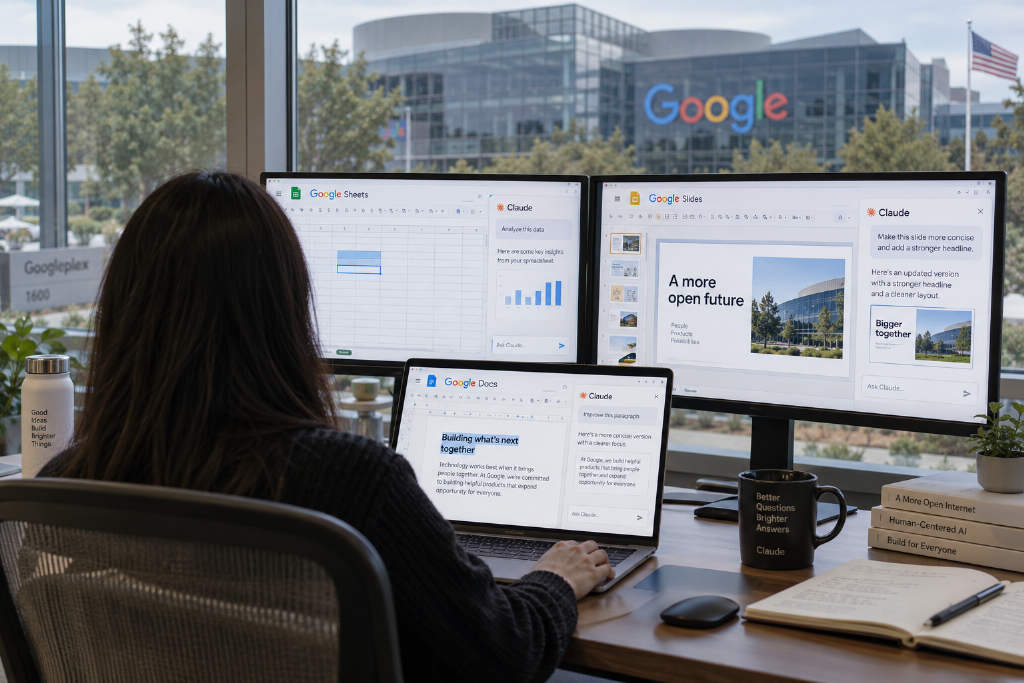
Anthropic said on Oct. 6 U.S. time that Claude for Google Workspace is now in public beta for all paid Claude plans, allowing users to call up Claude directly inside Google Docs, Sheets, and Slides and work on the file that is already open.
The company also rolled out a beta connector for Google Docs, Sheets, and Slides that works from the Claude side, letting users create and edit Google files directly from a Claude conversation window.
Sidebar reads the active file and current selection
After the add-on is installed, Claude opens in a sidebar next to the file. It can read the active document, spreadsheet, or presentation, detect which text, cells, or slides the user has selected, and make edits inside the file itself.
In Google Docs, Claude can revise sentences in place or change heading styles without disturbing surrounding formatting. For larger rewrites, it shows suggestion cards in the sidebar, highlights the paragraphs to be changed, and leaves the decision to apply or skip those edits to the user.
In Google Sheets, Claude can write formulas, build pivot tables and native charts, and add new tabs. When a task involves merging or cleaning data, it can also move the selected range into Python for processing and write the results back into the sheet.
In Google Slides, Claude generates new slides based on the existing deck’s layout and theme, then checks whether any elements overlap, run off the page, or leave text hard to read.
Two editing modes, with approval on by default
The editing flow comes in two modes. In the default "ask before editing" mode, every change triggers an approval card with a summary, and nothing is applied until the user agrees. In "accept all edits" mode, Claude continues through the task without stopping for each step.
Connectors and skills carry over from the Claude account
Once users sign in with a Claude account, the sidebar can use the same models, connectors, and skills available in Claude. Anthropic gave one example: if a user asks for a quarterly business review presentation for a client, Claude can pull account records from Salesforce, then use the Google Drive connector to gather recent call notes. If the presentation format is saved as a skill, the team can repeat the same process next time.
Anthropic said enterprise controls tied to its plans, including compliance APIs, customer-managed encryption keys, and OpenTelemetry audit exports, also apply to this add-on.
Users can also start from a Claude chat
The workflow also runs in the other direction. After turning on the Google Docs, Sheets, and Slides connector, users can paste a Google file link into a Claude conversation or ask Claude to create a new document, spreadsheet, or presentation. In supported environments, that file opens in a pane next to the chat so the user and Claude can edit it together.
Anthropic said starting from Claude makes more sense when a task requires a new file or spans multiple files. Claude’s access rights stay aligned with the user’s existing Google sharing permissions.
Installation and admin deployment
Users can install the add-on from Google Workspace Marketplace and open Claude from the Extensions menu after opening a file. Admins can also deploy it from the Google Admin console across an entire domain or to selected groups.
For Team and Enterprise plans, the owner must enable the connector before users can edit Google files from Claude.