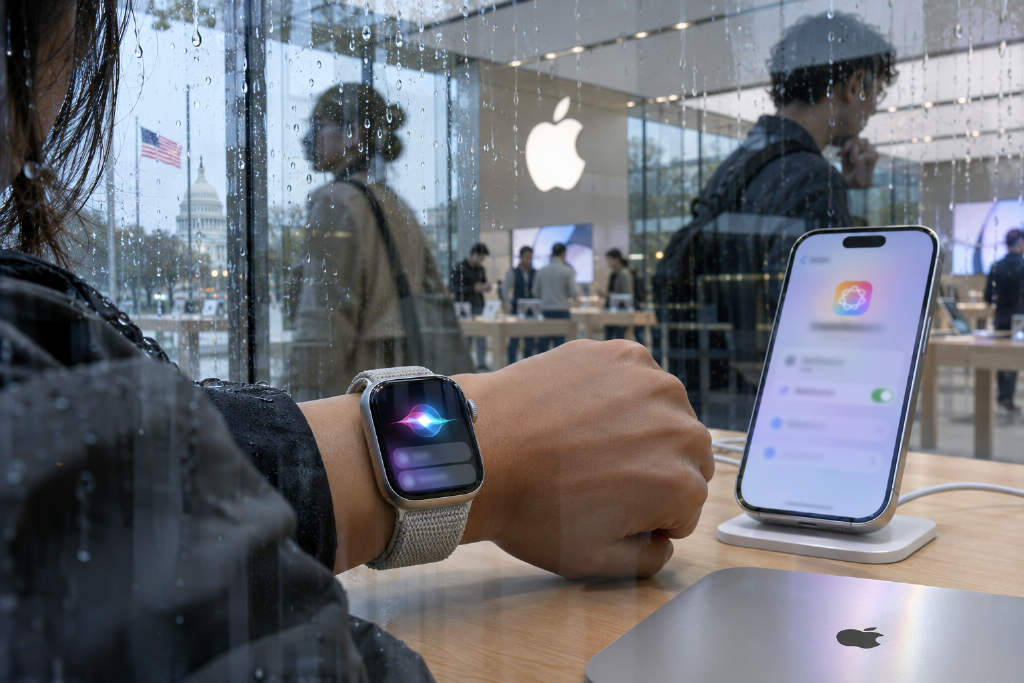
Apple on Nov. 3 added two Apple Watch conversation features, Live Rewind and Siri Recap, to the developer beta for iOS 27.3 and watchOS 27.3. The release is currently limited to developers, with a public beta and formal rollout set to come later. For now, both features support English only.
Device requirements and access limits
The hardware bar is relatively high. Users need an Apple Watch Series 12 or Apple Watch Ultra 4, paired with an iPhone model after iPhone 16. Apple’s list excludes the iPhone 16e. They also need to turn on Apple Intelligence and the Siri AI Beta.
There are age restrictions as well. Users under 13 cannot use the features. For child accounts under 18, a parent or guardian must enable access.
Language support remains narrow at launch. Live Rewind and Siri Recap are available only in English, and Apple has not said when Chinese support will arrive. The report notes that Siri AI itself is expected to support Traditional Chinese before year-end, but that timeline does not mean these two watch features will open at the same time.
How Live Rewind works
Live Rewind is built for moments when a user misses something that was just said. Apple’s example is a restaurant server quickly listing the day’s specials. After the user presses the Digital Crown twice, the watch displays in text what it heard during the previous 15 seconds.
If the user does nothing, the snippet disappears permanently about 30 seconds after the screen dims. Users can also tap Ask Siri to follow up on a word or phrase they did not catch, or save the content into the Siri app.
Apple says Live Rewind activates only when the user presses the crown. It does not continuously transcribe in the background.
How Siri Recap works
Siri Recap has a very different design. Instead of waiting for a manual trigger, it can identify key points from conversations throughout the day in the background, then use Apple Intelligence to turn them into a short summary sentence plus several bullet points. Apple says it is not a verbatim transcript.
The company’s examples include work meetings and parent-teacher meetings, situations where the wearer may be occupied and unable to take notes.
Users control when the feature runs. It can be switched on or off manually, or scheduled, such as enabling it only at a workplace and never at night. It can also be turned off at any time from Control Center.
At the end of the day, the watch prompts the user to review the day’s recaps, choose what to keep, and export items to Notes. More private material can be exported to Journal. If the summaries are left untouched, they are deleted automatically after up to seven days.
Apple’s description of audio and cloud processing
On the question of whether the watch records audio, Apple’s answer is no: it does not record audio and does not store audio files.
According to Apple, audio flows into a protected area inside the S11 chip called Secure Exclave. The report describes it as a vault carved out inside the chip, inaccessible to the watch’s own software, the user, and Apple itself. The data is deleted immediately after processing.
For Live Rewind, speech recognition is handled on the watch and the paired iPhone. Content is sent to Private Cloud Compute only if the user chooses to ask Siri a follow-up question or save the result.
Siri Recap uses a longer chain. The watch first encrypts detected audio and sends it to the paired iPhone. The iPhone decrypts it, converts it to text, and compresses it to less than half the length of the original transcript by removing filler words and repetition. That compressed text is then encrypted and sent to Private Cloud Compute, where Apple’s foundation model generates a summary. The result is encrypted again and sent back to the iPhone and the watch.
Apple says data in the cloud is not stored or accessed by Apple or anyone else.
To improve summary quality, the iPhone sends more than compressed text. It also includes contextual data such as currently playing music or podcasts, calendar information used to generate a summary title, location labels like home, work, and school, the city the user is in, and place categories such as grocery store or park. Apple says this does not include precise location or the name of a specific venue. The iPhone also runs a safety model that filters potentially harmful words before data is sent.
Why the privacy debate is focused on alerts
The sharpest contrast between the two features is whether people nearby can tell they are active.
Apple says on its support page that when Live Rewind is triggered, the watch speaker still plays an alert sound even if the watch is muted or the wearer has headphones on. The screen shows a full-screen animation and a microphone indicator, and the user must explicitly press the crown twice. Apple says these cues are meant to let people nearby know the feature has been activated.
Siri Recap follows a different logic. In its September overview of privacy for voice intelligence features, Apple said Siri Recap has no alert sound. The company’s reasoning is that it does not retain original audio, cannot reconstruct audio from the summary, and cannot share original audio with anyone. Apple compares the summary to notes a person writes down after a conversation.
Its guidance to wearers is to be mindful of people around them when a conversation involves private or sensitive content. Put side by side, the difference is stark: the feature that looks back 15 seconds makes a sound, while the one that can collect key points from conversations across the day does not.
The report says Apple’s logic is that if there is no recording, there is no need for an alert. But for people nearby, the concern may not be limited to whether an audio file exists. It may also be about their words being turned into key points and stored on someone else’s phone.
Limits Apple has acknowledged
Apple has built in some restrictions. The system does not label speakers, and both features must be actively enabled by the wearer.
At the same time, Apple includes caveats in its own materials. It says summaries and snippets may be incomplete or inaccurate, important details may be omitted or misunderstood, and automated filtering may fail to remove all sensitive information.