
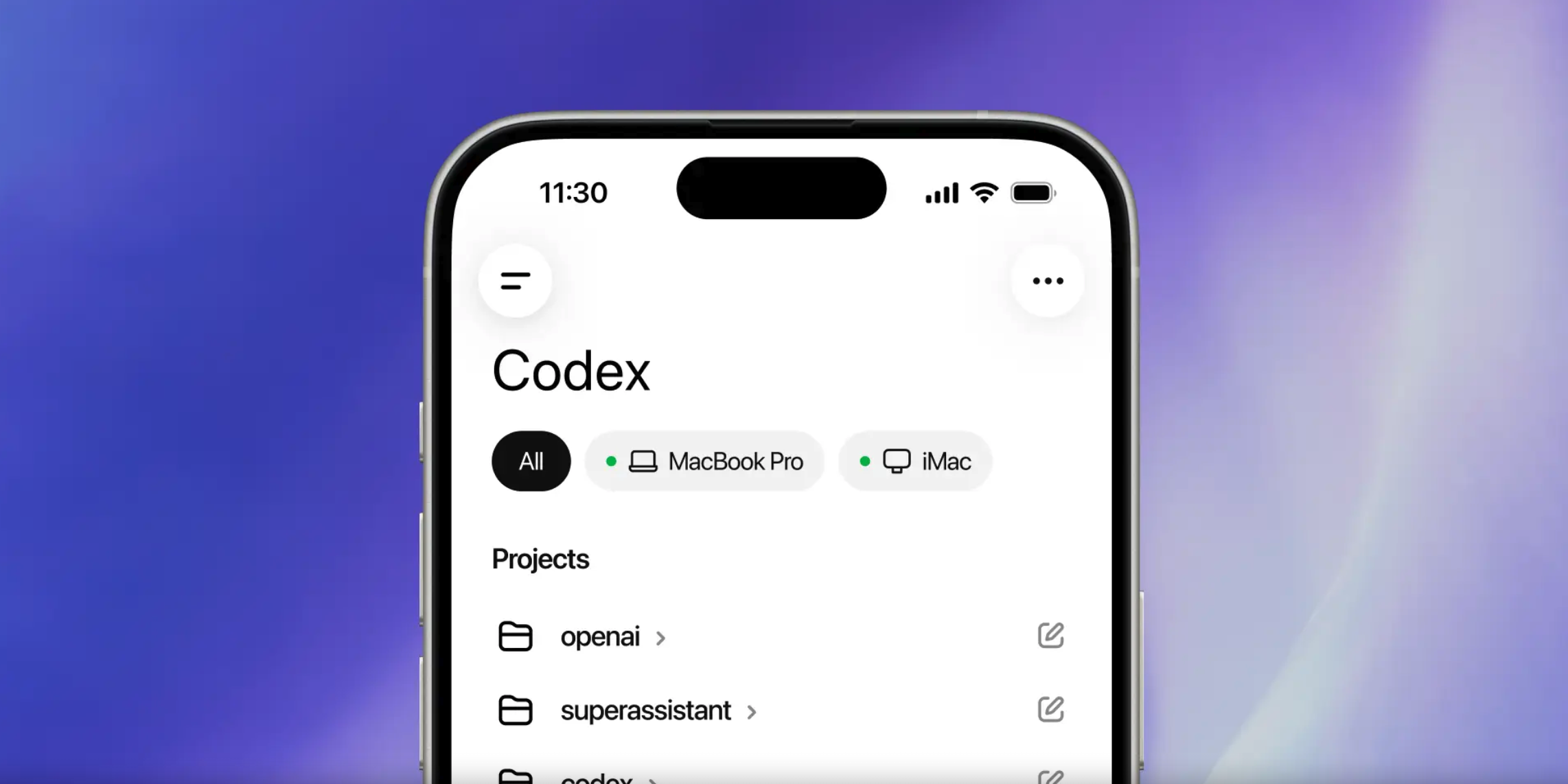
OpenAI has integrated Codex into the ChatGPT mobile app, with preview access on iOS and Android rolling out in supported regions. A Windows version is listed as coming soon. The update lets users connect from their phones to a Codex environment running on a Mac, check an AI coding agent’s live status, approve commands, switch models, and launch new tasks remotely.
Codex moves beyond the desktop
Before this release, Codex was already available through a Mac app and a Chrome extension, but its workflow was still tied closely to a desktop setup. If the user stepped away from the computer, supervision had to stop. With the mobile version, users can browse all Codex threads inside the ChatGPT app, inspect outputs, and review commands while the agent is working.
OpenAI says the phone does not run a separate Codex app. Instead, ChatGPT serves as the access point, loading the real-time state of the Codex environment that is already active on the user’s Mac. The change is aimed at turning AI agent oversight from a desk-bound task into something that can continue away from the computer.
Preview release follows OpenAI’s push for Codex adoption
The mobile release comes after OpenAI introduced a migration tool last month for Claude Code users. According to the company, Claude Code settings, MCP configuration, and hooks can be imported directly into Codex. The new mobile preview adds another layer to that effort by extending where Codex can be managed.
OpenAI has not published the full list of feature limits for the mobile version, and it has not shared a timeline for wider availability. For now, the product remains in preview, with the company collecting feedback from users in supported regions before defining the final boundaries of the feature set.
Files and credentials stay on the computer
OpenAI also outlined the security model behind the release. Files, credentials, permission settings, and local configuration stay on the engineer’s computer. The phone only receives task updates for display, and it does not access or store those sensitive assets. In practical terms, work status can be viewed on mobile, but API keys and login details remain on the desktop machine.
That design speaks directly to a major barrier for AI coding agents in enterprise settings: security. Questions around mobile device loss, account compromise, and corporate device management policies become more serious if a phone turns into a gateway for sensitive credentials. OpenAI’s approach expands remote visibility without turning the handset into a storage point for those keys.
The release focuses on a simple gap in the workflow. A Mac can stay online and keep Codex running, while the engineer may be in a meeting, away from the desk, or offline from the workstation. Mobile access shifts the supervision layer to the phone, while execution remains anchored to the computer.