
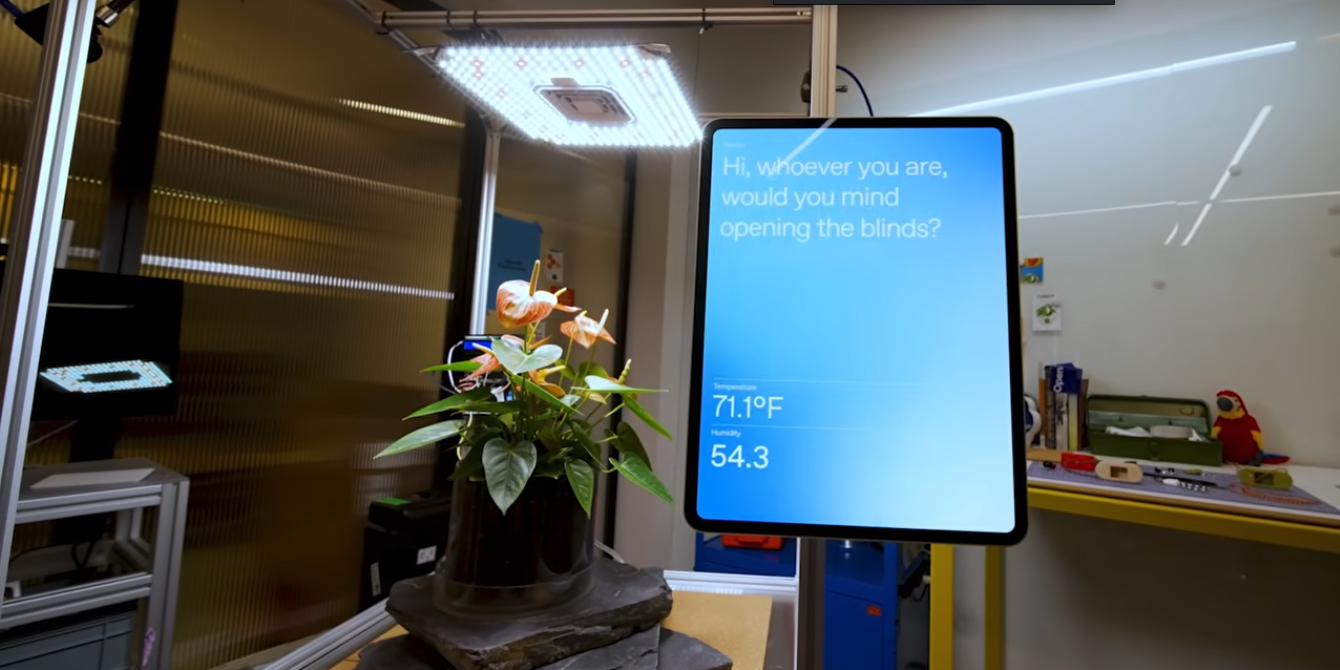
OpenAI has open-sourced a project called Plant Talk on GitHub this week, licensed under Apache 2.0, making it freely available to everyone. The official description calls it "a houseplant you can talk to with ChatGPT." Users can ask the plant, "How are you doing?" or "Do you need water?" and the plant responds with a voice generated by the AI.
Basic vs. Advanced Setup: Accuracy Gap Is Significant
The hardware requirements are cleverly designed but come with a notable trade-off. The basic setup—what the team calls a "buildable by anyone" version—only needs a computer with a webcam and microphone, plus an OpenAI API key. The webcap periodically captures the plant's condition, runs a structured "observation," and uses the Realtime API to let the plant speak.
The advanced configuration targets advanced builders: it adds an Arduino-compatible microcontroller, a capacitive soil moisture sensor, an LM393 light sensor, jumper wires, and a breadboard. These sensors deliver real data on moisture, light, and CO₂ levels. The Arduino feeds the data to ChatGPT, which generates care advice and reads it aloud via text-to-speech.
A key line from the official README: without an Arduino, the system relies solely on the webcam for estimation, which is "much less accurate." In plain terms, guessing a plant's water needs from a camera vs. measuring soil moisture directly are two very different levels of precision. The former feels more like a demo; the latter is a genuinely useful configuration.
Codex Desktop Steals the Spotlight
The Plant Talk interface resembles a "small control room" for the plant: a dashboard shows status, Start camera activates the webcam, Observe now triggers an observation, Connect Arduino links sensors, Talk to plant starts a voice conversation, and Open ambient mode switches to a full-screen chat view. Many users prefer Ambient Mode, where the plant's image blends into the interaction.
To set everything up, users simply open the Codex Desktop App and type one line: "Help me make Plant Talk https://github.com/openai/planttalk." Codex reads the entire repo, guides you through each step, and builds the whole project. The plant is the window dressing; Codex is the real product. That's the core message OpenAI wants to demonstrate with this open-source release.