
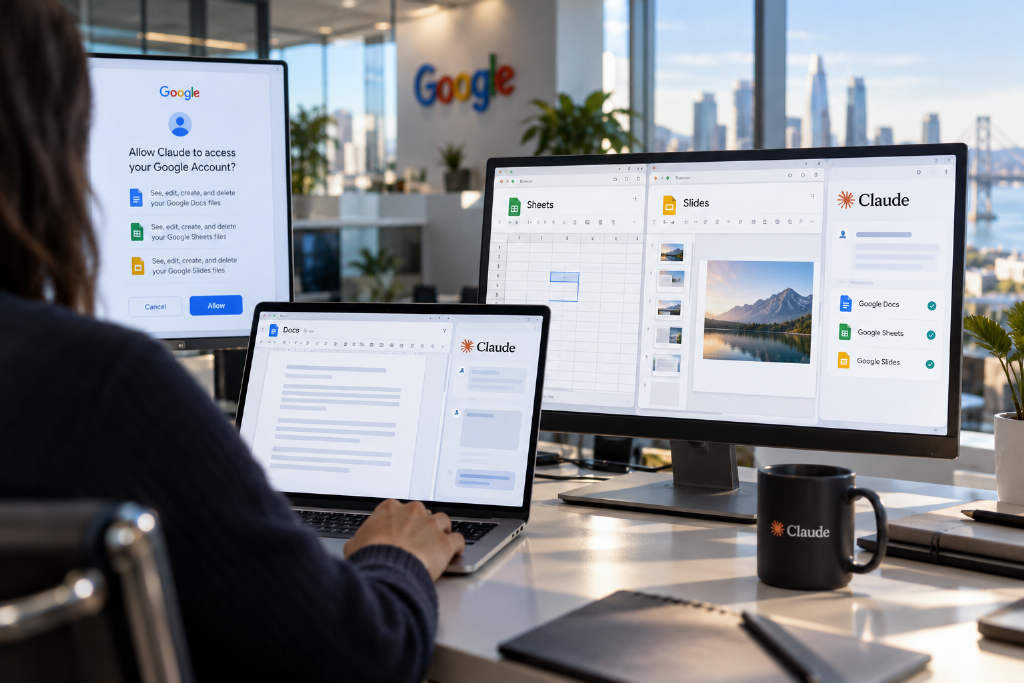
Anthropic announced on Oct. 6 that Claude now connects with Google Docs, Sheets and Slides, opening the public beta to all paid plans: Pro, Max, Team and Enterprise.
After users install the add-on and complete authorization, Claude can be called from the sidebar inside Google Docs, Google Sheets and Google Slides. Anthropic said users can ask it to revise drafts, fix formulas and add pages, with the changes written directly into the file that is currently open.
The workflow can also start in the Claude chat window. Once the relevant Google connectors are enabled and authorized, users can paste a link to an existing file into the conversation and ask Claude to open and edit it. If no file exists yet, Claude can also create a new Google document, spreadsheet or presentation.
Three office tasks Anthropic chose to demonstrate
Anthropic highlighted three common use cases, one for each app.
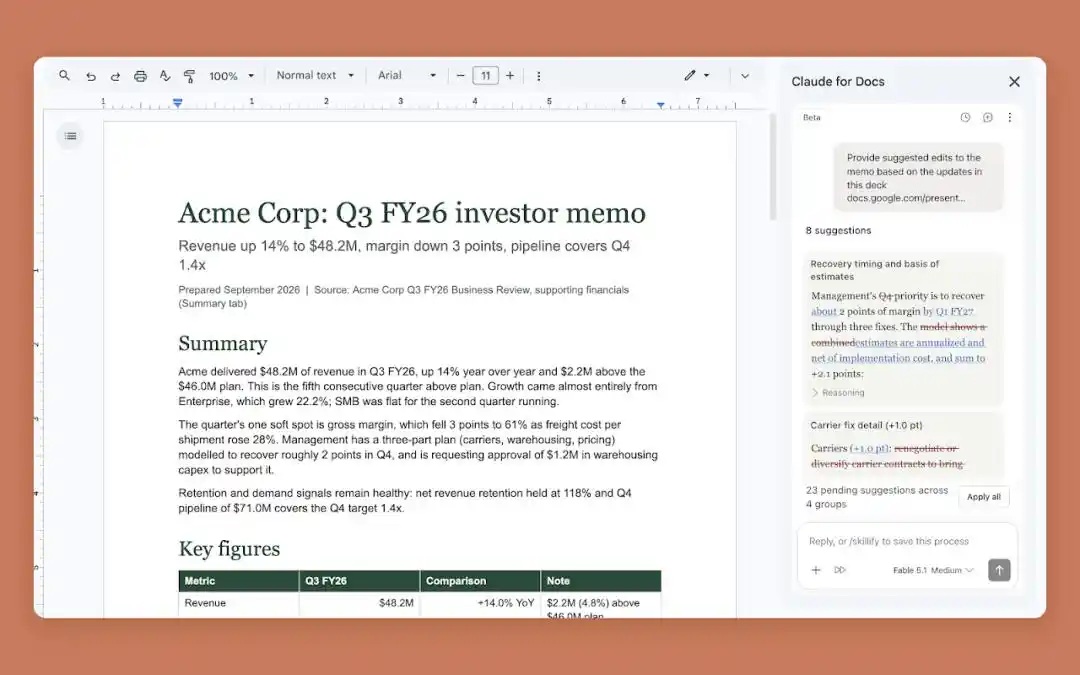
In Docs, Claude was shown reorganizing a dense proposal into a clearer structure. In the demo, the user asked Claude to shorten the summary, move recommendations to the top, standardize heading styles and turn next steps into a table. The result was a document with more visible recommendations, key figures separated out and tasks reorganized by details such as owner and timeline.
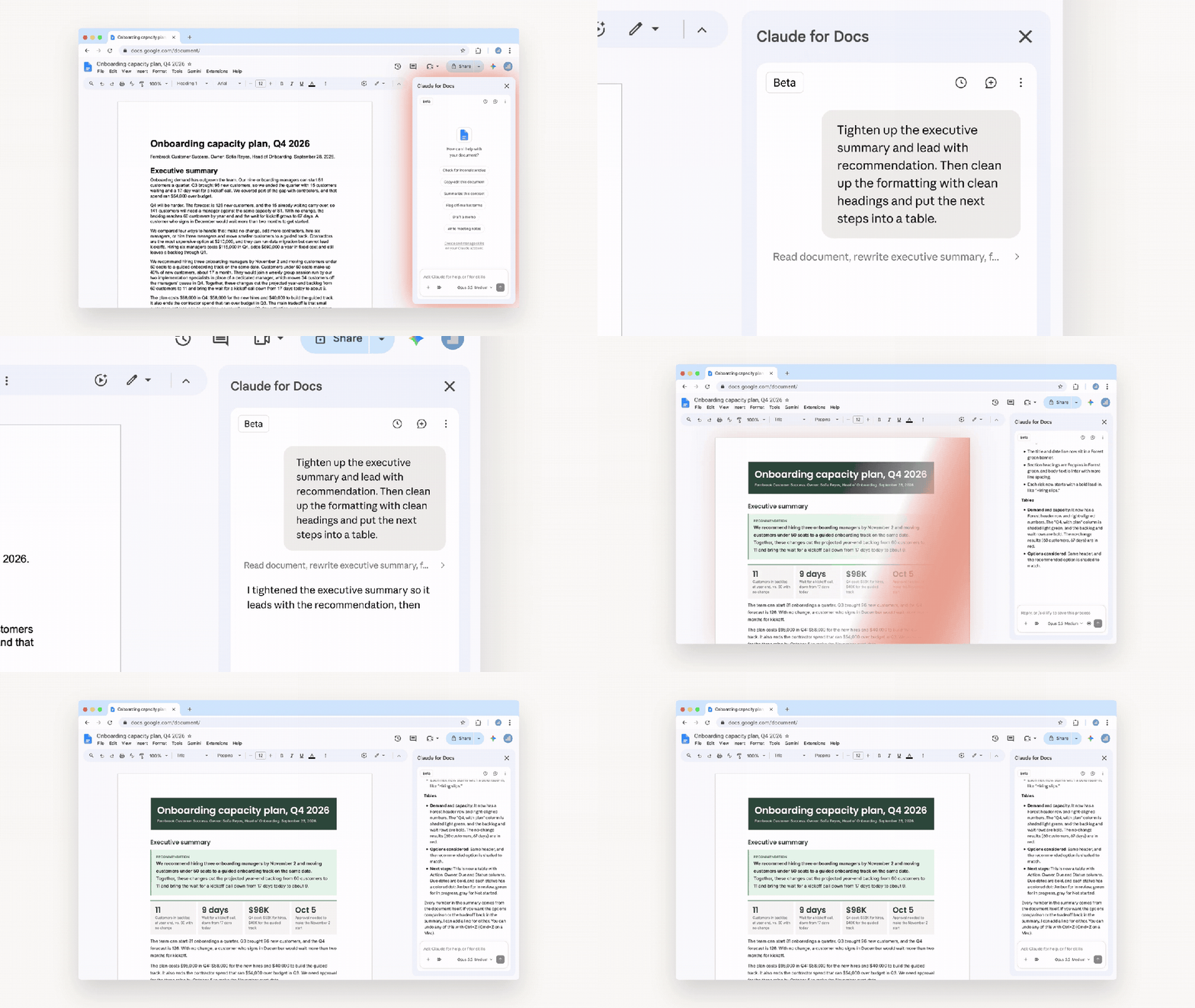
Anthropic said those edits happen inside the original Docs file, so users do not need to move text out of the document and paste a new version back in. If only one section needs work, users can highlight that text and ask Claude to rewrite just that part. According to the company, Claude can adjust heading styles while preserving surrounding formatting. For larger rewrites, it can first present an edit card for the user to accept or reject.
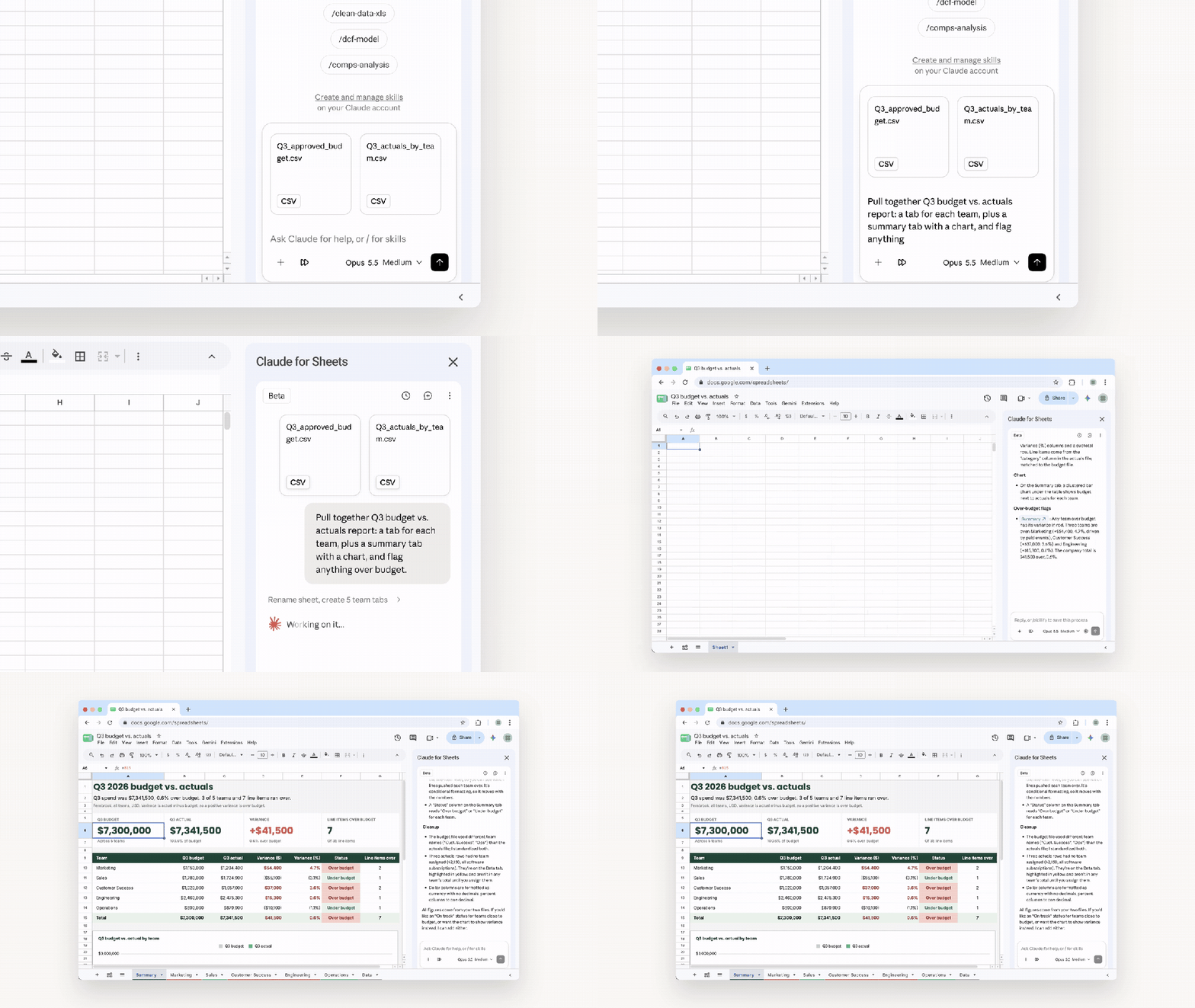
In Sheets, the demo focused on budget-versus-actual reporting. The user dragged two CSV files, one for budget and one for actual spending, into the Sheets sidebar and asked Claude to create separate worksheets by team, then build a summary page with charts and flag items that were over budget. The organized data and analysis were written directly into the current spreadsheet, with team data split into different tabs and the summary page showing budget, actual spending and the difference side by side.
Anthropic also said Claude can read the current spreadsheet and selected cells, help write or correct formulas, clean up data formats such as dates, and build pivot tables and native charts. For more complex merging and cleaning work, it can send data from one range to Python for processing and then write the result back into the sheet.
The article noted that a finished report does not mean the numbers are fully verified. Formulas, aggregation rules and outliers still need to be checked by a person, especially if those figures will later be used in a presentation.
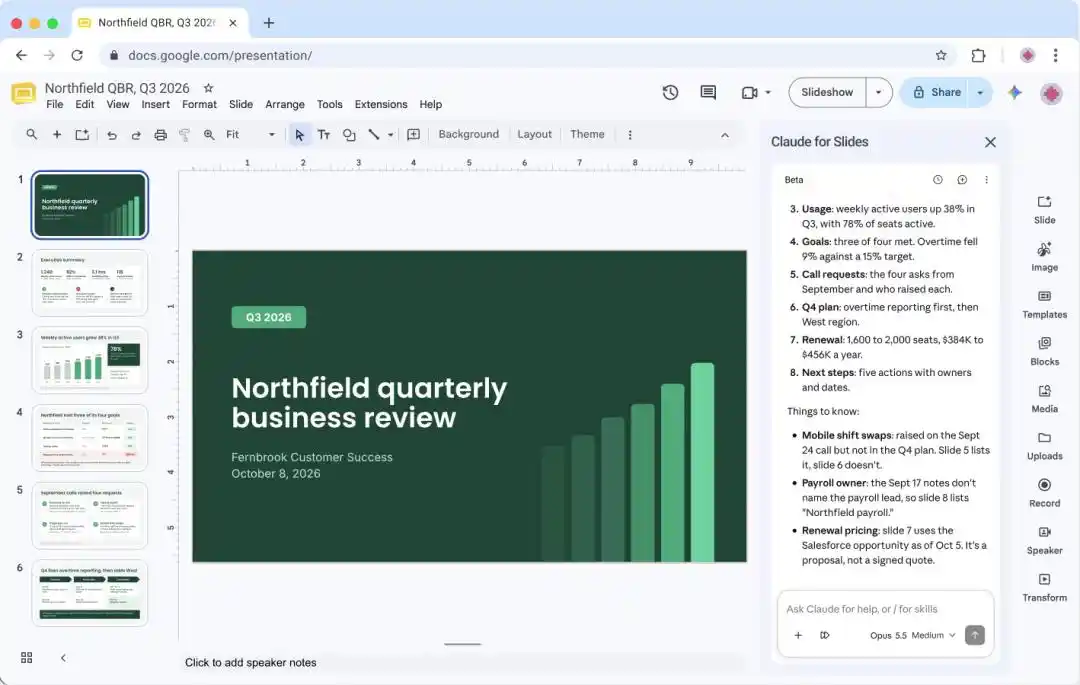
In Slides, Claude was shown generating a quarterly client report by using connected data sources. In the demo, the user enabled the relevant connector in the Slides sidebar and asked Claude to combine customer information from Salesforce with recent communication records stored in Google Drive. A blank presentation then filled with multiple slides covering a summary, usage, goal progress, customer requests and next steps.
That example also showed that the sidebar can pull from other authorized sources through enabled connectors and write the output into the current file. If a user already has an existing deck, Claude can add new slides based on the current Slides theme and layout so the new material matches the original style more closely. It can also try splitting a text-heavy slide into two and check for overlapping elements, content running off the page and text that is hard to read.
Chat and sidebar are not identical
If there is no draft yet, or if the user wants to clarify the request first, the process can begin in Claude chat. After enabling the Google Docs, Sheets and Slides connectors and completing authorization, users can paste a file link into the conversation and Claude can work on files they already have permission to access. They can also say, for example, that they want Claude to create a new Google document.
In supported environments, the file opens next to the conversation. Users can review it while chatting, make their own edits and let Claude continue working in that same file. Side-by-side windows are currently supported on Chrome on the web and on the Claude desktop app when its built-in browser is enabled. File access still follows Google’s existing sharing permissions.
The article pointed to one practical detail: users need to specify Google Docs, Google Sheets or Google Slides. If they only ask Claude to "make a document," it may generate a downloadable file instead of creating a Google file directly.
The two entry points also differ in capability. The Docs connector in chat can read comments and suggestions, while the file sidebar currently cannot read comments or accept or reject existing suggestions. The Slides connector in chat also cannot add charts for now, and edits may not appear in real time in the side-by-side window.
Approval flow, version history and current limits
Anthropic said Claude’s sidebar uses an "ask before editing" mode by default. It first explains what it plans to do and waits for approval before making changes. Users can also turn on "accept all edits" so Claude can complete routine content edits with fewer interruptions.
Some actions still require separate approval, including adding external links and inserting images from a URL. Edits are recorded under the user’s own name in Google file version history. If the result is not suitable, users can undo the changes or restore an earlier version.
The beta covers Pro, Max, Team and Enterprise. Users need to install the add-on, complete authorization and sign in to Claude. For organization accounts, whether the add-on can be installed depends on the Google administrator’s settings.
Anthropic also said the sidebar works on the file that is currently open. If the sidebar is closed, the current task stops, and the work cannot automatically be handed off to another app to continue.
Slides has another limitation that the article singled out: charts added through the sidebar are images. They do not update automatically when numbers in Sheets change, so they need to be regenerated. If spreadsheet figures are revised, the charts in the presentation still need to be checked again.
The article added that time savings depend on how much review and rework is still required. Fewer confirmation clicks do not automatically mean a faster workflow if users later spend more time correcting mistakes.
Competition over the office entry point
The piece compared Anthropic’s move with OpenAI’s recently launched Space and Pages. As described in the article, OpenAI is building a new collaboration space around ChatGPT that brings materials, discussion and creation together, while Claude is moving into Google files that users already work in and assisting directly inside familiar documents, spreadsheets and presentations.
At the same time, the competition is not fully closed off. The article said Microsoft 365 Copilot connects to both OpenAI models and Anthropic’s Claude. OpenAI is building its own office entry point while also supplying models for Microsoft products, and Claude is entering both Microsoft and Google office environments.
In the article’s framing, companies are competing over where users begin their work each day, while cooperation is focused on how AI gets inserted into those workflows.
Google adds Markdown support to the picture
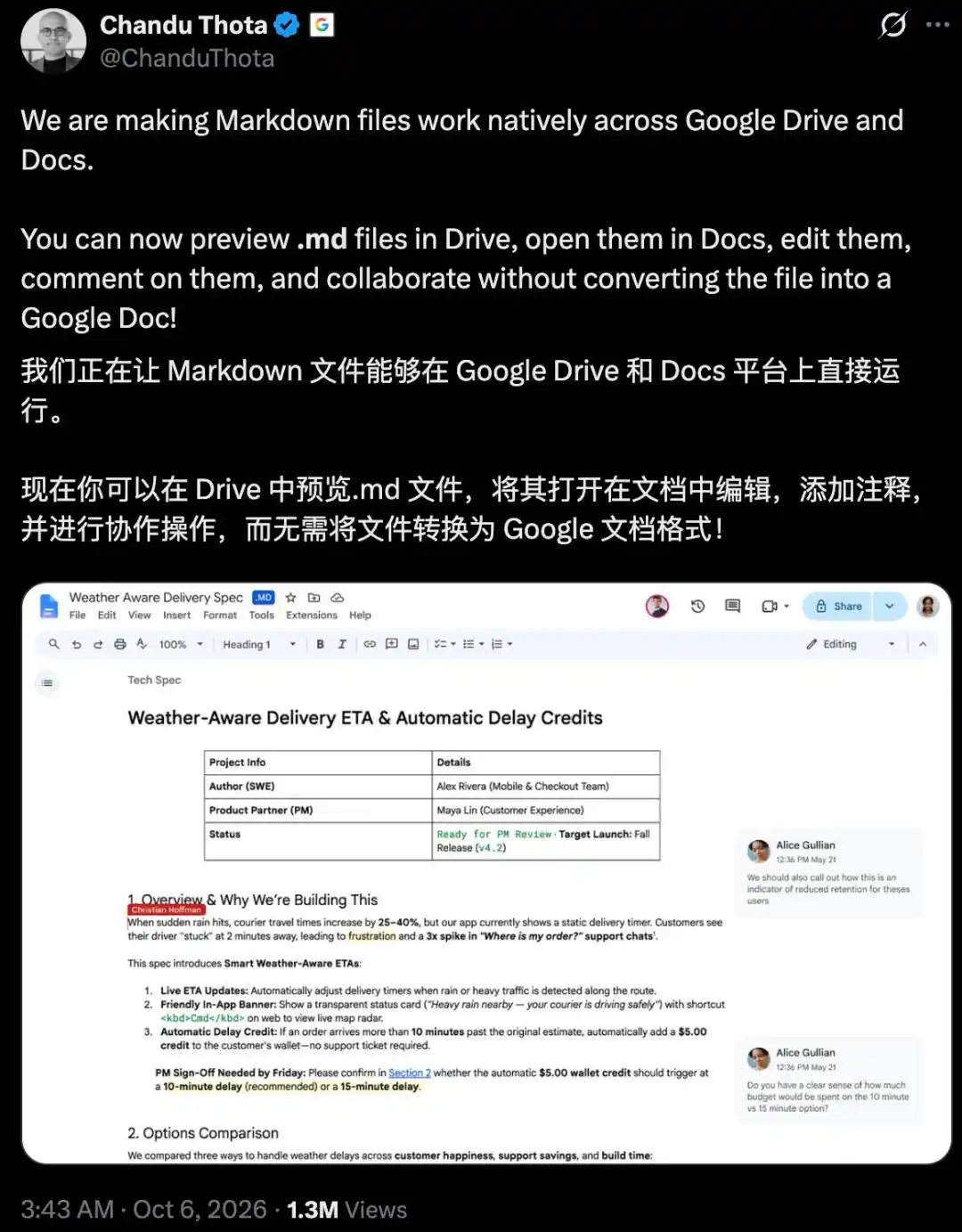
Google has also added another piece: direct support for Markdown files in Drive and Docs. Chandu Thota, vice president of engineering for Google Workspace, wrote on X that Markdown has become a "common language" between people and AI agents.

The article said many files, from specifications and work plans to task lists and AI-generated documents, begin life as .md files. Those files can now be opened, edited, commented on and shared for collaboration without first being converted into Google Docs.
Thota’s focus, as described in the piece, was on the small but persistent friction caused by repeated import and export steps and by formatting problems after conversion. The article also noted that users have already started asking for the next feature. In the comments, Chirag Nagpal asked whether LaTeX math formulas inside the main body of Markdown files could also be supported.
The article closed on a practical point: models are moving into office software, and office software is starting to accept file formats commonly used by AI. For ordinary users, the more immediate question is not which companies are partnering, but whether they can spend less time moving content around, fixing formatting and redoing work.
References
- https://claude.com/resources/articles/claude-now-works-in-google-docs-sheets-and-slides?utm_source=chatgpt.com
- https://x.com/ChanduThota/status/2107195115441946850
- https://openai.com/index/devday-2026-recap/?utm_source=chatgpt.com
The original Chinese article was published by the WeChat public account "新智元" (ID: AI_era), written by ASI启示录 and edited by 元宇.