
I often answer questions from friends who are new to Web3, and I encounter a wide variety of issues. Some ask, "Can I recover my wallet if I accidentally delete it or forget the password?" Some take screenshots of their seed phrases and save them in their photo album, thinking it's safe as long as they don't share them with others. Others still cannot tell the difference between an exchange account and a self-downloaded wallet. These questions may seem basic, but in reality, even people who have used wallets for years may not fully understand them. Therefore, I decided to start a series called "Web3 Survival Guide" — using plain language and focusing on seemingly small but truly important questions to help everyone gradually understand and use Web3.
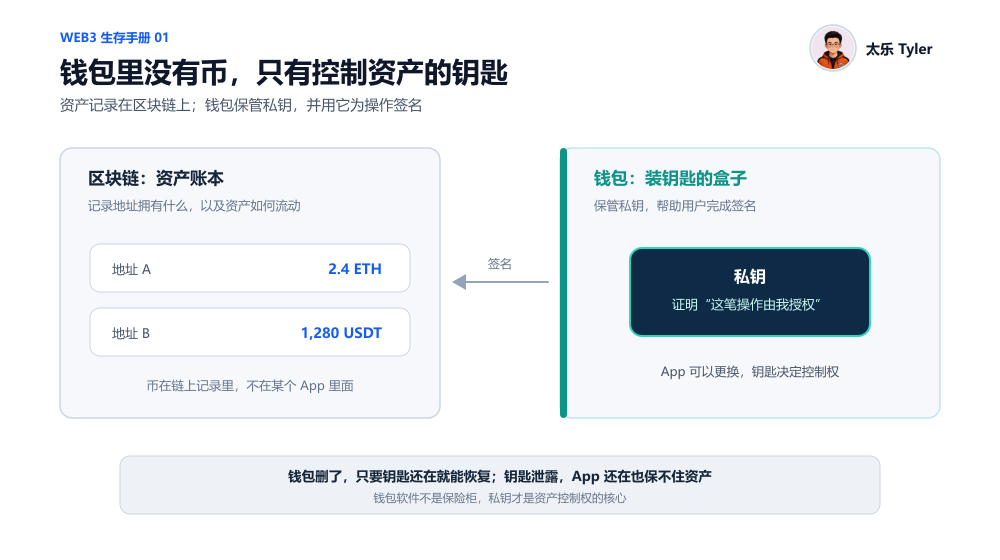
Many people believe that their BTC, USDT, ETH, or other tokens are "stored in the wallet." Strictly speaking, however, assets are not inside the wallet app but recorded on the blockchain. The wallet you use — whether MetaMask, OKX, SafePal, TP, or imToken — is more like a set of tools to help you keep your keys, not a vault for storing assets. When you transfer tokens, swap, or approve a dApp, the wallet uses the private key stored internally to sign the operation, proving to the blockchain that the person controlling the address agrees to execute it. Hence, a wallet app is not a safe; it is a box that holds the keys — the real value lies in the keys (private keys), not the box itself. This also explains why even if the original wallet app shuts down, is removed from the store, or you accidentally delete it, as long as you have backed up the correct private key, you can download another wallet app and re-import the key to restore your assets. Conversely, if someone else obtains your private key, they can transfer your assets even if your phone is still in your hands and the wallet app is still installed — because they can import that key into their own wallet, and the blockchain only recognizes the key, not who holds the key.
What's the Difference Between Private Key, Seed Phrase, and Wallet Password?
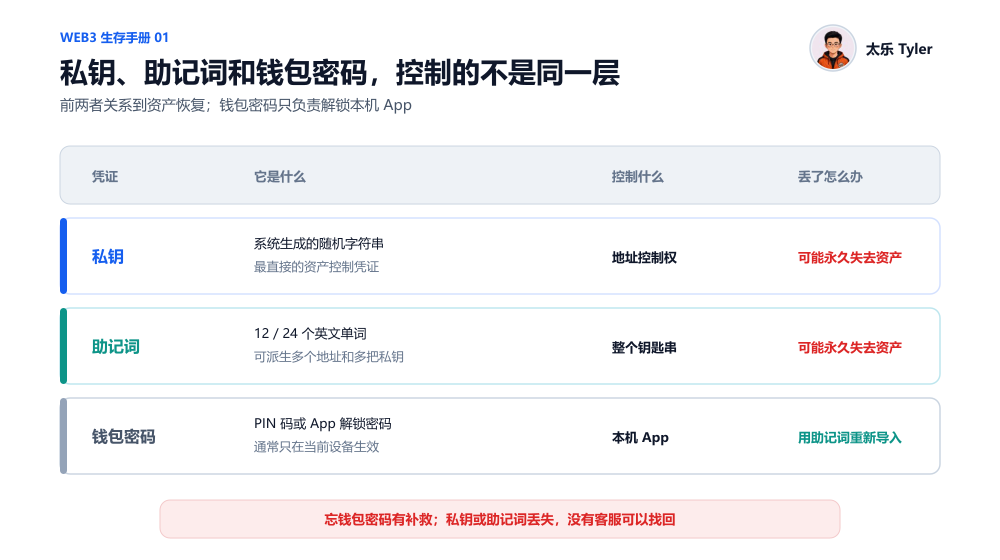
A private key is a string of random characters generated by the system — long and messy, easy to copy incorrectly when backing up manually. Therefore, the industry adopted a universal standard to convert private keys into a sequence of 12 or 24 English words, called a seed phrase (or mnemonic). Private keys and seed phrases are essentially the same key, just in different formats. Theoretically, a single seed phrase can derive multiple private keys; think of the private key as an individual key, while the seed phrase is more like a master backup of a keychain. Most mainstream wallets today prompt users to back up their seed phrase during creation, and rarely ask ordinary users to copy down a long private key string. However, you must never reveal your private key or seed phrase to anyone. Under normal circumstances, no wallet customer support, project team, or exchange staff will ask you to provide your private key or seed phrase. Any request claiming to "verify wallet," "unfreeze account," "claim airdrop," or "assist in asset recovery" that asks for your private key should be treated as a scam.
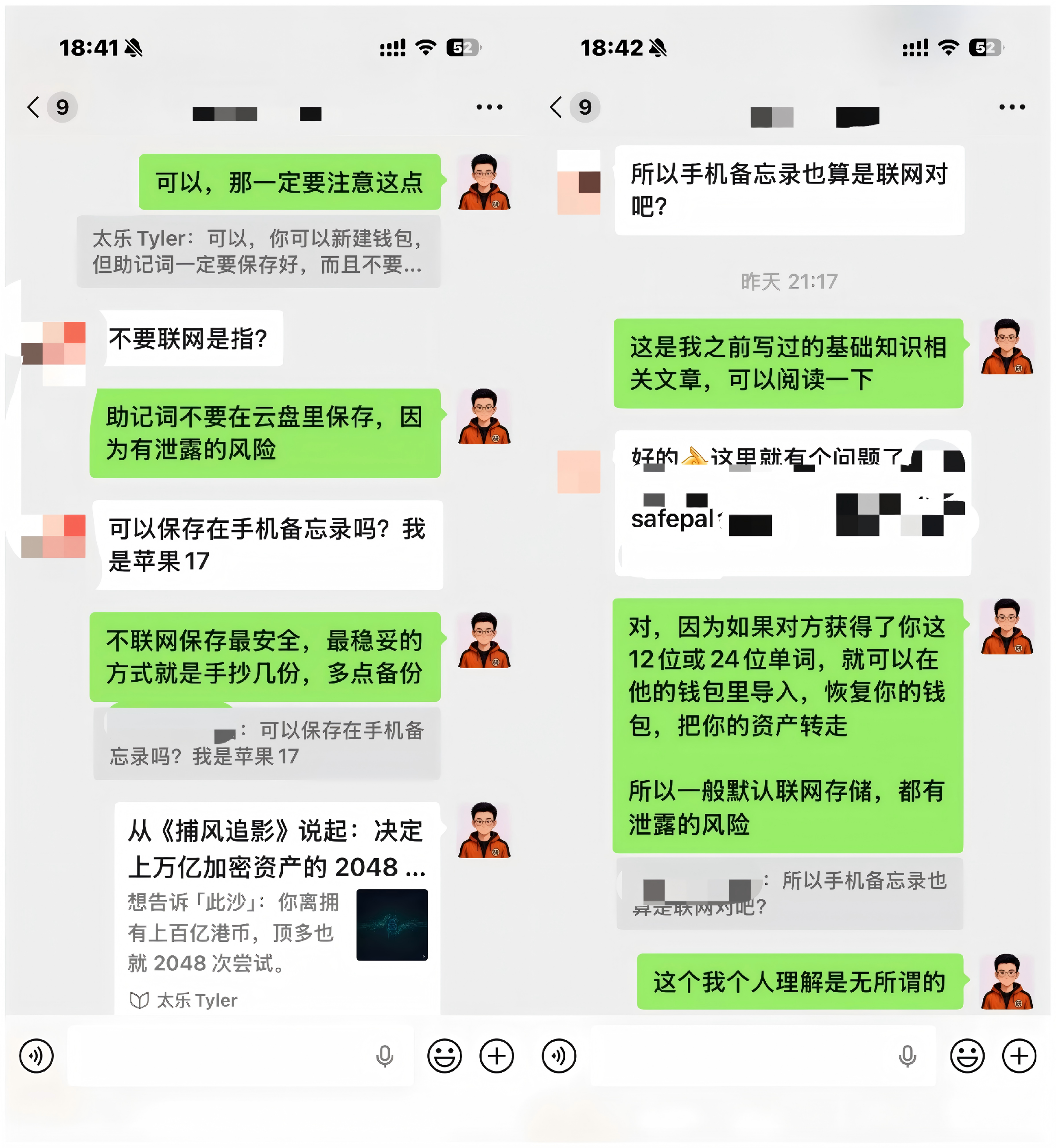
A wallet password — such as a PIN or unlock code set when opening the app — is only used to unlock the app itself, similar to a phone lock screen. It is entirely unrelated to private keys or seed phrases. Remember a simple rule: if you forget your wallet password, you can re-import your private key or seed phrase and set a new password; if you lose your seed phrase but your original wallet can still be opened, you may have a chance to re-backup or transfer assets; only if you lose your seed phrase and the original wallet cannot be opened will you truly be unable to recover; and if your seed phrase is leaked, you should immediately move your assets to a completely new wallet.
Exchange Account vs Personal Wallet
Many people first encounter cryptocurrencies through exchanges like BN, OK, or BG. Assets held in a centralized exchange are typically not under your direct custody of private keys/seed phrases; instead, the exchange manages them on your behalf. To log into an exchange, you use your phone/email + login password, along with SMS codes or Google Authenticator for 2FA. The balance you see in your account is primarily an internal record kept by the exchange, not an independent on-chain address that you fully control. The advantage of this approach is simplicity: even if you forget your password, you can contact customer support, complete facial recognition or identity verification, and recover your account. The trade-off is that you must trust the exchange to securely safeguard your assets and handle deposits and withdrawals properly. In contrast, with a wallet, the private key is held by you, giving you direct control over your assets. You can transfer funds anytime to anyone without needing exchange approval, but you must also take responsibility for backing up your seed phrase, recognizing phishing sites, and avoiding erroneous operations. Thus, it is not that one is inherently more secure than the other; they represent two different responsibility distributions. Using an exchange means delegating some security and custody responsibilities to the platform; using a self-custodial wallet means taking both control and responsibility into your own hands. Which option you choose depends on your asset size, usage frequency, and risk management capabilities.
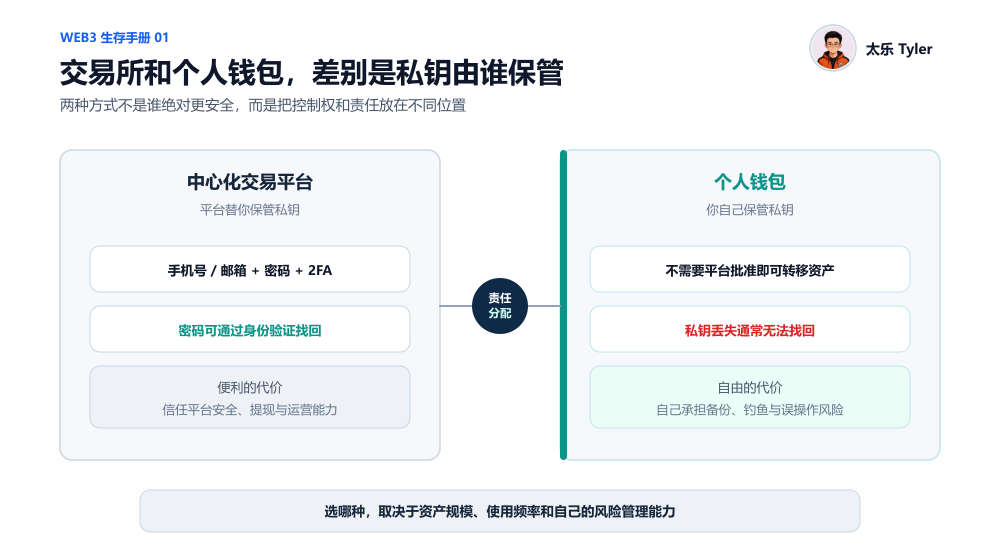
Today, major exchanges typically offer both an "exchange account" and a "Web3 wallet" within the same app — for example, in the BN or OK app, you can log into your exchange account and also create a self-custodial wallet that requires backing up a seed phrase. Although the entry points are together, these are two separate accounts with completely different asset control mechanisms. The rule of thumb is simple: if a wallet requires you to independently back up your seed phrase and explicitly states that the platform cannot recover it for you, then it is a self-custodial wallet.
Hot Wallet vs Cold Wallet
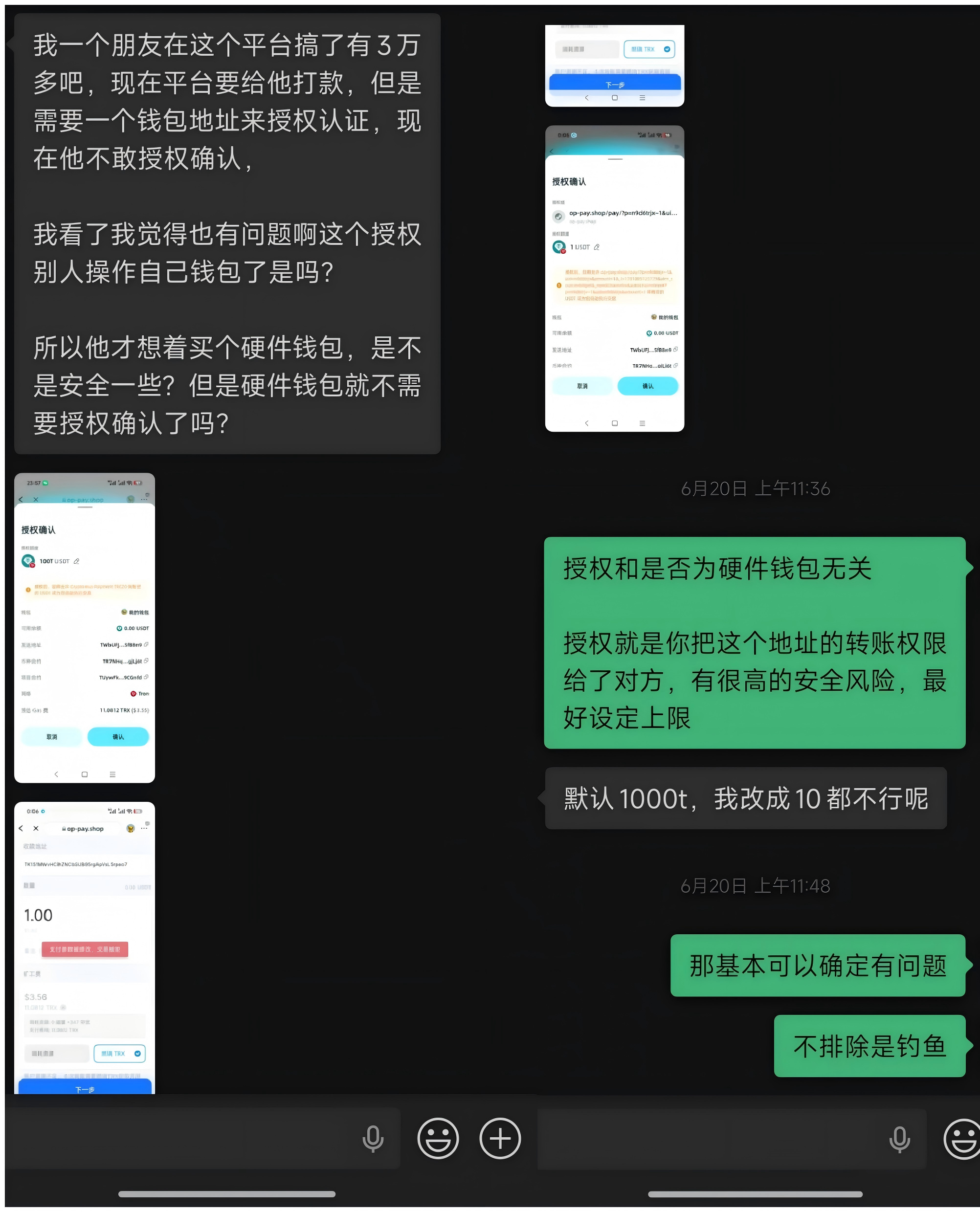
Once you understand private keys and seed phrases, distinguishing hot wallets from cold wallets becomes straightforward. A hot wallet stores private keys on a device connected to the internet, and signing is done via a phone or computer. Wallet apps from brands like MetaMask, OKX, SafePal, and TP are typically hot wallets. A cold wallet, commonly implemented as a hardware wallet, generates and stores private keys in a dedicated offline hardware device; the private key never leaves the device during signing. Examples include hardware devices from Ledger, Trezor, and OneKey. Note that cold wallets do not mean the entire setup is never connected to the internet — more precisely, the private key itself never leaves the hardware device and is never directly exposed to an internet-connected phone or computer. The typical flow is: transaction information is created on the computer or phone, sent via USB or Bluetooth to the hardware wallet, which internally signs it with the private key, and returns the signed result to the connected device for broadcasting to the blockchain. However, cold wallets are not absolutely secure. If you take a photo of your hardware wallet's seed phrase and upload it, enter it into a phishing site, or mistakenly grant approval to a malicious contract, the hardware device's security becomes meaningless. Hardware wallets protect the storage and signing environment of private keys, but they cannot protect against users voluntarily leaking their seed phrase.
Seed Phrase Backup Recommendations
Storing seed phrases in plain notes, WeChat favorites, chat history, email, or an album carries significant risks. Your phone could be infected with malware or remotely controlled; your cloud account could be compromised; notes and albums might auto-sync; apps might read clipboard or local content; and old phones sold or repaired might not have data thoroughly wiped. Tools with independent passwords and encryption can be somewhat safer than ordinary albums or notes, but you still need to trust the phone system, the corresponding app, the cloud account, and password strength — a failure in any link can lead to leakage. Therefore, for larger amounts or assets you intend to hold long-term, it is recommended to write your seed phrase down on paper or record it on a dedicated metal seed plate (major hardware wallet vendors offer such plates; more on this in the next installment). Keep copies in two relatively safe and independent locations. Offline storage has its own risks — paper damage, loss during moving, fire, or water damage — so a truly reasonable security plan involves multiple backups. We'll delve deeper into asset custody tips and specific use cases for hot/cold (hardware) wallets in the next article.

This is the first article of the "Web3 Survival Guide" series. In future installments, we will continue discussing the specific choices between hot and cold wallets, security best practices, and more. Stay tuned.