


OpenClaw has shipped v2026.10.1. The project says the update pulls in work from 402 contributors, spanning 2,425 pull requests and 3,055 commits.
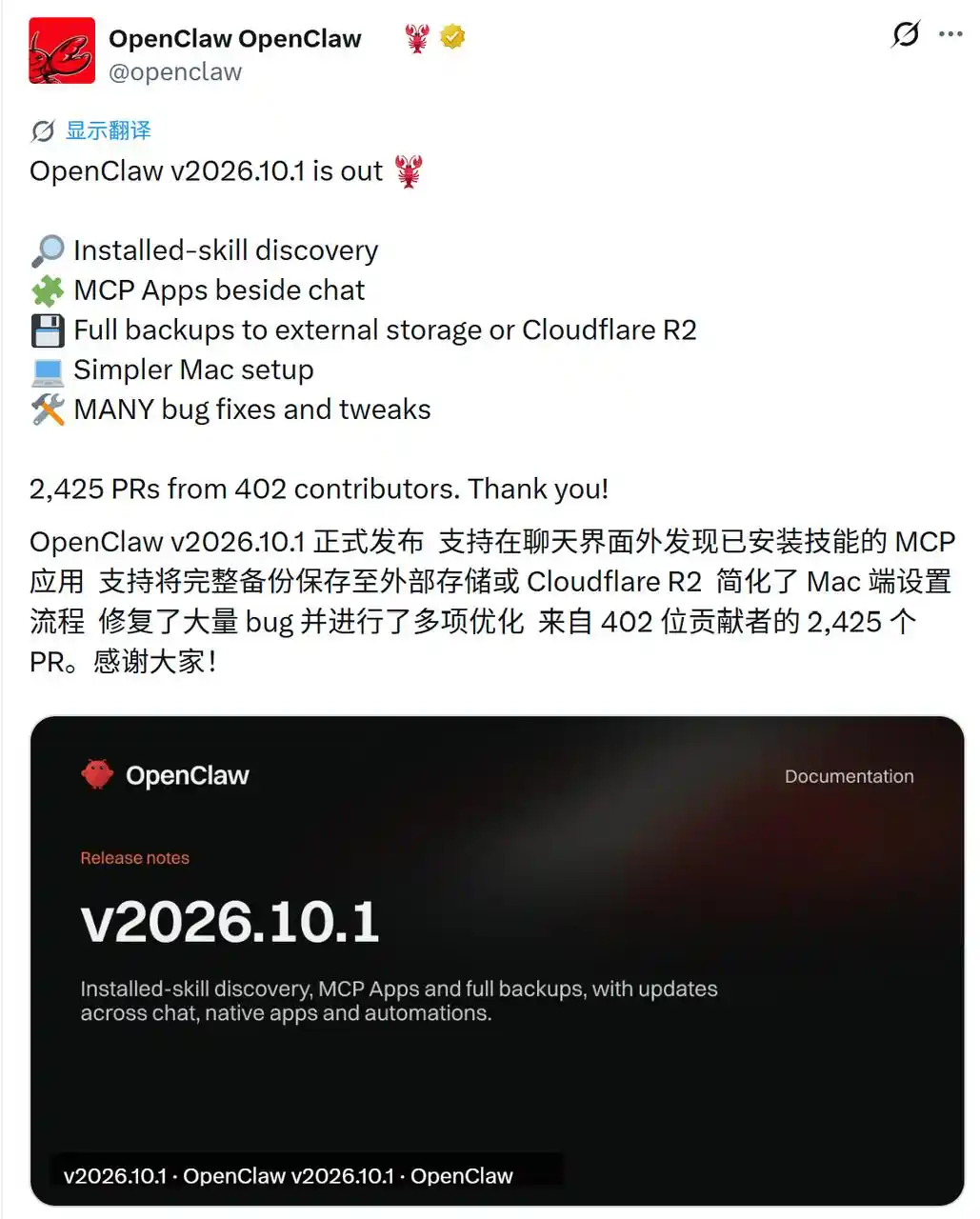
The official release notes are here: https://docs.openclaw.ai/releases/2026.10.1. Two things jump out in this release: agents can now search installed Skills by themselves, and compatible MCP Apps can open right next to the chat window.
There’s more in it too. Remote full backups are now supported, Mac installation is easier, and there are wider changes across automation, session management, and model tools.
By the time this article went live, OpenClaw’s release post had picked up about 34,000 views. That’s a cooler reaction than what the product was getting earlier this year during the much-discussed “shrimp farming” phase. And that latest update brings back a bigger question: now that OpenClaw is no longer sitting at the center of public attention, where is it actually going?
Agents can now look up Skills during a task
Skills are basically instruction manuals for agents. Developers can put task procedures, tool guidance, and operating notes into SKILL.md, and the agent can read those instructions while doing related work.
But as more Skills get installed, finding the right one becomes its own headache. Before this, OpenClaw put a directory of available Skills into the prompt so the agent knew what it could do. As that list got longer, it ate up more context space and started running into prompt budget limits.
With v2026.10.1, that setup has been replaced by on-demand lookup. While a task is running, the agent can search for a Skill first, then read the full instructions only if it actually needs them.
The new skills_search can look through installed Skills by name, description, and instruction content. Once it finds a match, the agent can call skills_read to load the full SKILL.md.
In real use, that means if a user assigns a job involving file processing or some specific tool, the agent can first check whether the current environment has a matching Skill before deciding what to do. OpenClaw says this works for supported embedded agents, Code Mode, and Codex sessions.
MCP Apps move next to the chat interface
The other big change in this release is about MCP Apps.
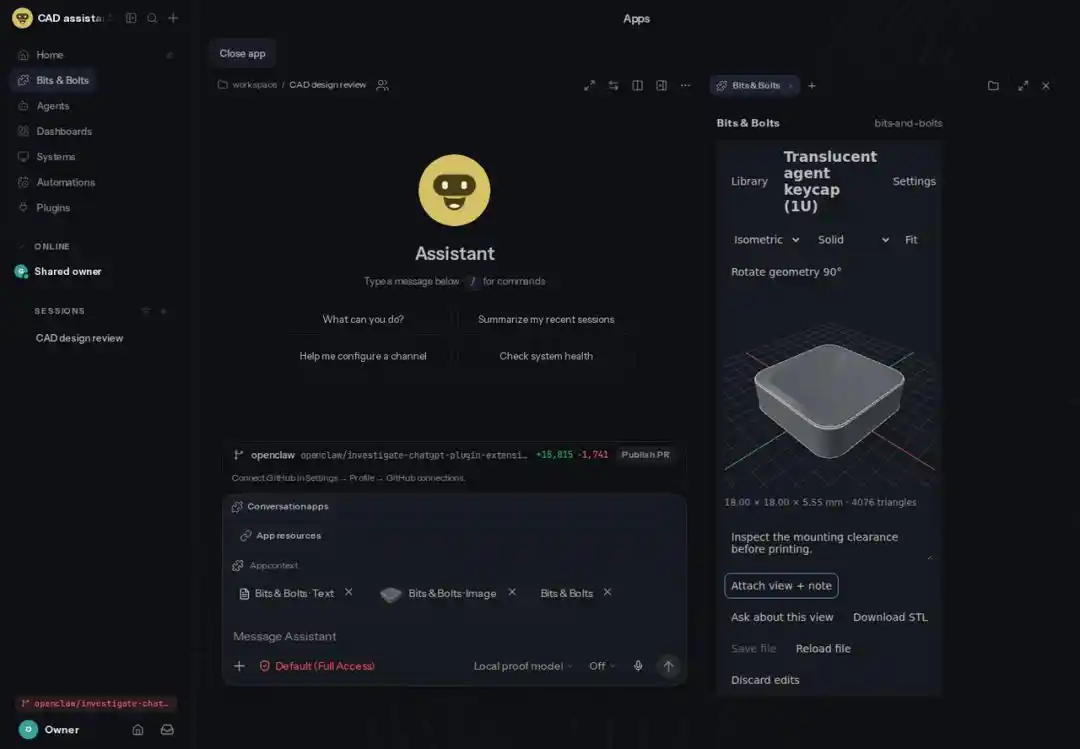
MCP links AI systems with outside tools and services. MCP Apps put an interactive interface layer on top of those links. In the new version, compatible MCP Apps can open directly beside OpenClaw’s chat area.
That shifts how people can use the system. Instead of explaining every step through text alone, they can work with forms inside the app, select content directly, and send the result into the next turn of the conversation. And for supported workspace files, MCP Apps can also offer viewing and editing tools.
During those interactions, the app can ask its connected MCP server to call tools. If an action needs authorization, OpenClaw shows three choices: allow once, allow for as long as the current app view stays open, or deny the request.
So the chat window can now support a fuller workflow. A user can describe the task in natural language, then review content, fill in parameters, or approve actions in the app panel sitting beside it.
Full backups can now be stored outside the local device
Away from Skills search and MCP Apps, OpenClaw has also widened its full backup system.
Users can now store backups on external hard drives, mounted storage devices, or Cloudflare R2, rather than keeping them only on the device running OpenClaw. The release also adds scheduled backups and automatic cleanup for older backup files.
During recovery, the system writes data into a new temporary directory instead of directly overwriting the existing environment. The idea is simple: cut the risk of something going wrong during restore. For agents that run for long stretches, keeping configuration, databases, and credentials intact—and being able to recover them after device failure—is still a very practical need.
Mac setup, Code Mode, Workboard, and automation also changed
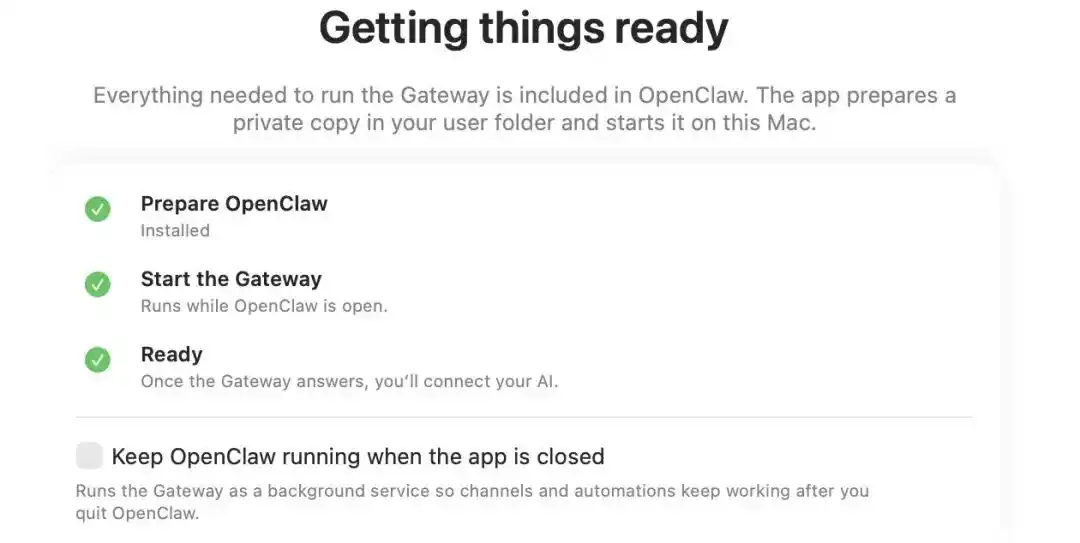
On desktop, the Mac app now comes with its runtime environment included. So new users no longer have to install Node.js or command-line tools separately.
Code Mode can now save small amounts of JSON data for later execution or reuse after a restart. Workboard has added a session management method built around rules and task status.
OpenClaw also refreshed its automation stack, with changes to task search, run log queries, and failure handling. The point is to make job tracking easier and make repeated task failures less painful to deal with.
The model catalog can now be updated without restarting OpenClaw. The web interface has also picked up temporary conversation hiding and offline draft saving.
Fixes and optimizations take up a big part of this release too. They touch installation and maintenance, sending and receiving messages, memory functions, Skills, model compatibility, automation scheduling, and security and privacy.

Users are still watching the updates, but some are worn down
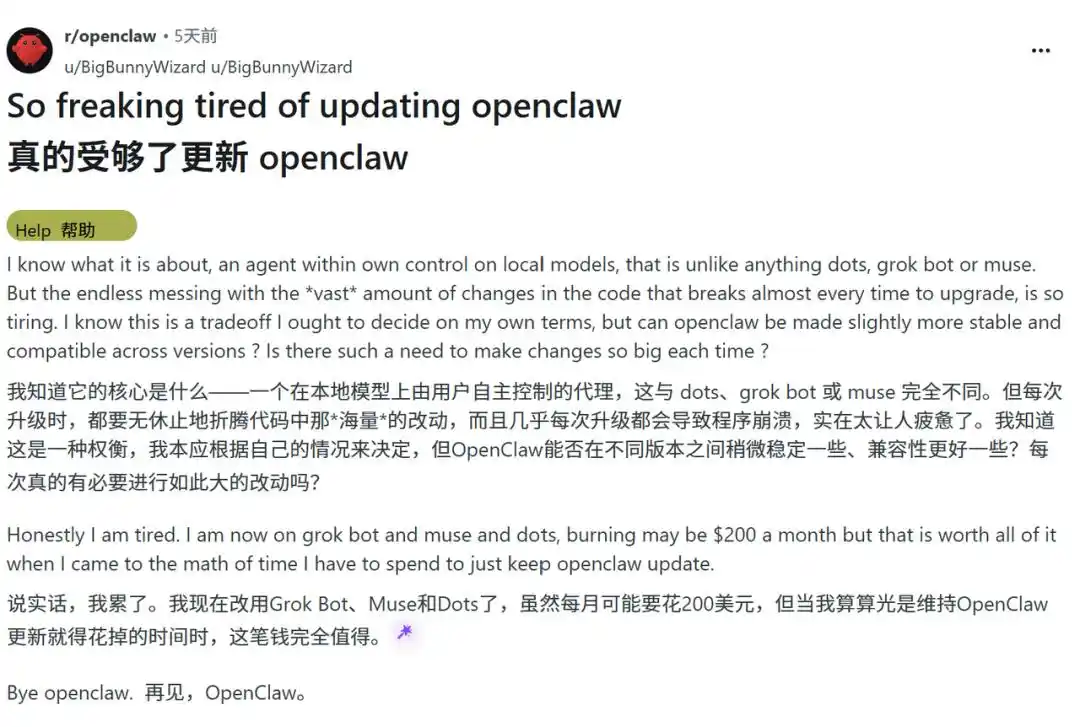
Just days before this release, a Reddit post titled “I’m really fed up with updating OpenClaw” captured the fatigue some users now feel about the pace of updates.
The post’s author said OpenClaw’s main attraction was obvious: it could run on local models and let users keep real control over their agents. But the compatibility problems that came with repeated upgrades had become draining, with environment repair work needed almost every time a new version showed up.
That user said they had decided to switch to Grok Bot, Muse, and Dots. Even if that meant paying an extra $200 a month, the time saved compared with maintaining OpenClaw made it worth it, according to the post.
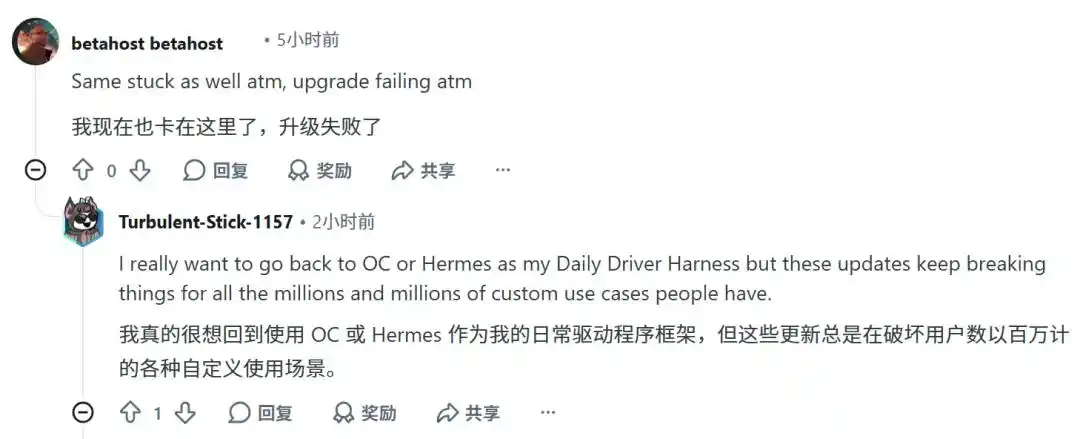
And even users who have stuck with OpenClaw are not all finding this version easy to install. Under the release thread, one commenter said they were still stuck on version 9.9 and could not finish the update even with help from ChatGPT. Another user said they had hit the same problem. A separate commenter said they wanted to go back to OpenClaw or Hermes as a daily agent framework, but the nonstop updates kept breaking already-established custom workflows.
GitHub reports point to failed upgrades
Similar complaints have shown up on GitHub too. In one issue report, a user said an upgrade attempt from v2026.9.5 to v2026.10.1 failed. The Codex plugin stayed on the older version, and although Gateway seemed to be running normally, the agent could not complete even a single reply.
The issue link cited in the source article is https://github.com/openclaw/openclaw/issues/168748.
Those reports match a broader change in how the product is being received. OpenClaw first grabbed attention with the idea of AI systems that could finish work on their own. In real-world use, though, deployment, maintenance, token costs, and stability have turned into tougher limits. At the same time, more AI products now offer similar abilities, which means users have more options than they did before.
OpenClaw is still releasing features at a steady clip. But user feedback makes one thing pretty clear: stability and low maintenance now matter just as much as new features.
Reference link: https://x.com/openclaw/status/2109347136328417718
This article comes from the WeChat public account Machine Heart, written by Neo and Shanhui.